Samsung One UI features that set it apart on Android
Samsung's custom One UI software offers a range of exclusive features that distinguish Galaxy devices from other Android smartphones.
 Radwan AbdulhadiEditor and technology writer
Introduction to One UI Software
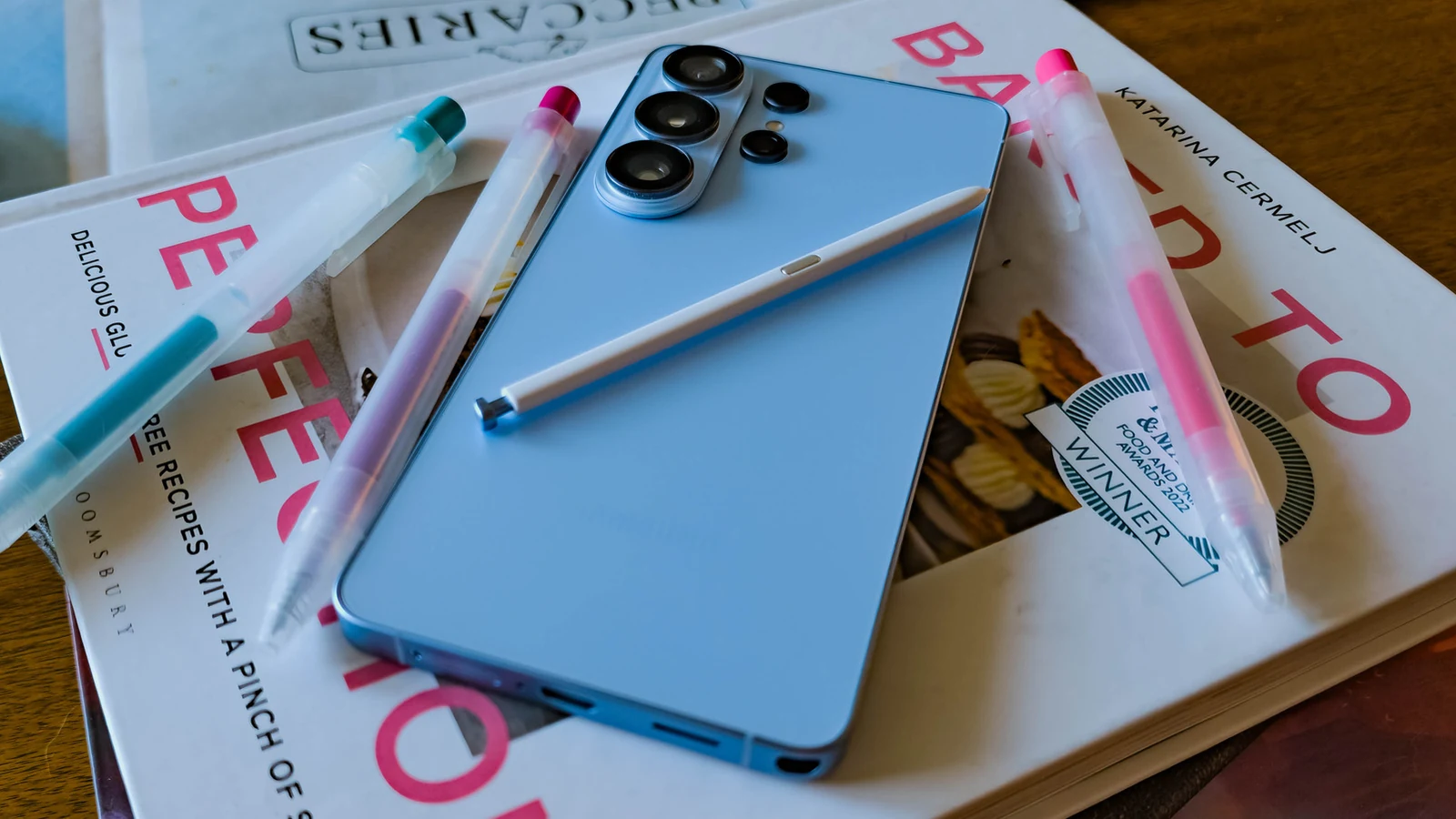
Samsung Galaxy smartphones are the world's most popular Android devices, meaning a large segment of the user base experiences the operating system through Samsung's proprietary skin. While a feature-rich One UI 9 brings refined capabilities, not every Samsung phone will update to that software, though many core tools remain available across earlier versions.
The custom software layer offers unique utilities ranging from device ecosystem integration to advanced audio controls and deep personalization options. These exclusive tools help separate Samsung devices from competing hardware in the broader Android market.
Multi Control for Seamless Multi-Device Inputs
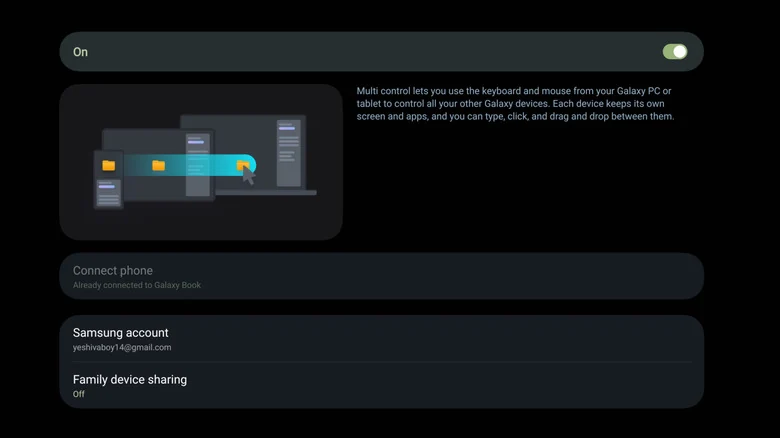
Switching between multiple Galaxy devices or a Windows PC can present challenges, but Multi Control aims to streamline the workflow. The feature allows users to connect a mouse and keyboard to a single device and use them across multiple screens, including combinations of Galaxy devices and personal computers.
While competing manufacturers offer similar cross-device capabilities—such as Motorola Smart Connect or O+ Connect—those alternatives typically require a central PC to mediate the connection. In contrast, Multi Control allows direct sharing of peripherals between a phone and a tablet without an intermediary computer.
Originally restricted to Samsung's proprietary hardware, the company expanded Multi Control on PC to support a broader range of computers. Users can effortlessly move cursors and drag files across tablets, phones, and traditional monitors.
Managing Audio Outputs with Separate App Sound
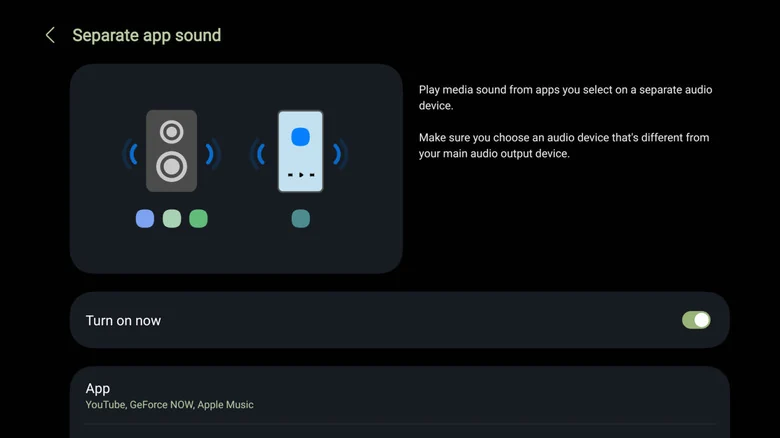
Android traditionally manages audio by routing all system sound through a single active source or output device. Samsung's Separate App Sound modifies this behavior by permitting users to assign specific applications to designated audio outputs.
This capability prevents embarrassing situations where unexpected media sounds, such as a video clip, blast over a connected Bluetooth speaker during a gathering or trip. By directing specific apps to the phone's built-in speaker, users maintain separation between primary music playback and other application noises.
Users can configure these preferences through the device settings or by utilizing supplementary modules available via the Galaxy Store to fine-tune system-wide audio behavior.
Streamlining Playback with Music Share
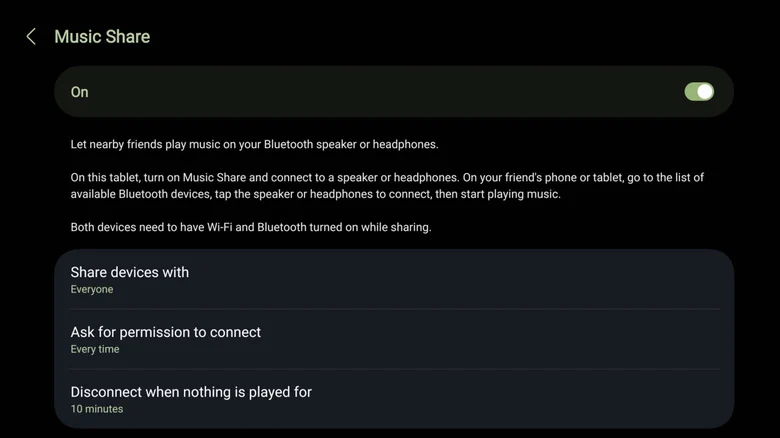
Sharing a car stereo or portable Bluetooth speaker with friends often involves complicated pairing processes and resetting head unit configurations. Samsung addresses this friction through Music Share, a utility that enables other devices to connect directly to a host phone rather than the speaker itself.
Once enabled from the Quick Panel, connected friends route their audio through the host Galaxy device, which forwards the stream to the active Bluetooth speaker. By default, connection requests are restricted to known contacts and require explicit approval from the host.
The tool includes automated safeguards, such as disconnecting devices after a set period of inactivity, giving the primary user full control over the shared listening session.
Extensive Customization Through Good Lock
For users seeking deep personalization, Good Lock provides Samsung's suite of customization tweaks through a modular ecosystem of downloadable plugins. Rather than presenting a monolithic application, the platform houses numerous distinct tools designed to modify interface elements.
Individual modules within the system allow users to adjust home screen layouts, reconfigure navigation buttons, manage multitasking behaviors, and alter application icons. These advanced settings offer granular control over the software interface well beyond standard operating system defaults.
Sources
- Engadget5 Samsung One UI features you won't get with other Android phones
Continue chronologically
Related entity coverage
Related stories
How to Check If Your Android Phone Still Gets Security Updates
Learn how to check your Android phone's security update status, find manufacturer end-of-life dates, and secure an unsupported device.
What to Look For When Buying a Cheap Android Phone
Discover the essential non-negotiable features you need to look for when shopping for a budget Android phone priced at $300 or less.
Google Updates Android Distribution Numbers for 17 and 16
Google has refreshed its Android distribution numbers, showing that Android 17 sits at 1% adoption while Android 16 claims over 25%.
How to Block and Unblock Numbers on Your Android Phone
Tired of spam? Learn how to effectively manage your block list on Android phones, including specific steps for Samsung and Google Pixel devices.