How to Improve Audio Quality on Your Android Phone
Maximizing your listening experience on Android involves understanding system audio handling, configuring the right hardware, and selecting the best headphone choices.
 Radwan AbdulhadiEditor and technology writer
How Android Handles Audio and Signal Processing
Getting the best possible sound from an Android device requires more than just plugging in a great pair of in-ear monitors. Digital audio involves translating sound waves into code and back again. To optimize this process, it helps to understand how Android directs audio to your ears and which layers can alter the signal along the way.
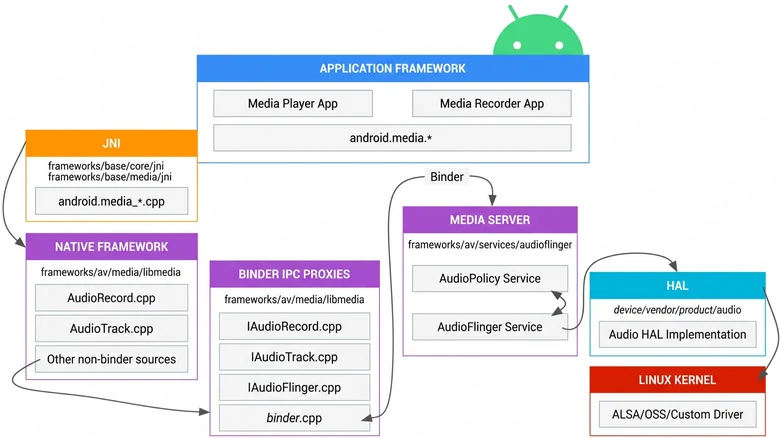
The signal chain flows from the media app playing your audio to the operating system. A service called AudioFlinger passes the data to the mixer, where system effects can be applied or audio can duck for notifications. Afterward, the audio reaches the hardware abstraction layer (HAL) before transmitting to your hardware speakers, wired gear, or Bluetooth playback devices.
While this processing happens, AudioFlinger samples and downmixes audio by default in 32-bit floating point, typically outputting at 48kHz with 16 or 24 bits of depth. For the average listener, this system satisfies daily needs, but audiophiles seeking mathematical precision—known as bit-perfect audio—look to bypass unnecessary alterations.
Achieving Bit-Perfect Audio and USB Lossless Support
Bit-perfect audio means the sound file remains completely untouched by mixing, resampling, or other modifications along the chain. Achieving this standard requires stripping away pre-existing processing so you can apply your own custom tuning.
Beginning with Android 14, apps can address the mixer directly to bypass standard processing and pass audio straight through the framework to the HAL. However, this relies on full system support: your phone manufacturer must implement lossless USB audio, your player app must support it, and your hardware must natively handle the file's sample rate.
Users looking for further optimization can explore hardware options such as the best DACs for lossless streaming in 2026 to ensure their setup meets high-resolution decoding requirements.
Why Wired Audio Remains the Easiest Path to Perfection
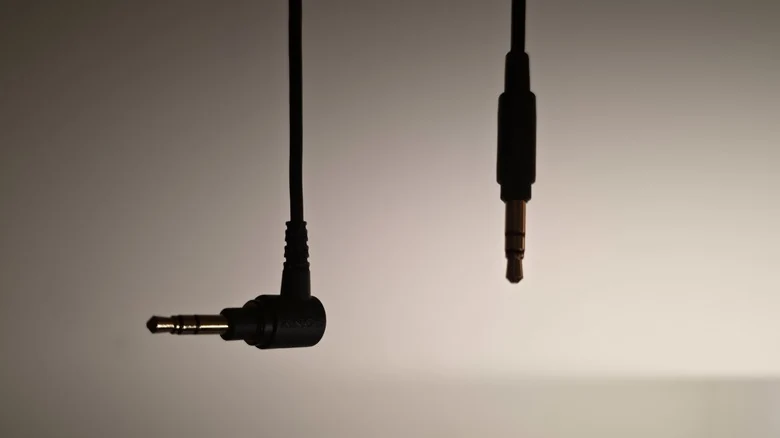
Wired headphones bypass finicky Bluetooth codecs entirely, making wired audio the most straightforward route to high fidelity on an Android phone. Every bit of the audio signal reaches the drivers without data loss caused by wireless compression, though the headphones still need to be capable of reproducing that detail.
Because modern hardware rarely includes a built-in 3.5mm headphone jack, users often need a digital-to-analog converter, or DAC, to translate the digital signal from the USB-C port into an analog signal for the cable.
While you can spend hundreds on a DAC, budget options like active or passive USB-C adapters offer accessible conversion. Audiophiles often recommend simple dongles, but enthusiasts who want advanced features can also spend hundreds on a DAC.
Evaluating Bluetooth Audio Limitations and Codecs
Bluetooth traditionally trades audio quality for convenience because the wireless protocol lacks the bandwidth required for true lossless transmission. Despite this limitation, certain Bluetooth implementations deliver quality high enough that most human ears will not notice the signal loss during normal listening.
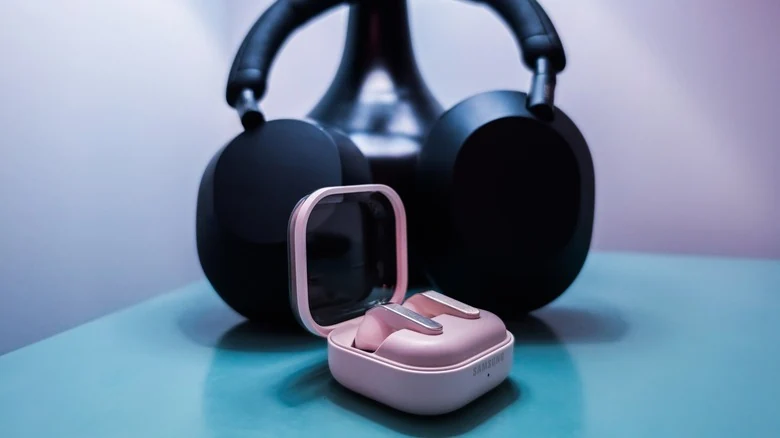
The standard Sub-band Codec (SBC) is extremely lossy and tops out at 320 kbps. Users seeking better wireless performance can look into modern alternatives like the Samsung Galaxy Buds 4 Pro to evaluate how current earbuds handle high-end wireless audio reproduction.
Practical Steps to Fine-Tune Your Android Listening Experience
To get started on improving your phone's audio output today, turn off any extra built-in processing. This includes device EQs, spatial audio enhancements like Dolby, and any other system settings that manipulate the raw audio signal.
Pairing your device with well-reviewed hardware ensures you are maximizing your setup. You can consult curated guides for the best earbuds for Android to find hardware options tailored to your listening preferences.
Sources
- EngadgetHow to improve audio quality on your Android phone with Bluetooth or wired headphones
Continue chronologically
Related entity coverage
Related stories
What to Look For When Buying a Cheap Android Phone
Discover the essential non-negotiable features you need to look for when shopping for a budget Android phone priced at $300 or less.
How to Check If Your Android Phone Still Gets Security Updates
Learn how to check your Android phone's security update status, find manufacturer end-of-life dates, and secure an unsupported device.
Google Updates Android Distribution Numbers for 17 and 16
Google has refreshed its Android distribution numbers, showing that Android 17 sits at 1% adoption while Android 16 claims over 25%.
How to Block and Unblock Numbers on Your Android Phone
Tired of spam? Learn how to effectively manage your block list on Android phones, including specific steps for Samsung and Google Pixel devices.