How to Check If Your Android Phone Still Gets Security Updates
Smartphones continue to function normally long after security support ends, creating a false sense of security for users whose devices are vulnerable to unpatched threats.
 Radwan AbdulhadiEditor and technology writer
The Hidden Risks of Outdated Android Software
When an Android phone reaches the end of its official support period, it does not display an alarm banner or stop functioning. Instead, the device keeps working exactly as it did before, creating a false sense of security that can leave users vulnerable to cyber threats.
While major version upgrades introduce new features, security patches are critical for closing vulnerabilities that attackers can exploit to install malware or steal sensitive data. A phone can look and feel perfectly fine while running on outdated software that no longer receives essential safety fixes.
How to Check Your Phone's Recent Security Status
Determining your device's exact security status requires checking a few different menus. On most devices, you can open Settings, tap About Phone, and look for Android version or Software information to view the last security patch date and Google Play system update status. For Samsung devices, software information is located similarly. As a general rule of thumb, a patch date that is more than three to six months old suggests the device is approaching or has already passed its support cutoff.
Users should also inspect Settings, System, and Software update to check for pending downloads. Additionally, Google Play system updates roll out separately to patch core components such as connectivity and media playback. These can be viewed by opening the Play Store, tapping the profile icon, choosing Manage apps and device, and selecting See details under Updates available.
Finding Your Device's End-of-Life Date
Because system settings only show the last update received rather than future eligibility, finding an expiration date requires external resources. Manufacturers rarely advertise exact cutoff dates prominently, which makes tracking platforms useful.
Platforms like endoflife.date offer structured tracking under Operating Systems and Android OS, allowing users to compare device versions or search brand lists for exact patch termination dates. For example, the Google Pixel 6 Pro reached its end of support in October 2026, while models such as The Samsung Galaxy S26 FE are scheduled to receive updates until September 2033.

Manufacturer Update Commitments and Timelines
Because Google develops the core Android platform while individual manufacturers build custom user interfaces and integrate security fixes, support durations vary widely across the market. This extra software layer is also the reason why updates do not arrive on all devices simultaneously.
Brand commitments differ significantly across product lineups. Google provides seven years of security and OS updates for the Pixel 8 and newer models. Samsung offers a similar seven-year support window starting with the Galaxy S24 line and Z Fold/Flip6, while older flagships and Galaxy A-series models from 2019 onward generally receive four years. Meanwhile, OnePlus offers four years of OS updates and five years of security patches for the OnePlus 12, extending security patches to six years for the OnePlus 13.
Steps to Secure an Unsupported Android Phone
Replacing an aging device immediately is not always feasible if your phone is in its last year of support or has already expired. However, users can take several practical steps to minimize security risks.
To ensure your Android phone is secure without active OS patches, enable automatic app updates through the Google Play Store, avoid sideloading external apps, and turn on two-factor authentication for sensitive accounts. Users should also configure automatic backups, audit installed applications to remove unused software, and restrict unnecessary permissions.
Furthermore, avoid public Wi-Fi networks unless you're running a VPN to protect personal data. If a device has been running without updates for more than six months, users should eventually plan on upgrading to one of the best Android phones that offer extended support windows.
Sources
- EngadgetHow to check if your Android phone is still getting security updates
Continue chronologically
Related entity coverage
Related stories
How to Block and Unblock Numbers on Your Android Phone
Tired of spam? Learn how to effectively manage your block list on Android phones, including specific steps for Samsung and Google Pixel devices.
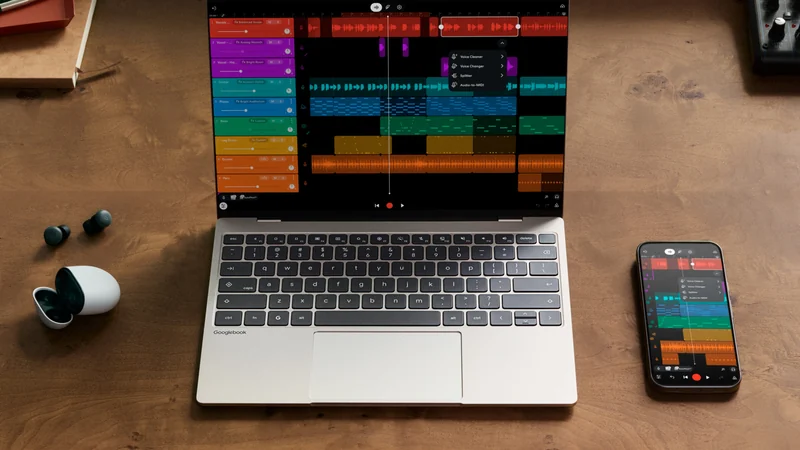
Googlebook "Better Together" Features Miss Samsung at Launch
Google's new Googlebook laptops require Android 17 and currently lack support for Samsung phones, leaving users waiting for an update.
Google Launches Android Motion Assist to Combat Motion Sickness
Google has officially launched Motion Assist for Android, bringing moving shapes to screens to help passengers combat motion sickness while riding in cars.

What Does the Shield Icon Mean on Your Samsung Galaxy?
Discover why the shield icon appears next to your Samsung Galaxy battery indicator, and learn how Battery Protection manages smartphone battery degradation.