Googlebook Android Sync Updates Roll Out With Samsung Support
Google has begun rolling out updates for its desktop platform, aimed at improving cross-device integration and adding support for Samsung devices.
 Radwan AbdulhadiEditor and technology writer

Googlebook Android Sync Updates and Improvements
The major selling point for Googlebook is its deep integration with Android phones, but the initial launch of these 'Better Together' sync features presented a messy experience. While features like Instant Hotspot largely worked out of the gate, other capabilities such as app streaming, notification sync, and 'Continue On' for compatible apps were either inconsistent, slow to activate, or unavailable. A recent post on Reddit detailed how Google is tackling these setup hurdles.
To address initial friction, Google has started rolling out a smoother first-time setup process to reduce the number of steps required to establish cross-device features. Additionally, the update fixes a bug where the pairing QR code continued to display even after the pairing process was complete.
Samsung Device Support Rolling Out
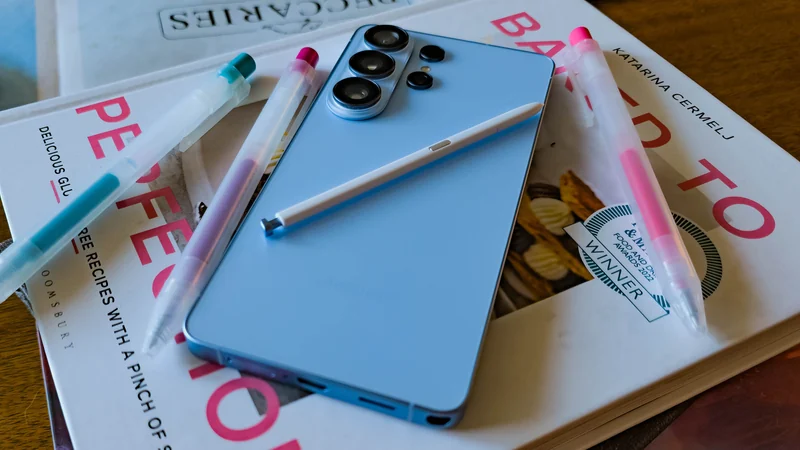
Perhaps the most notable gap at the launch of Googlebook was the absence of Samsung compatibility. Google previously indicated that support would arrive in the coming weeks, and these new updates now seem to enable functionality for Samsung devices.
Some users have already confirmed that 'Better Together' features are operational on their Googlebooks following the latest software distributions. However, users will still need One UI 9, which has currently rolled out to a limited portion of Samsung’s device catalog.
Required Version Updates and Installation Steps
To utilize the improved cross-device synchronization, users must ensure their devices meet specific software version requirements. Google Play Services on the phone must be updated to version 26.37 or higher, which can be checked and downloaded through the Play Store. Furthermore, Cross-device Services must be updated to version 1.0.1346.
Google outlines a specific breakdown of criteria for a successful connection. Phones must run Android 17, and compatible devices include Pixel hardware as well as select phones from Xiaomi, Oppo, OnePlus, Motorola, Lenovo, Honor, Sharp, Sony, and Samsung. Both the phone and the laptop must share the same personal Google Account with Bluetooth and Wi-Fi enabled.
Network Best Practices and Verification
Network configurations play a crucial role in maintaining local connections between devices. Google recommends using a private home Wi-Fi network rather than hotel, cafe, office, or guest networks that utilize client isolation and block direct local connections. Users should also pause active VPNs or network DNS blockers during testing.
After updating, users should verify their Continue activity sub-toggles by searching for Cross-device services under phone settings to ensure that Tasks, Apps, Notifications, and Files & media sharing are toggled on. Finally, restarting both the phone and the Googlebook is recommended to ensure all changes take effect properly.
Sources
- 9to5GoogleGooglebook improving ‘Better Together’ Android sync features, Samsung support rolling out
Continue chronologically

Related entity coverage
Related stories
Google Updates Android Distribution Numbers for 17 and 16
Google has refreshed its Android distribution numbers, showing that Android 17 sits at 1% adoption while Android 16 claims over 25%.
How to Check If Your Android Phone Still Gets Security Updates
Learn how to check your Android phone's security update status, find manufacturer end-of-life dates, and secure an unsupported device.
What to Look For When Buying a Cheap Android Phone
Discover the essential non-negotiable features you need to look for when shopping for a budget Android phone priced at $300 or less.
Samsung One UI features that set it apart on Android
Explore exclusive Samsung One UI software features like Multi Control, Separate App Sound, Music Share, and Good Lock that enhance Android functionality.