Why DVI Cables Still Connect to Modern TVs with an Adapter
Although the bulky Digital Visual Interface standard is largely a relic of the past, simple DVI-to-HDMI adapters allow older hardware to bridge the gap to modern displays.
 Radwan AbdulhadiEditor and technology writer
The Origins and Evolution of the DVI Standard
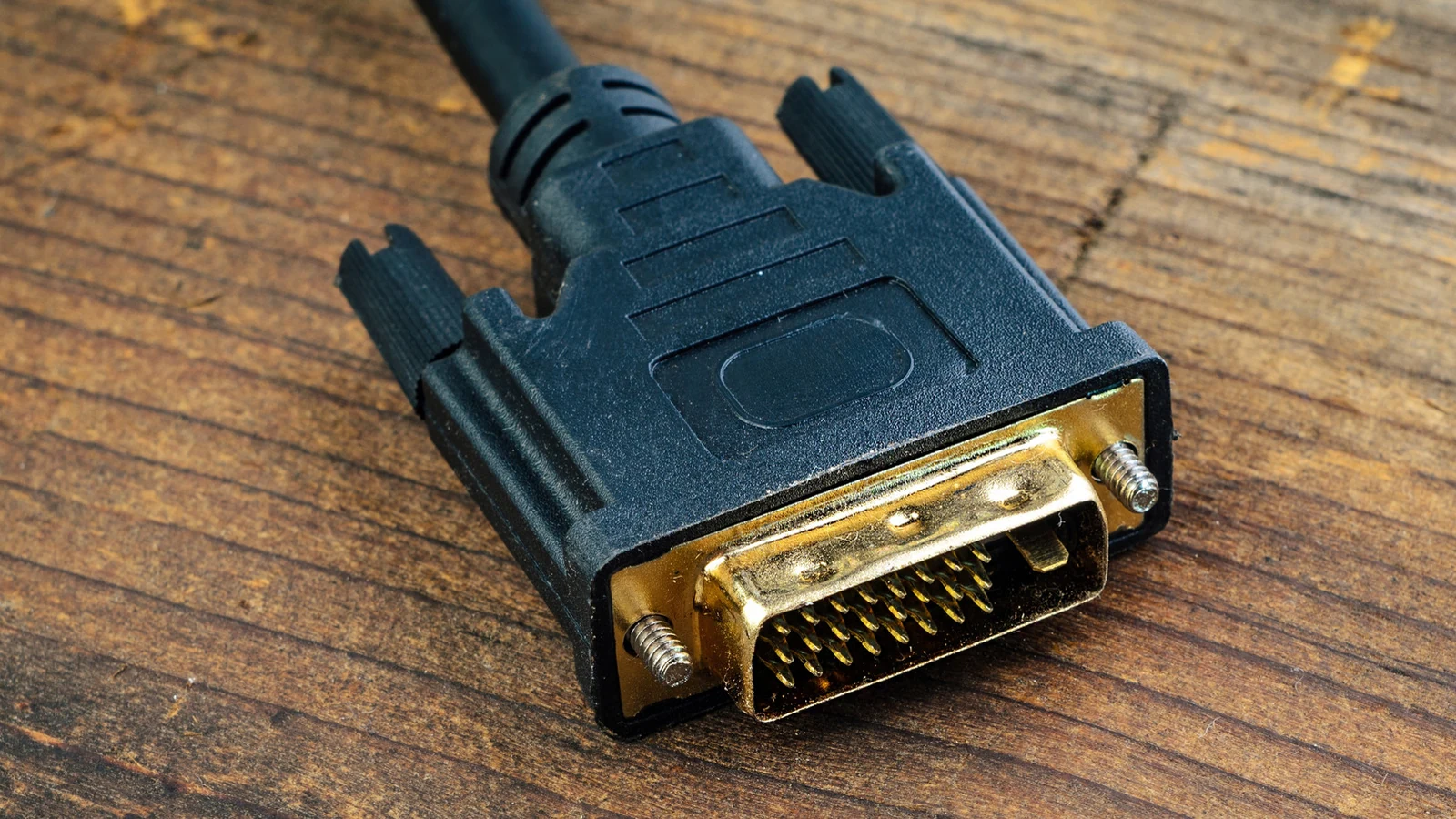
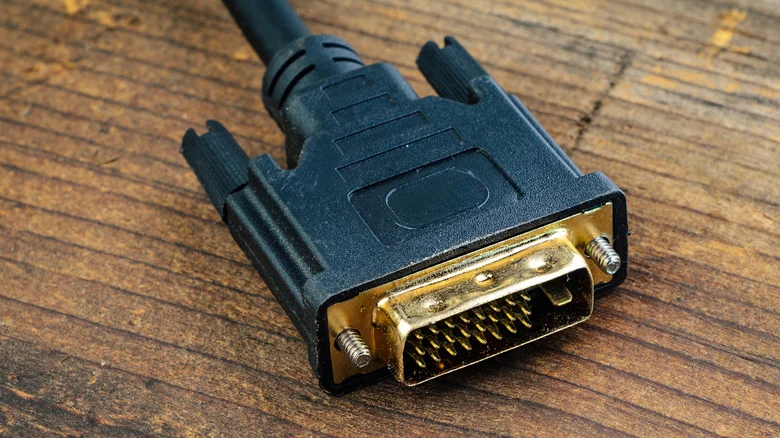
For anyone who has tinkered with older monitors or graphics cards, the chunky DVI connector is a familiar sight. Flanked by large screws and featuring a three-row grid of pins, it looks like an ancient relic compared to the HDMI cables found everywhere today. Its physical port size now makes it a rarity on most modern consumer devices.
Digital Visual Interface (DVI) ports were first implemented in products like Apple's Cinema Display in 1999. They remained an industry standard for a few years until HDMI and DisplayPort eventually took over. Detailed context on these older connections can be found through resources covering DVI cables.
Using DVI in Modern Setups
Dealing with a DVI cable requires understanding how it operates. Newer than the VGA format, it is still utilized in older PC setups or office projectors that feature a mix of legacy and modern equipment. Some displays specifically manufactured for retail kiosks continue to support DVI connections directly without needing any adapter at all.
When connecting an older device to a modern display, users can typically employ a simple DVI-to-HDMI adapter. Because the two standards share the same digital video protocol, the adapter only needs to reroute the pins without requiring an external power source or a conversion chip.
Both DVI-D (Digital) and DVI-I (Integrated) connections function seamlessly with HDMI, with Dual Link versions providing support for much higher resolutions. The sole exception is DVI-A, which is an analog standard requiring active conversion. Fortunately, DVI-A was rarely used compared to DVI-D and DVI-I, making it unlikely to appear on most hardware.
Why Modern Standards Have Surpassed DVI
Over the past two decades, external displays like monitors and televisions have largely transitioned to HDMI and DisplayPort for video and audio connectivity. These modern display standards are preferred for most setups because they offer superior bandwidth and comprehensive multi-channel audio support.
The latest HDMI 2.2 specification introduces future-proof support for resolutions reaching up to 16K, high dynamic range (HDR), and enhanced audio-video synchronization. Meanwhile, DisplayPort 2.1b provides advanced capabilities, such as linking monitors in sequence through daisy chaining, making it far superior for multi-monitor desktop configurations.
If a device features either an HDMI or a DisplayPort connection, plugging directly into those ports is recommended rather than relying on an adapter.
The Drawbacks and Limitations of DVI
DVI presents multiple significant drawbacks when placed side-by-side with HDMI and DisplayPort. Most notably, the total lack of built-in audio support means users must find a separate audio solution. Resolution is another major limitation. At a standard 60Hz refresh rate, a Dual Link DVI port caps out at 2,560 x 1,600, while a single-link port maxes out at 1,920 x 1,200.
While pushing higher resolutions is technically possible, doing so requires dropping down to a cinematic refresh rate that generally results in a subpar viewing experience. Consequently, DVI is not a suitable fit for today's high-resolution and high-refresh-rate monitors.
Beyond performance specifications, the physical connection itself remains unwieldy. Although fans of legacy hardware may appreciate tightening the connector screws, most people prefer to avoid stiff cables that complicate efficient cable management. Nevertheless, when DVI is the only available option, a simple HDMI adapter remains a reliable solution.
Sources
- EngadgetWhy this ancient cable still connects to modern TVs with a simple adapter
Continue chronologically

Related entity coverage
Related stories
iPhone Duo vs. iPad Mini: Which Apple Device Is Right For You?
Compare Apple's foldable iPhone Duo and the iPad Mini to determine which device fits your tablet, multitasking, and workflow needs.
Ethernet Cables Can Do Much More Than Just Connect to a Router
Discover how category cables can transmit video, audio, and power when paired with the right adapters, offering more than just home internet.

How Apple's Thunderbolt Ports Differ From Standard USB-C
Discover the key differences between Apple's Thunderbolt ports and standard USB-C connections, including speed, guaranteed features, and hardware costs.
How to Know It Is Time to Replace Your Apple Pencil Tip
Learn the key warning signs indicating when it is time to replace your Apple Pencil tip, from increased friction to exposed metal components.