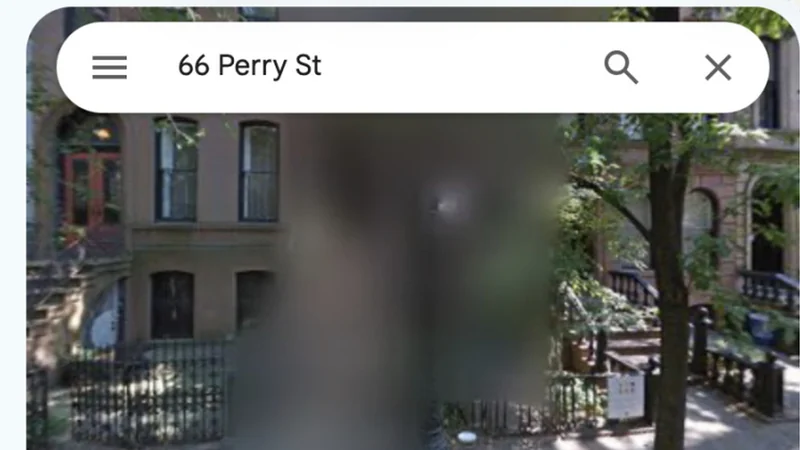
Discovering Waze's Best Hidden Features and Tools
While Google Maps serves as the default map service for many users, its sister app Waze offers a wealth of lesser-known features buried within its settings.
 Radwan AbdulhadiEditor and technology writer

Navigating to Friends and Family
While services like Google Maps dominate default usage across different countries, Google's other mapping property holds a distinct focus on real-time driving experiences. Since Waze relies on crowdsourced reporting for potholes, accidents, and police activity, it also packs several useful tools that remain tucked away inside deep menus. For example, drivers visiting friends or family with saved addresses can bypass manual entry by utilizing a dedicated contacts integration.
By opening Waze, swiping up, and scrolling down to the "Drive to friends & family" option, users can grant contact access to begin navigation with a single tap. Those uncomfortable with sharing their entire contact list can easily revoke permission later through device settings on either iPhone or Android platforms.

Customizing Moods and Voice Prompts
Known for offering deep personalization compared to competing platforms, Waze lets drivers express themselves on the road. Users can pick how their avatar appears by configuring their profile settings, aligning their digital presence with how your avatar shows up for other Waze users. Furthermore, sidekicks can alter vehicle icons and guidance voices to add more personality to daily routes.
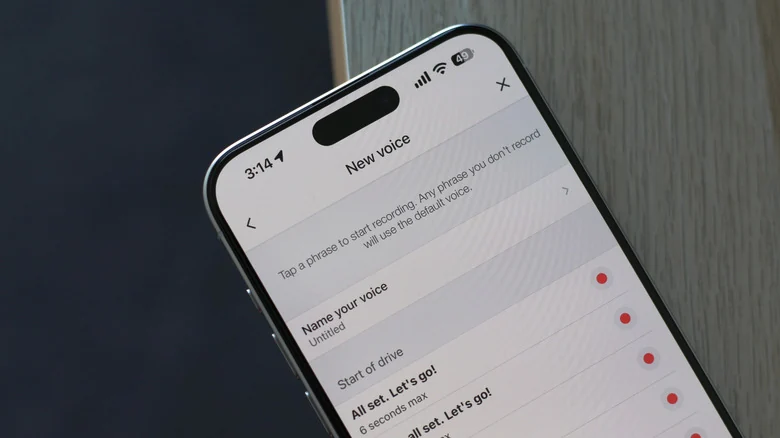
Taking personalization a step further, the app enables drivers to record custom audio prompts. As highlighted by a TikTok user, families can record children's voices to make trips unique. Users can navigate to voice settings to explore presets or record up to 39 different instructions, each capped at a maximum length of six seconds, ensuring total consistency across all navigation alerts.
Planning Trips Ahead of Time
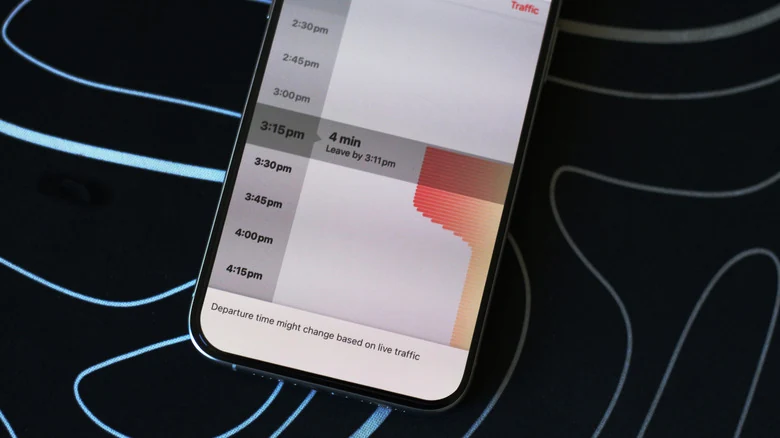
Beyond active routing, Waze includes a robust trip planning function that goes underutilized by casual drivers. When preparing for a commute or scheduled appointment later in the week, travelers can find out exactly when they should depart by examining anticipated traffic conditions along the route.
Instead of selecting the immediate navigation prompt, users can choose a future arrival time in 15-minute increments. By saving these selections, the application adds the scheduled excursion to a planned drives list, which can also integrate with smartphone calendars to automatically import location-based events.
Unlocking Secret Search Codes
For advanced users looking to dig deeper into the platform's inner workings, the search bar accepts special text strings that activate diagnostic utilities and hidden interface elements. For instance, specific queries allow users to access the app's official documentation or community guidelines regarding Waze search codes.
Entering specific commands like "##@morph" reveals exclusive monster avatars, while codes like "##@cctts" clear text-to-speech caches to resolve voice guidance glitches. While these Easter eggs and troubleshooting shortcuts offer neat tricks, users are generally advised to avoid altering unknown diagnostic codes.
Sources
- EngadgetThe hidden features every Waze user should know about
Continue chronologically
Related entity coverage
Related stories
How to Improve Location Accuracy on Your Android Phone
Learn how to troubleshoot and improve location accuracy on your Android phone using built-in settings, calibration, and network signals.
How to Change Your Home Address on Google Maps
Learn how to update, change, or secure your home address on Google Maps using the web browser or mobile app for Android and iPhone.
Google Maps Update Shows Fall Foliage Along Your Route
Google Maps is rolling out a seasonal update that displays Fall foliage colors along active navigation routes in select US metropolitan areas.
Why Are Some Locations Blurred Out on Google Maps?
Explore why Google Maps blurs certain locations on Street View for security and privacy, and learn how you can request blurring for your home.