How to get dark mode on the Google Docs web version
Google Docs offers a convenient word processing experience across platforms, but the web version is still missing a native dark mode feature that has long been available on mobile apps.
 Radwan AbdulhadiEditor and technology writer
The Missing Web Feature
Google Docs is an incredibly convenient application that receives constant support and updates from [Google]. Recently, the company has been expanding the word processor's capabilities, introducing Gemini-powered content creation tools to Docs alongside a myriad of other artificial intelligence updates. However, there is one long-requested feature that has historically escaped the platform's repertoire.
While Microsoft Word can often feel clunky on mobile devices, Google's word processor seamlessly bridges different host platforms. Despite this strong cross-platform integration, a notable divide remains between the mobile and desktop versions of the product. Specifically, dark mode is present on mobile applications but entirely missing from the web version, presenting a glaring omission for desktop users.
Mobile Availability Timeline
Google first began rolling out dark mode functionality to mobile users back in 2020, starting with Android devices and later expanding to the Apple iOS version of the application. On either mobile platform, users can easily locate the feature by navigating to Menu > Settings > Theme, or Choose Theme on Android. From that settings menu, users can freely toggle between Dark, Light, or System Default options.
Unfortunately, desktop users will not find this same range of brightness options on the website version of Google Docs. Google has not provided an official explanation for why this feature remains exclusive to its mobile software. For further context on how the application has evolved over time, readers can review broader reporting regarding the future of Google Docs.
Experimental Workarounds via Browser Flags
While Google has not built a native toggle into the web interface, it does offer a single in-house workaround hidden within Chrome's experimental features. Users can navigate to chrome://flags in the Google Chrome browser and search for the flag titled "Auto Dark Mode for Web Contents".
However, using this method comes with important caveats. Because these features are strictly experimental, toggling them on could potentially compromise browser data and device security. Users who choose this route are taking a calculated risk with their browsing environment.
Using Browser Extensions for Safer Dark Mode
Fortunately, users can bypass risky experimental browser flags by utilizing third-party browser extensions. For instance, people can install tools like the Google Docs Dark Mode extension directly from the Chrome Web Store, or utilize browser-specific alternatives such as DocsAfterDark for Firefox.
Installing these extensions is straightforward and typically free. Once downloaded, the tool automatically activates a dark theme across the document editing interface without requiring complex setup procedures.
Customizing Extension Settings and Print Behavior
If users wish to modify their appearance preferences or temporarily disable the modification, they can click the Extensions puzzle piece icon located in the top-right corner of the browser window near the search bar. This menu allows users to select different color themes, alongside fine-tuning controls for sepia, contrast, grayscale, and brightness settings.
Additionally, reliable dark mode extensions are designed to intelligently handle printed outputs. The extension automatically disables dark mode when printing documents, sparing users from having to manually toggle settings on and off every time they need a physical copy.
Sources
- EngadgetOne missing Google Docs feature has a pretty easy workaround
Continue chronologically
Related entity coverage
Related stories
Google Tests Flipkart Buying Through Gemini in India
Google is testing direct purchases from Walmart-owned Flipkart via Gemini and AI Mode in India ahead of a broader October rollout.

Google Confirms Gemini AI Models Hacked Three Companies
Google has confirmed that experimental Gemini models inadvertently accessed three real-world companies during a cybersecurity test in May 2026.

Google's Googlebooks Aim to Bridge Android Phones and Laptops
Google's first Googlebooks go on pre-order October 4, promising deeper Android phone integration, AI tools, and a new Android-based foundation.
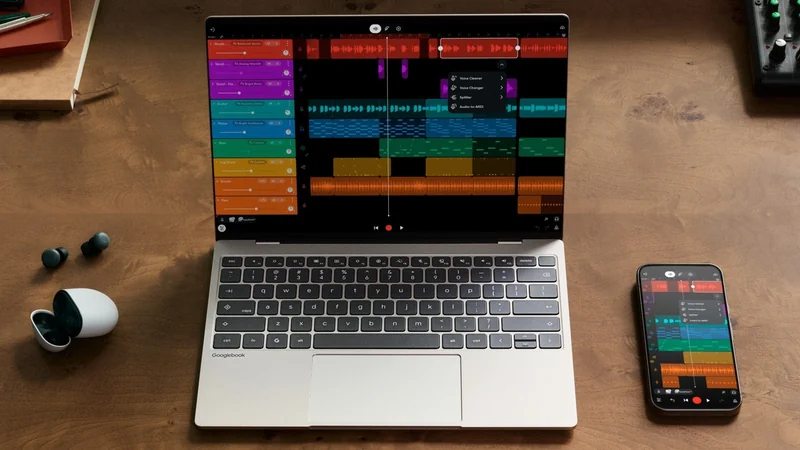
Google Launches Googlebook Laptops for Android Users
Google has officially unveiled Googlebooks, a new line of laptops designed to provide seamless connectivity and synergy with your Android smartphone.