Gemini App Updates Bring New Design and File Generation
Google has released a pair of updates for the Gemini app, introducing a redesigned overlay to all Android devices alongside major enhancements for generating, previewing, and editing files directly inside chats.
 Radwan AbdulhadiEditor and technology writer
Expanded Design Rollout
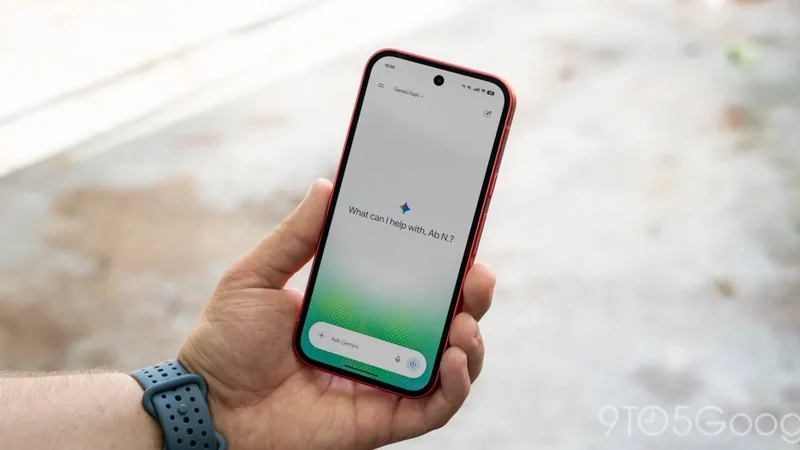
A fresh redesign for the Gemini overlay is rolling out broadly, bringing a heavy blur effect, translucent perimeters, and dynamic color swirls to all Android devices. Previously exclusive to select phones featuring Gemini Intelligence such as the Pixel 11, the updated visual style is now expanding across the wider Android ecosystem.
Users who do not immediately see the updated pill-shaped bar interface can force stop the Google app to trigger the visual changes. The interface animation settles into a translucent border rather than a solid shape, marking a distinct aesthetic shift for the mobile experience.
Inline File Generation and Editing
Alongside the visual refresh, the latest software updates introduce robust file handling capabilities. According to details shared via 9to5Google, the platform now lets you generate, preview, and edit files right within chat threads.
Users can request a text document, presentation, or spreadsheet based on specific topics and examine the results inline. Highlighting sections allows for manual edits or prompted adjustments directly inside the application interface.
Slide Decks and Presentations
The updated platform capabilities extend deeply into presentation tools. Users can build presentation outlines and slide content through conversational prompts, preview the layout directly in the chat view, and make adjustments to the tone and structure.
Once finalized, these slide decks can be opened directly in Google Slides or downloaded in PPTX and PDF formats, streamlining the transition from AI-generated concepts to polished presentation materials.
Spreadsheets and Structured Data
Data management also receives a significant boost with structured tracker and table creation. Prompts can be used to build data models that are previewed immediately inside the interface before being exported.
These generated spreadsheets can be opened directly in Google Sheets, allowing users to move seamlessly from a simple text prompt to fully organized rows and columns of structured information.
Document Formats and Platform Support
The file generation upgrade accommodates a wide variety of formats, including PDFs, Google Docs, LaTeX, Markdown, and TXT files. Users can perform manual or prompted edits either on the web version or through the full-screen mobile view, with options to upload files directly to Google Drive.
Platform availability varies by format: PDF preview and editing are supported on both mobile apps and the web platform, whereas Google Docs, Google Sheets, Google Slides, Markdown, TXT, and code editing remain web-only features.
These comprehensive file creation and editing capabilities are now live for users in all languages where the Gemini app is available, marking a major functional expansion for the ecosystem.
Sources
- 9to5GoogleLatest Gemini design comes to all Android devices, app upgrades file generation
Continue chronologically


Related entity coverage
Related stories
Gemini for Android Rolls Out Side Panel and Settings Redesign
The Gemini app for Android has rolled out fresh redesigns for both its side panel and settings menu following previous updates.
Google Rolls Out New AI Defenses on Android Against Scams
Google is rolling out new AI-powered defenses on Android to combat messaging scams, fake calls, and call-forwarding abuse on eligible devices.

Google Messages Adds Enhanced Protection Mode for Android
Google is introducing an enhanced protection mode in Google Messages and new Android security features for Cybersecurity Awareness Month.

Google's Googlebooks Aim to Bridge Android Phones and Laptops
Google's first Googlebooks go on pre-order October 4, promising deeper Android phone integration, AI tools, and a new Android-based foundation.