Automate Remediation with AWS DevOps Agent and Bedrock
A new architectural pattern combines autonomous incident triage with pre-validated remediation steps to help engineers resolve production issues quickly and securely.
 Radwan AbdulhadiEditor and technology writer
Bridging Incident Diagnosis and Remediation
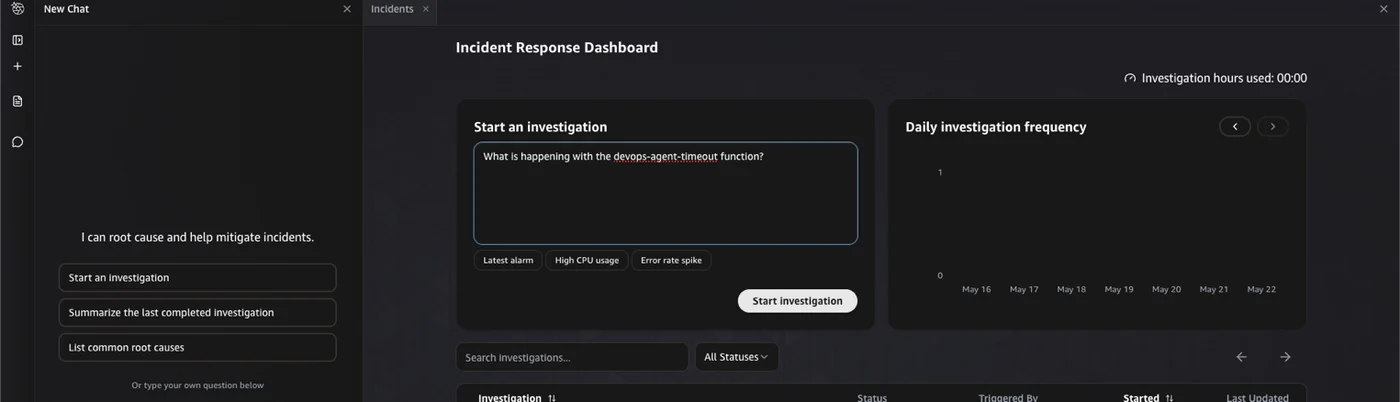
Reducing the time between incident detection, investigation, and remediation remains a critical priority for engineering teams running production workloads. When an issue occurs, on-call engineers typically need to diagnose problems across multiple application components, identify root causes, and apply fixes under high-pressure conditions. While the [AWS DevOps Agent] can autonomously triage incidents all day using correlated metrics, logs, and topologies to provide root cause analysis, organizations often maintain observability tools in an observe-and-report mode to retain control over production changes.
To bridge the gap between diagnosis and safe execution, technical guides demonstrate how to integrate [Amazon Bedrock], [Amazon EventBridge], and durable execution capabilities to transform investigation summaries into pre-validated fixes. This approach aims to reduce mean time to resolution while keeping human oversight central to mutating actions.
Orchestrating Workflows with Durable Functions
Building resilient multi-step applications requires robust state management and error recovery. Utilizing [AWS Lambda Durable Functions] allows developers to construct AI workflows that can run for up to one year without custom state management code. These functions automatically checkpoint progress and recover from interruptions while maintaining reliable execution during long-running tasks.
Step-by-Step Remediation Workflow
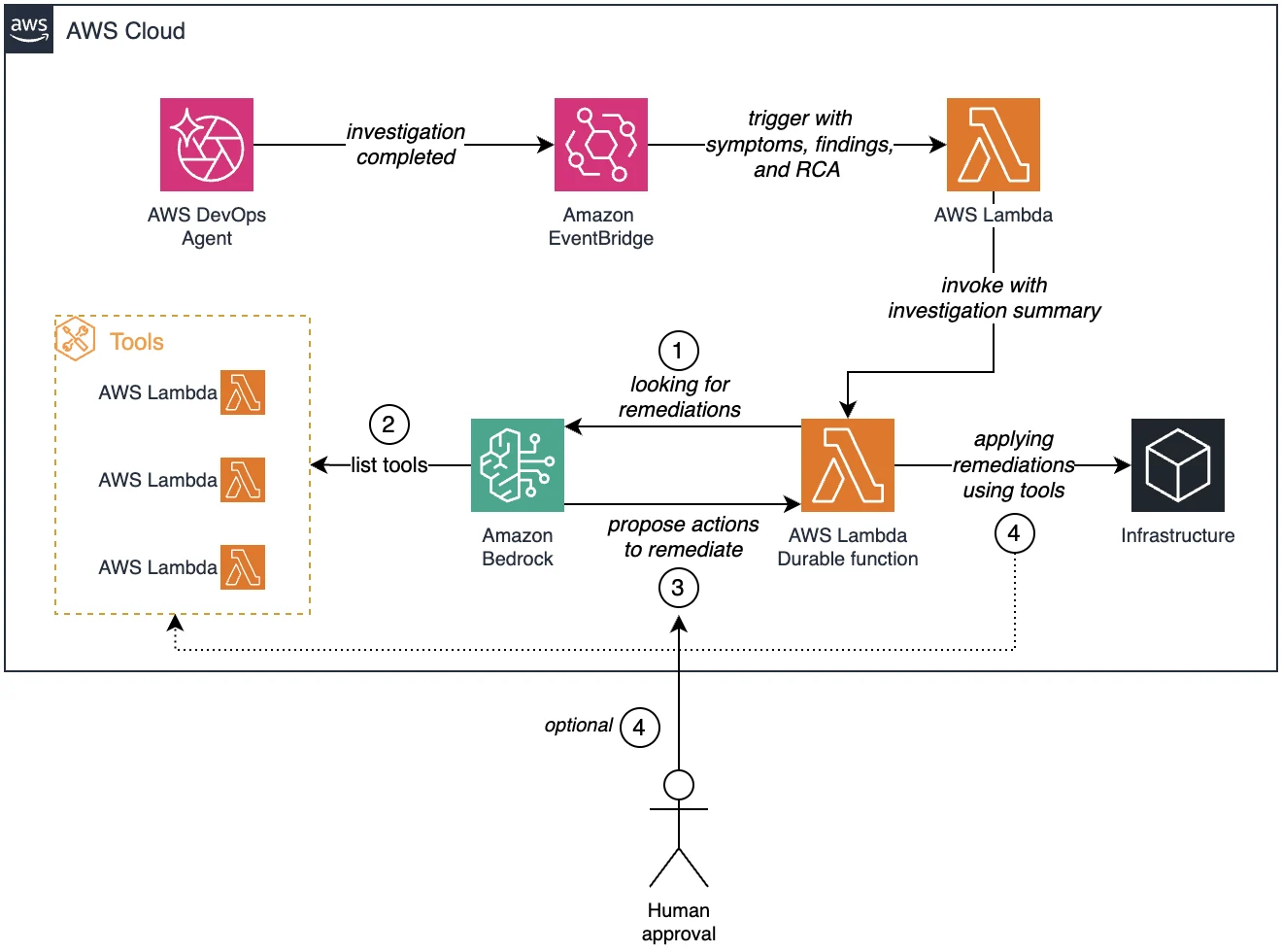
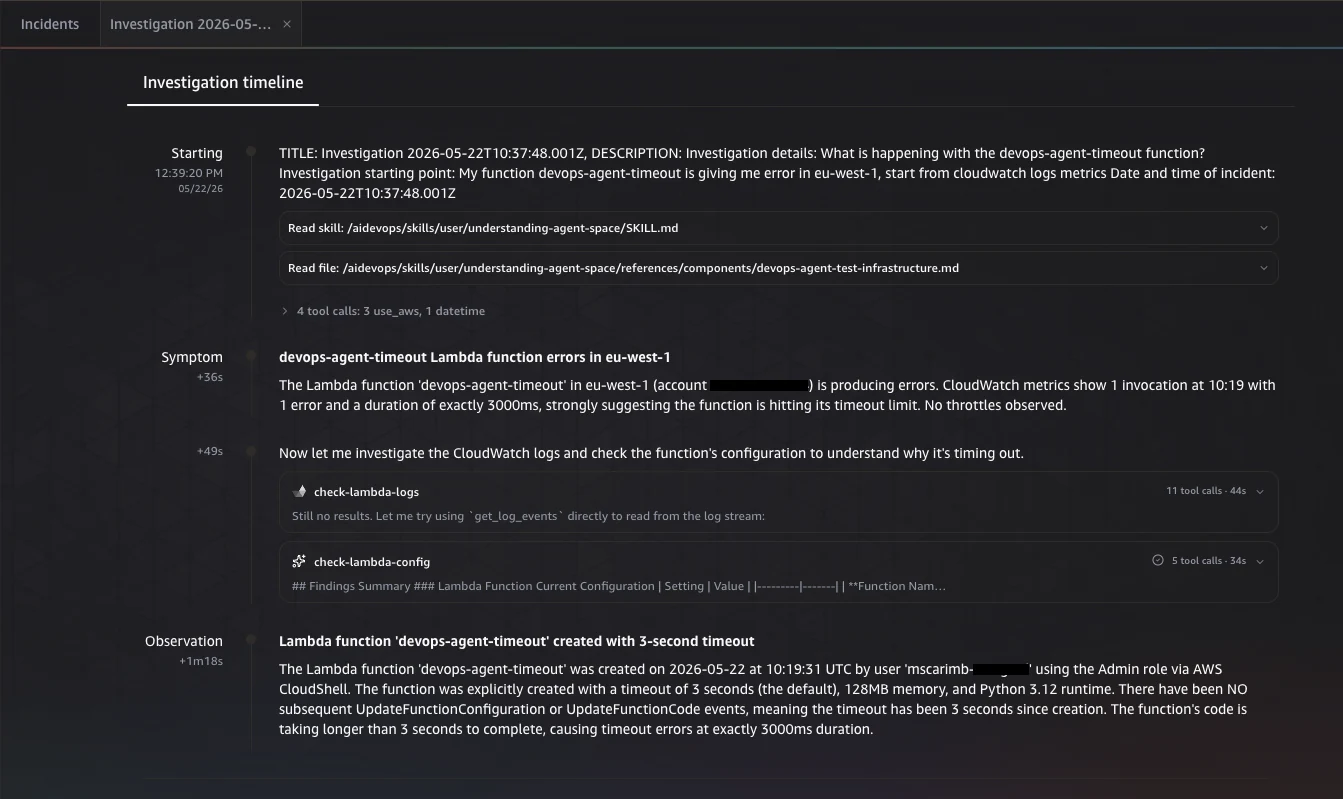
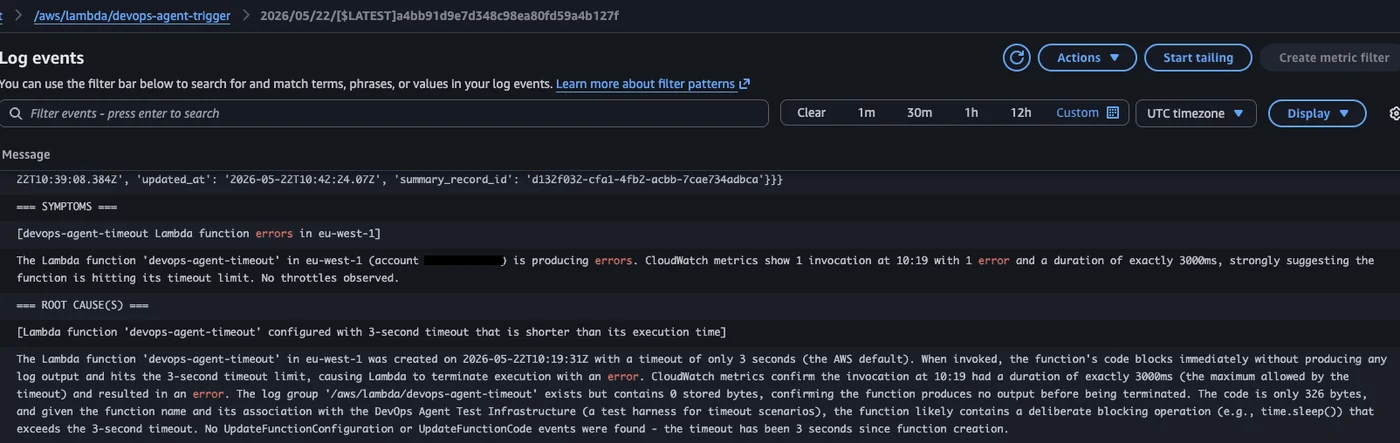
The automated workflow begins when the diagnostic agent completes an investigation and emits an event containing symptoms, findings, and root cause analysis. [Amazon EventBridge] receives this event and invokes the initial Lambda function, which packages the investigation summary and passes it to the durable orchestrator function.
Next, [Amazon Bedrock] analyzes the context and reviews a curated allowlist of approved remediation tools. For read-only operations, the orchestrator executes tools autonomously. For actions that modify infrastructure state, the workflow suspends execution to wait for a human approval signal before proceeding.
Maintaining Safety and Control with Human Approval
To keep automated actions safe and auditable, the system enforces a strict allowlist where each tool is a purpose-built function handling a specific task. By distinguishing between read-only and mutating operations, the architecture ensures that risky changes pause execution until an engineer reviews the pre-validated plan. The orchestrator checkpoints its progress during this pause, consuming no compute resources until the approval signal is received.
Deployment and Setup Options
Teams can deploy the entire solution architecture using the [AWS Cloud Development Kit]. Prerequisites include configuring the [AWS Command Line Interface] and optionally utilizing specialized agent toolkits to execute natural language prompts for incident simulation and stack deployment.
Sources
- AWS Machine Learning BlogAutomate remediation post AWS DevOps Agent investigation
Continue chronologically
Related entity coverage
Related stories
Building Ambient Agents with Amazon Bedrock AgentCore
Learn how to build framework-agnostic ambient agents on Amazon Bedrock AgentCore that respond to event-driven signals and human-in-the-loop workflows.
AWS Introduces Serverless Git Metrics Dashboard Solution
Learn how to build a serverless pipeline that automates Git metrics collection from GitHub and GitLab for visualization in Amazon Quick Sight dashboards.
Amazon Announces New AgentCore Runtime for Bedrock Agents
Amazon Bedrock introduces a new AgentCore runtime designed to improve memory efficiency and ensure consistent startup speeds for production-grade AI agents.
Claude Haiku 5.5 Launches on Amazon Bedrock and AWS
Anthropic's Claude Haiku 5.5 is now available on Amazon Bedrock and Claude Platform on AWS, offering high efficiency for subagents.