
AWS Introduces Serverless Git Metrics Dashboard Solution
A new architectural framework enables engineering teams to gain near-real-time visibility into development analytics without managing dedicated infrastructure.
 Radwan AbdulhadiEditor and technology writer
Modernizing Engineering Analytics
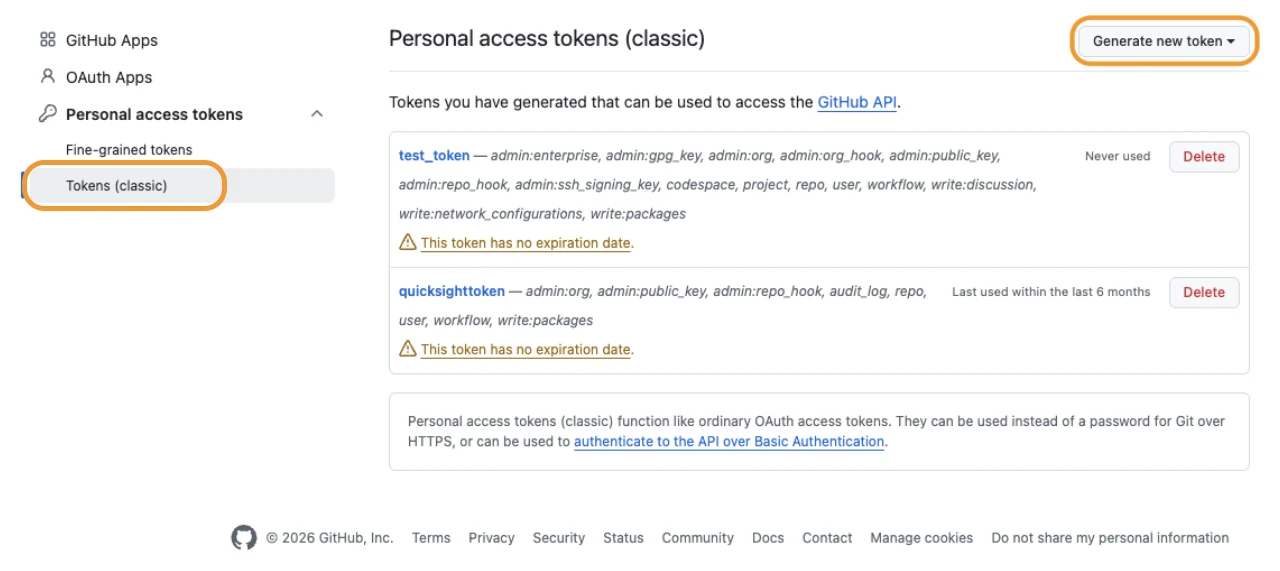
Engineering teams often rely on Git activity as a primary source of data for measuring development productivity. However, collecting this data at scale has traditionally required complex, manually maintained extract, transform, and load (ETL) infrastructure. To address this, a new guide on the AWS Machine Learning Blog details how to deploy a serverless pipeline that automatically gathers metrics from repositories hosted on GitHub and GitLab.
This solution is designed to align with the AWS AI-Driven Development Lifecycle framework, which emphasizes the necessity of data-backed insights when adopting new coding tools. Without a clear baseline and ongoing monitoring, teams may struggle to determine if AI integrations are actually accelerating delivery or inadvertently introducing quality risks.
Serverless Pipeline Architecture
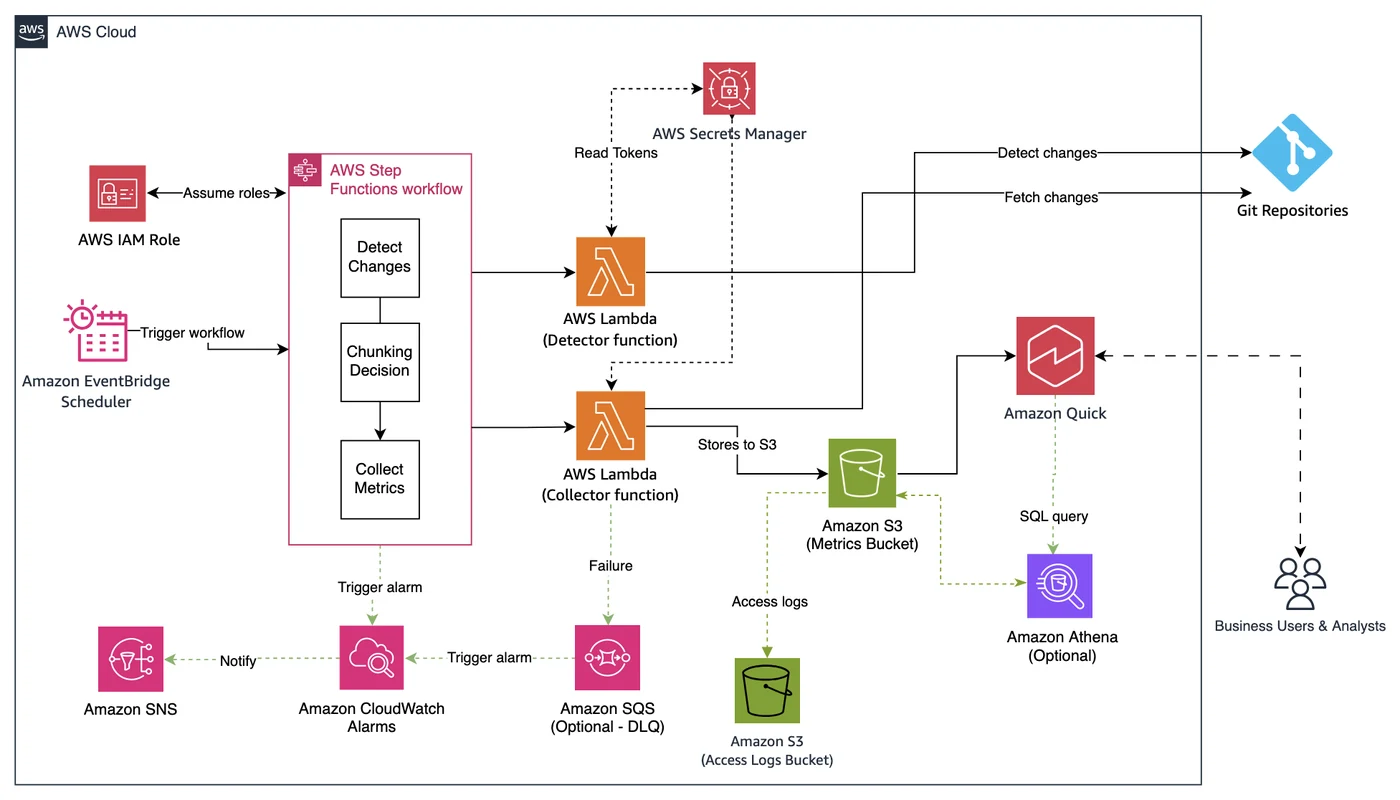
The architecture leverages a suite of AWS services to ensure the pipeline remains cost-effective and fully managed. At the core of the workflow is Amazon EventBridge Scheduler, which triggers the collection process based on configurable cron or rate expressions. This eliminates the need for manual intervention, ensuring consistent data capture across the development lifecycle.
Orchestration is handled by AWS Step Functions, which manages the intelligence behind the data collection. A detector function first scans repository activity to identify changes in pull requests, commits, or issues. If no new activity is detected since the last run, the system terminates the process to save resources. For larger organizations, the workflow utilizes Map states to divide repository workloads into smaller chunks, allowing for parallel processing and faster execution times.
Data Storage and Visualization
Once collected, the processed data is stored in Amazon Simple Storage Service (Amazon S3). This storage layer serves as a durable repository, maintaining both structured JSON files for historical reference and flattened CSV files optimized for analytical processing. By utilizing versioning and encryption, the solution ensures that sensitive Git metrics remain secure while remaining cost-effective for large datasets.
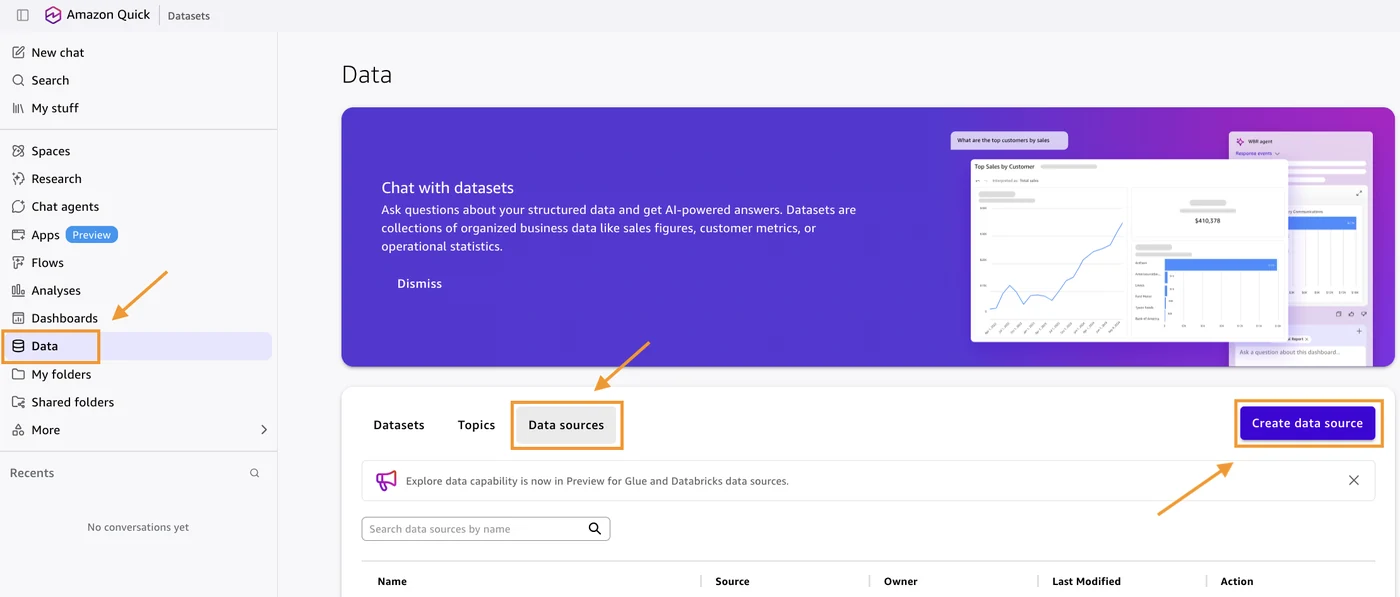
For the final step of the pipeline, Amazon Quick Sight provides the interface for data visualization. By loading the refined CSV data into its in-memory engine, SPICE, the platform allows users to build interactive dashboards. These dashboards can visualize trends such as sprint velocity, pull request activity, and contributor metrics, providing stakeholders with near-real-time visibility into their development ecosystem.
Operational Benefits
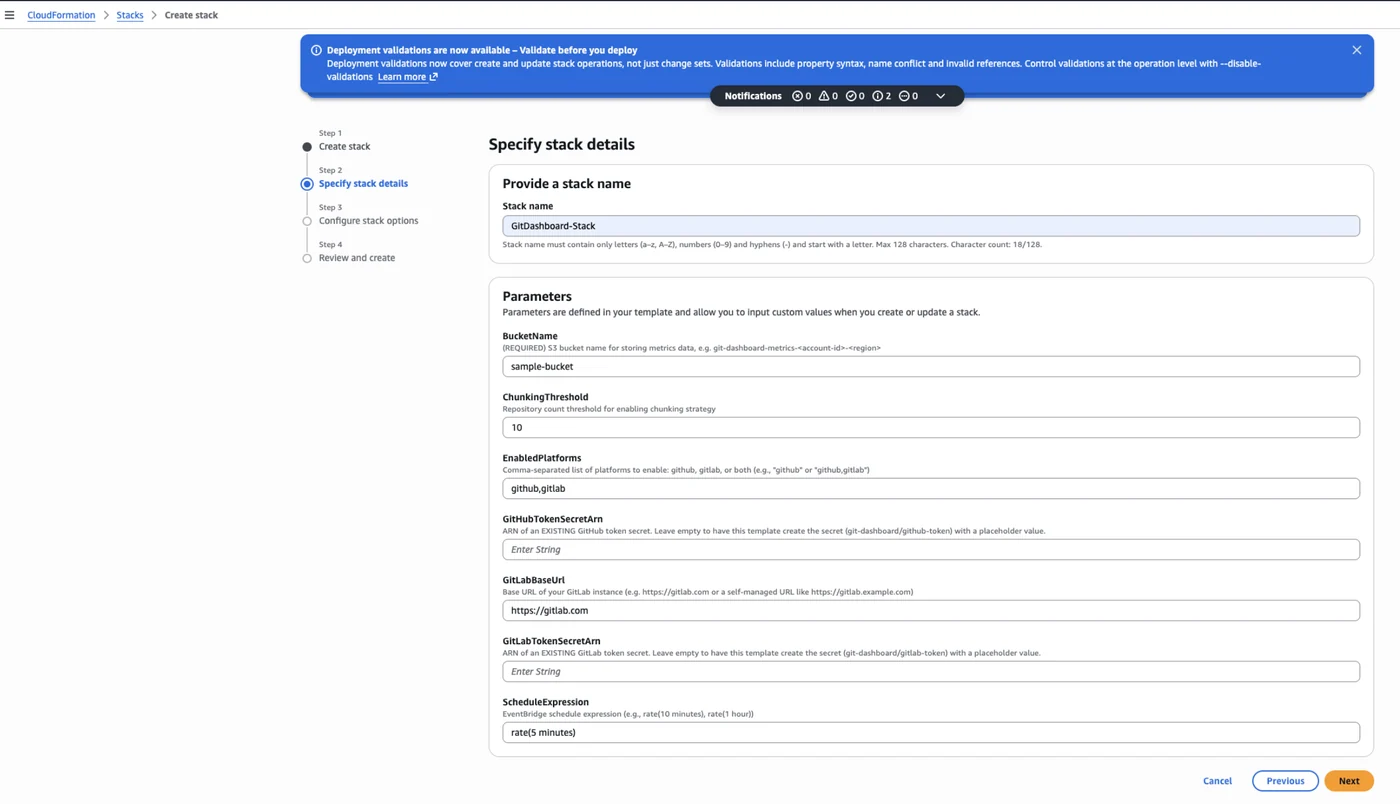
The implementation relies on AWS CloudFormation to define and deploy the necessary resources, ensuring reproducibility across different environments. By automating the transition from full loads to incremental loads, the system balances data accuracy with performance. A full repository refresh occurs every 24 hours, while intermediate runs only capture delta changes, significantly reducing the number of required API calls to external hosting providers.
Sources
- AWS Machine Learning BlogA serverless, data-driven Git metrics dashboard using Amazon Quick Sight