
AWS details multi-environment access for Claude Platform
AWS has published a detailed guide for implementing secure, multi-environment access to Claude Platform on AWS. The solution enables organizations to manage production, development, and external workloads from a single subscription using distinct authentication paths.
 Radwan AbdulhadiEditor and technology writer
Dedicated Account Architecture
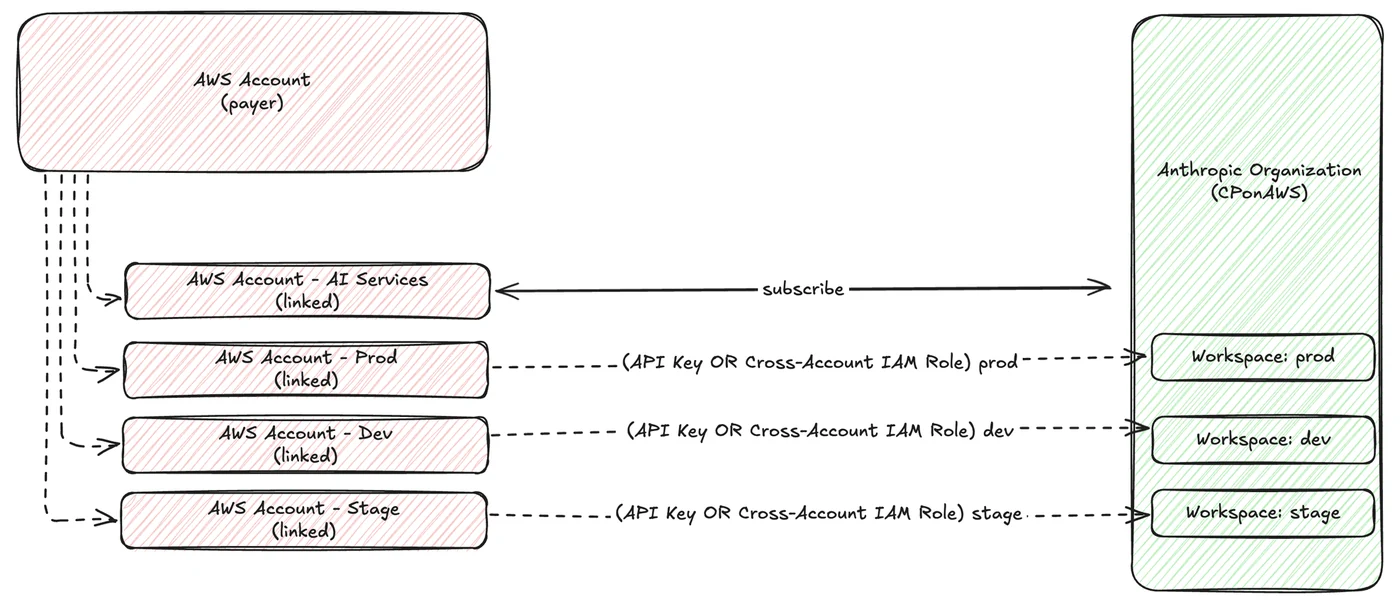
AWS has released a technical guide detailing how to configure secure, multi-environment access to Claude Platform on AWS from a single subscription. The recommended architecture places the platform subscription in a dedicated AI Services linked account within an AWS Organizations structure. This account owns the subscription, workspaces, API keys, and cross-account roles, while workload accounts assume roles into the AI Services account to make inference calls. This three-account structure separates billing and governance in the payer account from the AI Services account and the workload accounts that consume inference. Further details are available from AWS Machine Learning Blog in the original source material.
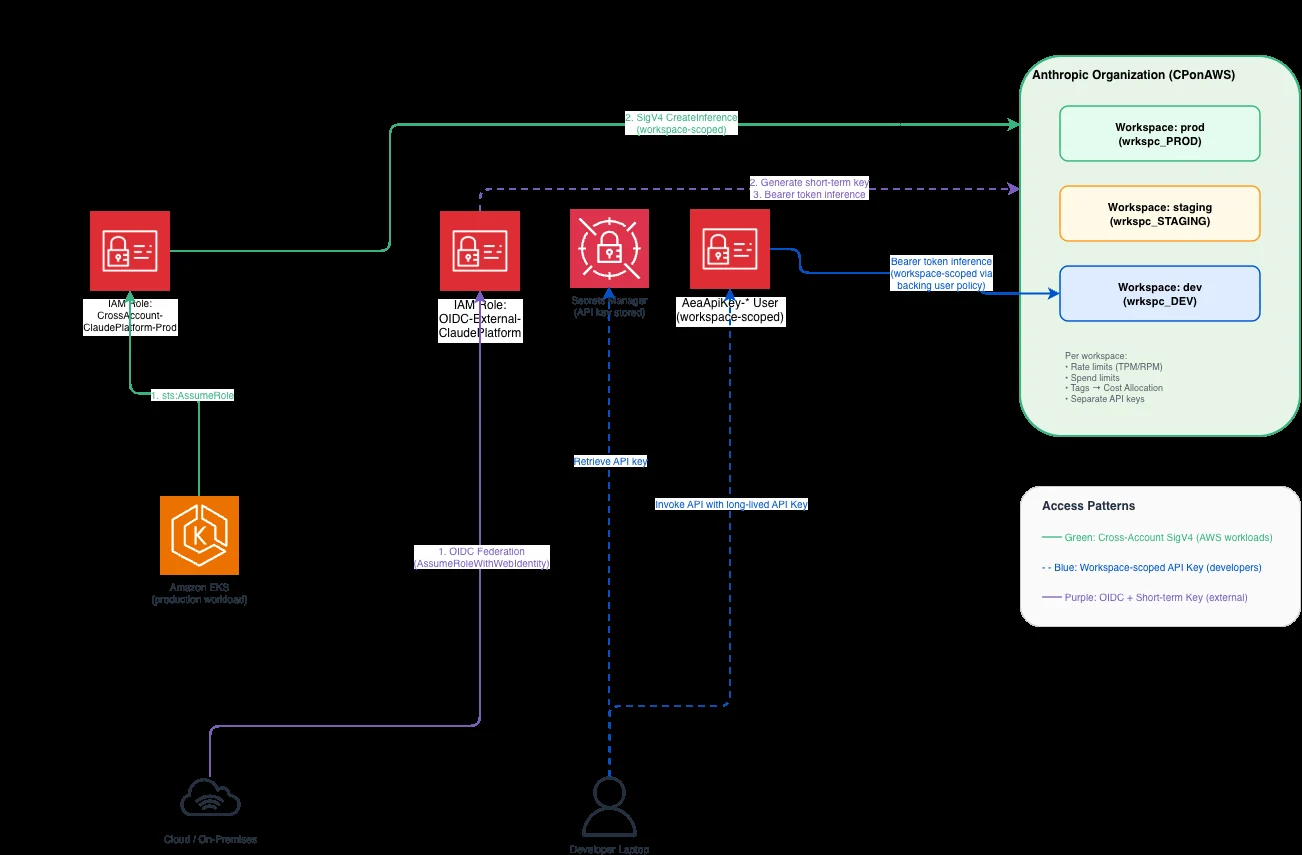
The guide emphasizes workspace-level isolation to separate production and development traffic. Organizations are advised to create a workspace per team or workload and repeat the cross-account role pattern for each. This approach ensures that different environments have distinct authentication requirements while sharing a single subscription. The implementation covers three primary access patterns: cross-account SigV4 for AWS workloads, workspace-scoped API keys for developers, and OIDC federation for external environments.
Cross-Account SigV4 for Production
For production workloads hosted on AWS, the guide recommends using cross-account SigV4 signing. In this configuration, a pod hosted on Amazon Elastic Kubernetes Service in a workload account assumes a role in the AI Services account. The workload then makes SigV4-signed inference calls without storing API keys or managing secrets for rotation. This method enhances security by ensuring that no persistent credentials are required for the inference process.
To implement this, administrators must create a trust policy in the AI Services account that allows a specific role in the workload account to assume the cross-account role. The permission policy attached to this role is scoped strictly to the production workspace ARN, preventing access to development or other workspaces. The EKS pod role in the workload account is then granted permission to assume the cross-account role, enabling secure communication between the two accounts.
Developer Access via API Keys
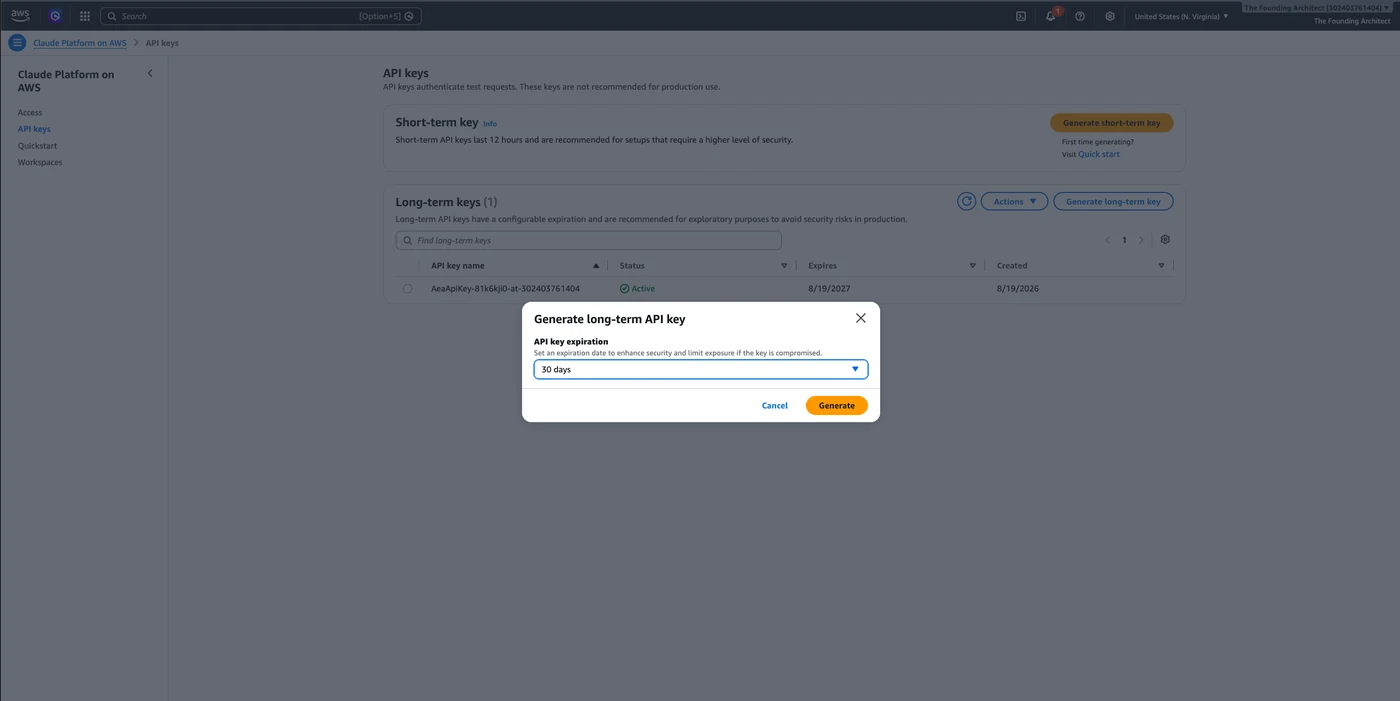
For local iteration and development tasks, the guide suggests using workspace-scoped API keys. Developers can generate a long-lived API key that is locked to a specific development workspace. This allows them to use the standard Anthropic SDK on their laptops without configuring complex cross-account role chains. The key is isolated to the development workspace, ensuring that local testing does not interfere with production traffic or access production data.
The process involves generating the key in the AI Services account and scoping it to the development workspace. This method provides a straightforward authentication path for developers who need frequent access to the platform for code testing and debugging. By isolating these keys to a specific workspace, organizations can maintain clear boundaries between development and production environments while simplifying the developer experience.
OIDC Federation for External Workloads
For services hosted outside AWS, such as on other cloud providers or on-premises CI/CD pipelines, the guide details the use of OpenID Connect federation. Workloads in these external environments authenticate through OIDC to obtain temporary AWS credentials. These credentials are then used to generate a short-lived token for inference calls. This approach ensures that external workloads operate with zero persistent credentials, significantly reducing the attack surface.
The implementation requires configuring OIDC federation to allow external identities to assume roles in the AI Services account. Once authenticated, the workload generates a short-lived token that is valid only for a specific duration and region. This method is particularly useful for continuous integration and continuous delivery pipelines that need to interact with the Claude Platform without storing long-term secrets in the external environment.
Regional Endpoints and Isolation
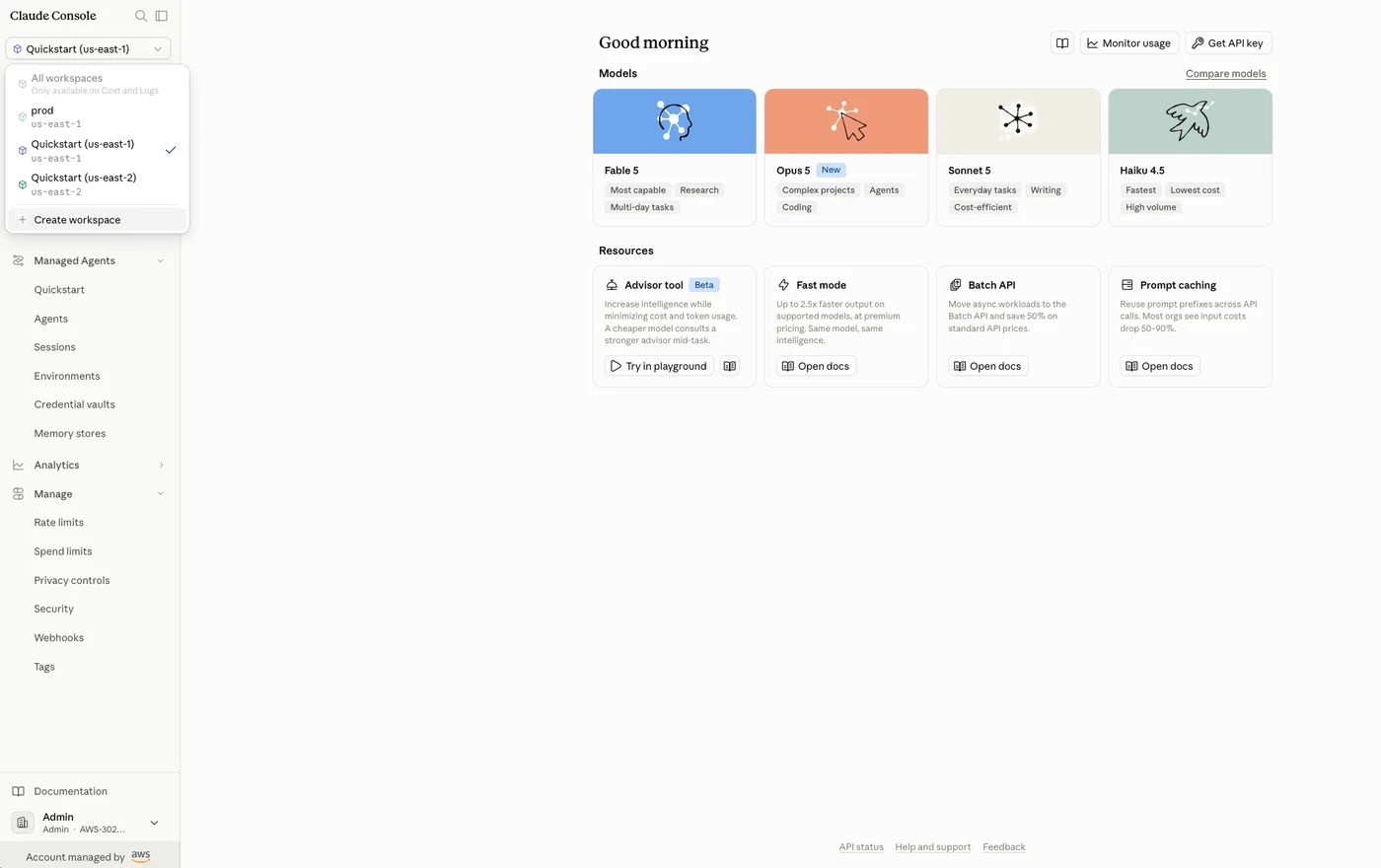
The guide highlights the importance of regional endpoints in the Claude Platform architecture. Workspaces are created in a specific AWS Region, and API calls must target the matching regional endpoint. It is noted that the workspace region determines the API endpoint, not the location where inference runs. Inference geography is controlled separately through the workspace’s Security settings in the Claude Console, with options for US or Global routing.
For short-term keys, regional enforcement is strict; the token only works against the same regional endpoint where it was generated. In contrast, long-lived API keys are not region-locked. Organizations are advised to record workspace ARNs and note the regional endpoints to ensure proper configuration. For details on supported regions and available models, users are directed to the official documentation.
Implementation Requirements
To follow the implementation guide, organizations need an AWS Organizations structure with a payer account, an AI Services linked account, and one or more workload linked accounts. The AI Services account will host the Claude Platform subscription, while workload accounts, such as a production account, will consume inference services. The guide requires the AWS Command Line Interface v2 installed and configured with named profiles for both accounts.
Additionally, Python 3.12 or later is required with specific packages including anthropic[aws], boto3, and token-generator-for-aws-external-anthropic. The walkthrough is divided into four parts, each configuring a layer of the architecture: the subscription and workspace structure, cross-account SigV4 access, workspace-scoped API keys, and OIDC federation. Each step includes CLI commands, console instructions, or code snippets to facilitate a complete setup.
Sources
- AWS Machine Learning BlogImplementing Multi-Environment Access for Claude Platform on AWS