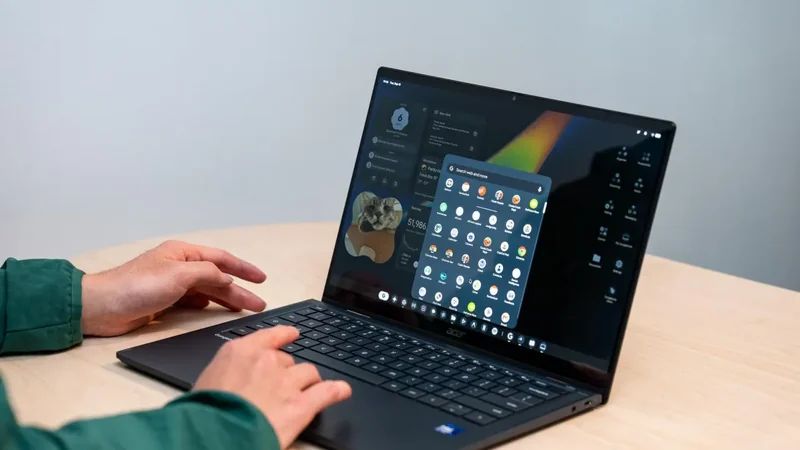
Googlebooks Launch Android Laptops Starting at $899
Google has officially entered the laptop market with a new lineup of Android-powered devices designed to compete against entrenched operating systems like Windows and macOS.
 Radwan AbdulhadiEditor and technology writer
Google Enters the Laptop Market with Android
Google has officially introduced its new line of laptops running Android, targeting users who want premium hardware alongside native support for Android applications. Following earlier efforts with tablets, Chromebooks, and foldables, Google is positioning these devices as direct alternatives to established platforms like Windows and macOS. Details regarding the rollout and initial pricing can be found in the launch Googlebooks report.
Unlike the budget-focused Chromebook era, the new Googlebook lineup largely skips lower-cost options in favor of high-end configurations. Most models in the initial release are priced well over one thousand dollars, featuring premium builds and advanced components intended to attract traditional laptop buyers looking for something different.
Hardware Lineup and Pricing
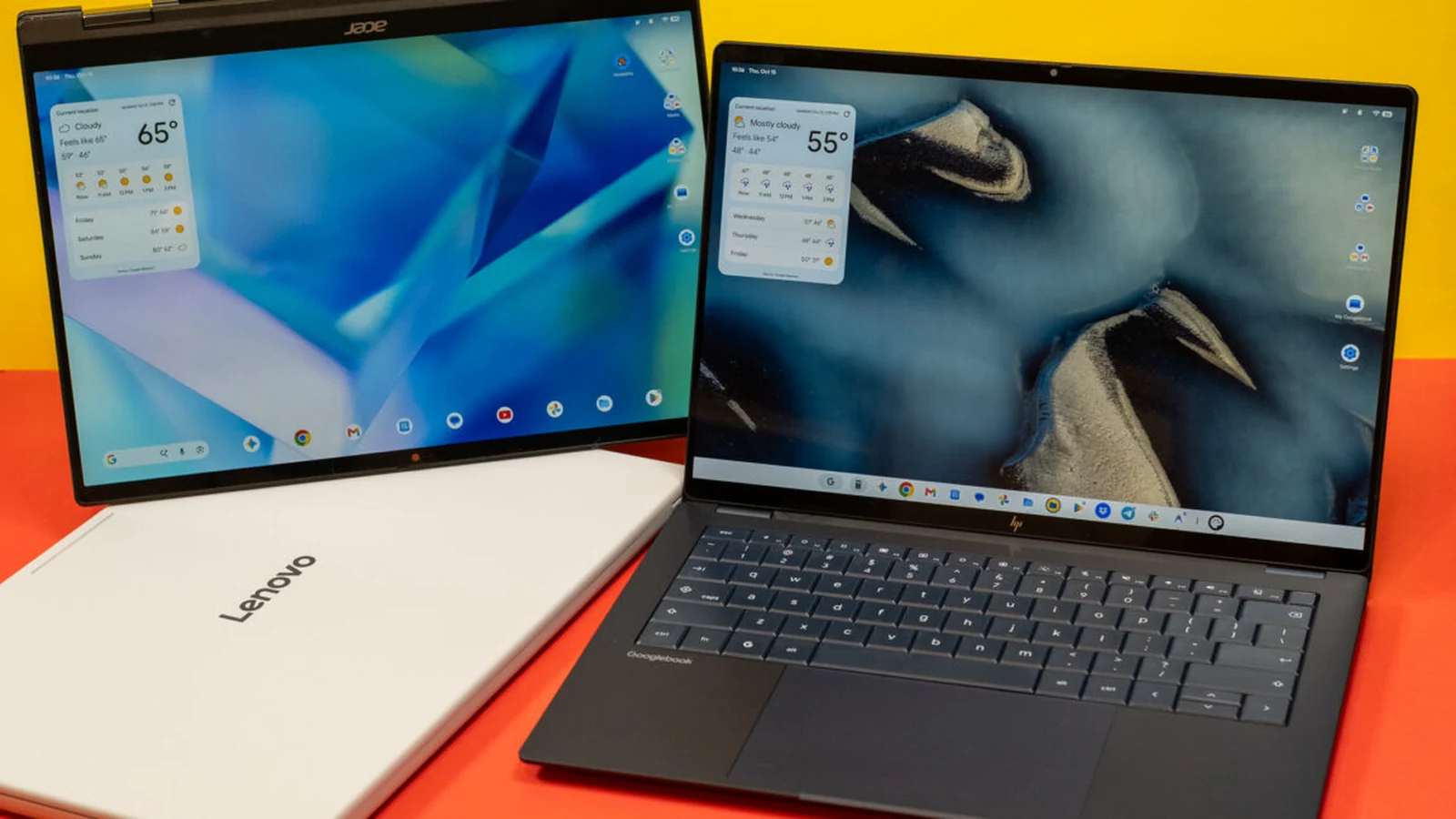
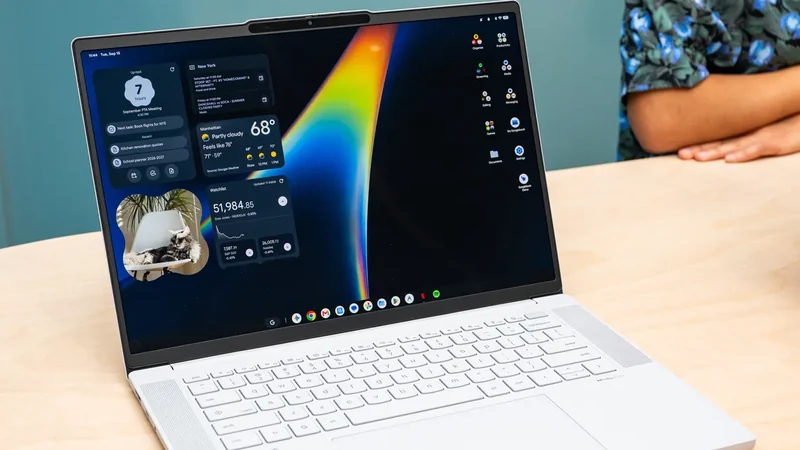
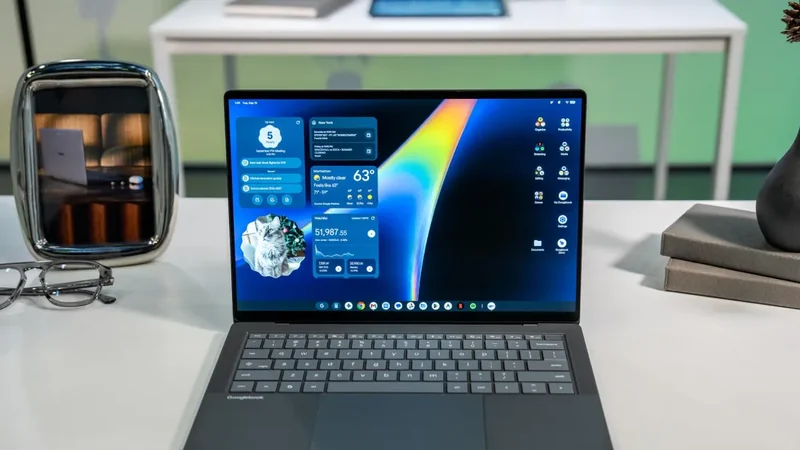
The hardware offerings across the launch lineup include aluminum and magnesium bodies, big trackpads, biometric unlock capabilities using fingerprint or facial recognition, and high-resolution touchscreen displays. Devices also feature the Glowbar, a lighting element that illuminates in Google colors during boot-up, when Gemini is activated via wake word, or to indicate battery levels upon plugging in the device.
Acer offers the most affordable option in the lineup with its Googlebook 14, which starts at $899 under a limited-time promotional deal. This entry-level model includes an OLED screen, a metal chassis, and three USB-C charging ports, though it relies on a traditional clickable trackpad rather than a haptic version.
Stepping up in price, the Dell XPS Googlebook is available for $999 with an LCD screen, while Lenovo offers a larger 15.3-inch model featuring an OLED display and haptic trackpads starting at $1,100. Additionally, HP offers a sleek model powered by a Snapdragon X Elite chip priced at $1,300, providing robust competition for other premium laptops on the market.
Keyboard Layout and Software Features
Googlebooks introduce a customized keyboard layout distinct from traditional laptops. A dedicated G button serves a similar function to the Windows key, while the top row replaces standard function keys with Android navigation controls, volume and brightness sliders, and a voice input key that activates the AI-powered Rambler tool.
A notable modification is the inclusion of a 'quick insert' key positioned where the caps lock key is usually found, allowing users to quickly access emojis, recent screenshots, clipboard contents, and recently visited URLs. Caps lock functionality remains accessible through a function toggle.
Under the hood, Googlebooks are available in both Intel and Snapdragon configurations. While performance generally feels comparable across the variants, the Snapdragon models demonstrate higher performance ceilings and improved gaming capabilities, though Intel versions handle heavy Android games without significant issues.
Integration and Cross-Device Connectivity
Setting up a Googlebook mimics the process of configuring an Android phone by allowing users to scan a QR code to transfer accounts, applications, and data automatically. Through Google's 'Better Together' services, the laptops aim to integrate deeply with mobile devices, allowing users to access files, synchronize notifications, and mirror phone applications.
However, these cross-device capabilities depend heavily on the phone running Android 17. Furthermore, connectivity relies on both devices sharing the same Wi-Fi network, and users have encountered various bugs and limitations, including sluggish file transfer speeds, inconsistent continuity features, and restricted app mirroring performance.
Sources
- Ars TechnicaGooglebook review: Android on a laptop is still Android
Continue chronologically
Related entity coverage
Related stories
Google Launches Googlebook Laptops for Android Users
Google has officially unveiled Googlebooks, a new line of laptops designed to provide seamless connectivity and synergy with your Android smartphone.
Google Admits Intel Googlebooks Face Android App Issues
Google acknowledges that Intel-based Googlebooks may encounter performance issues with a small handful of Android apps upon launch.
Intel Googlebooks May Struggle With Some Android Apps
Google reveals that certain Android apps may face performance issues on Intel-based Googlebooks due to their original design for Arm chips.
Google Launches Android-Powered Googlebook Laptop Lineup
Google is introducing its new line of Android-based Googlebook laptops on October 4th, featuring deep mobile integration and Gemini AI capabilities.