Smartsheet Launches MCP Server to Connect AI Agents on AWS
The newly released Smartsheet Model Context Protocol Server allows AI assistants to read, write, and manage live work management data across platforms without requiring users to switch tools.
 Radwan AbdulhadiEditor and technology writer
Introduction to Smartsheet MCP Server
AI agents are most useful when they can act on real work happening across an organization. Work management typically involves complex, cross-functional tasks like updating project timelines, reassigning tasks, and surfacing status. To support these workflows without requiring users to switch tools, <a href="https://www.smartsheet.com/">Smartsheet</a> has launched a generally available Model Context Protocol (MCP) Server.
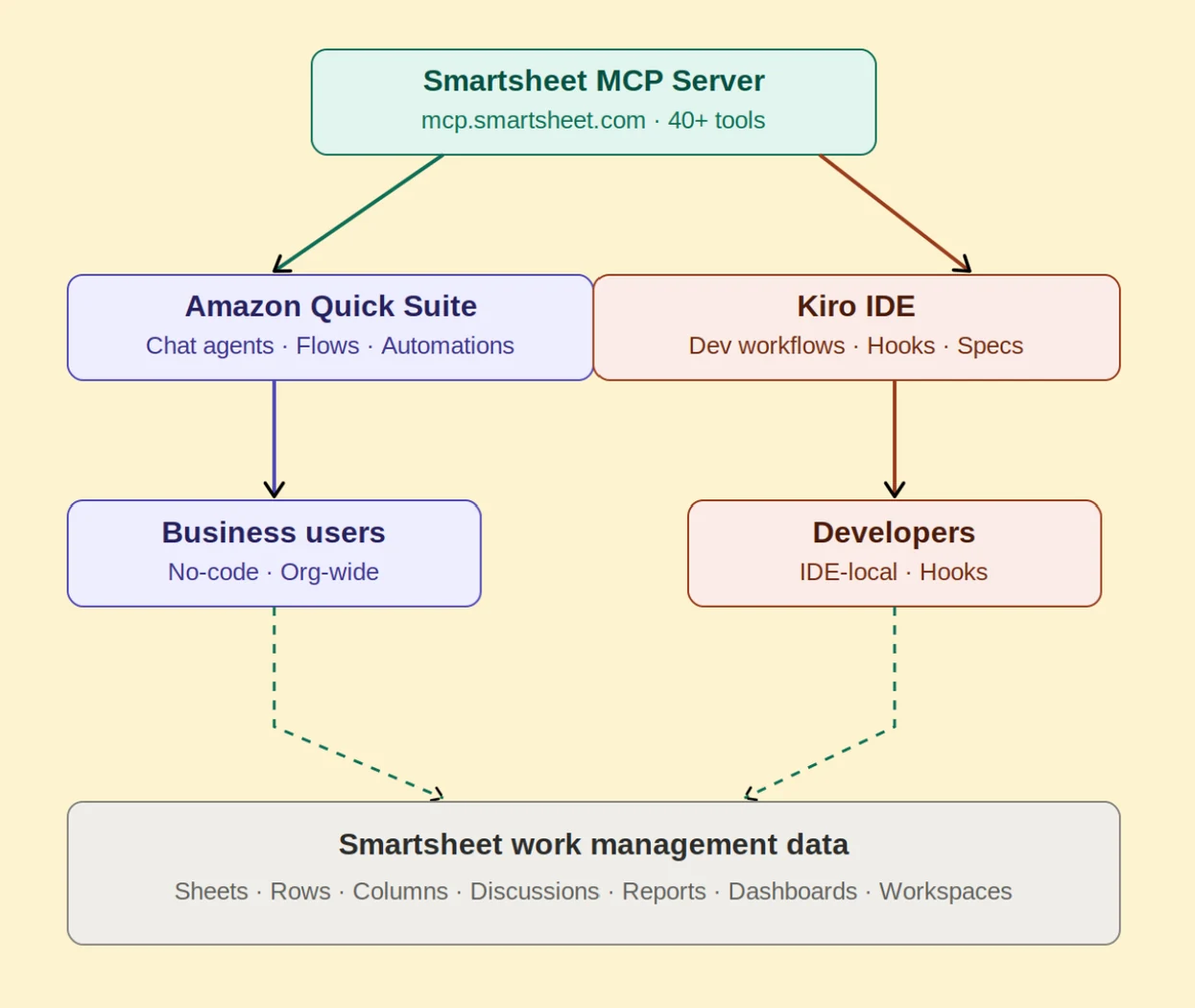
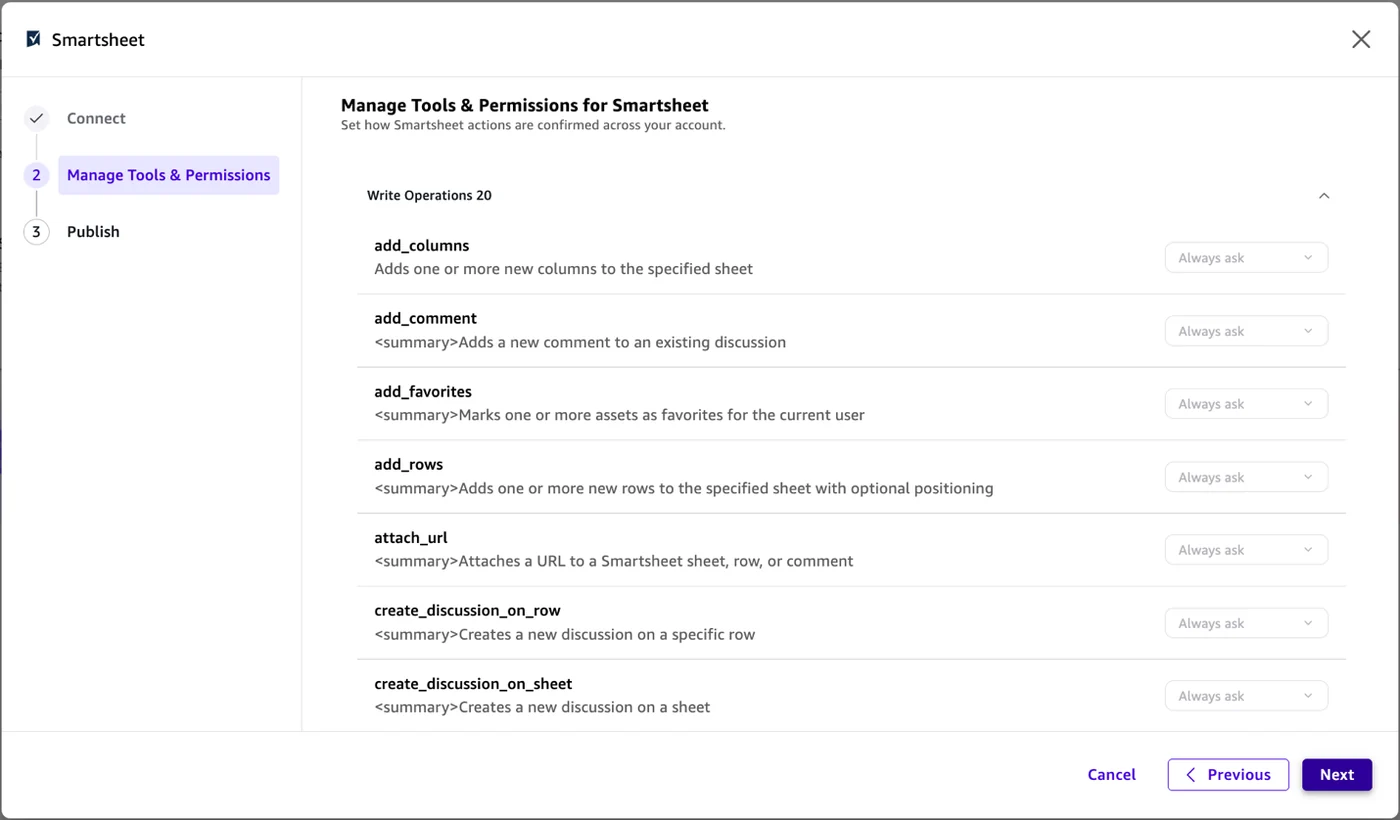
With <a href="https://developers.smartsheet.com/ai-mcp/smartsheet/mcp-server">the Smartsheet MCP Server</a>, AI assistants can read, write, and manage work data through a standardized protocol. The protocol covers more than 40 tools designed for exploring, creating, and managing sheets, rows, columns, and automations directly through natural language.
Integration Paths on AWS: Amazon Quick and Kiro
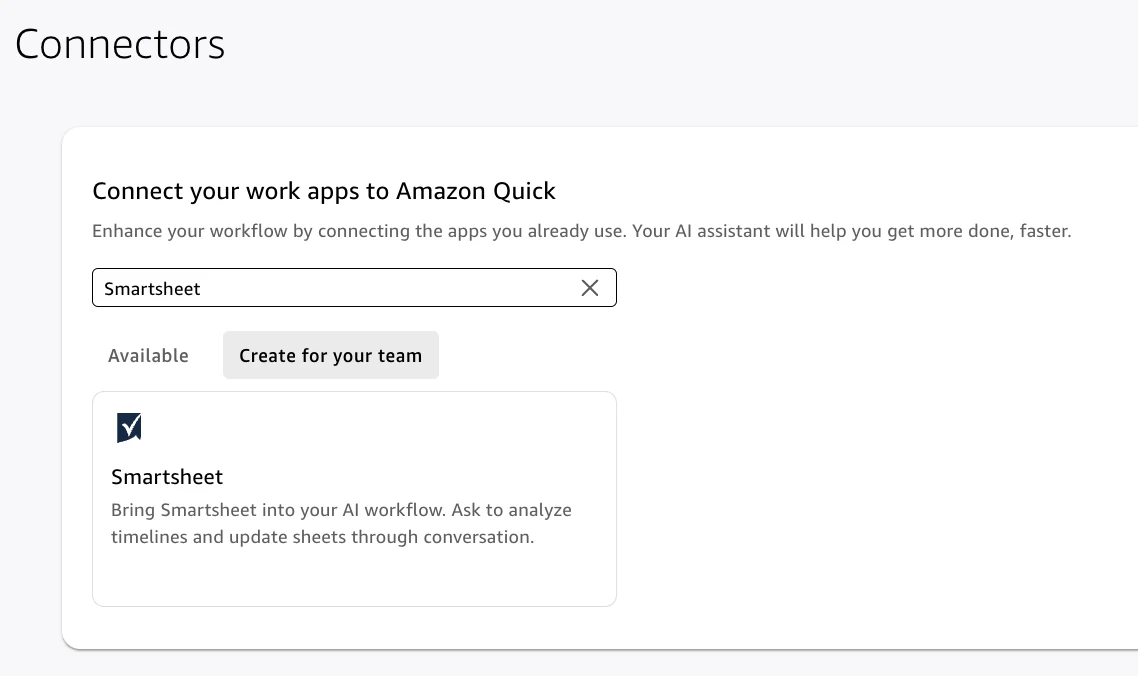
The platform introduces two primary ways to connect the MCP server within existing AWS workflows. <a href="https://aws.amazon.com/quick/">Amazon Quick</a> is an agentic AI workspace built for business users, project managers, and operations teams who want to ask questions, update sheets, and build dashboards through natural language without coding.
Alternatively, <a href="https://kiro.dev/">Kiro</a> serves as an agentic IDE where developers connect to project management tools via MCP. This allows them to reference project specs, update task statuses, and track dependencies without leaving their coding workflow.
Workflow Scenarios for Teams
Consider a software engineering team tracking sprints using project sheets. Project managers can use Amazon Quick through natural language to check which sprint tasks are blocked during a given week. The chat agent queries the central MCP server, pulls relevant rows, and displays a summary containing owner names and due dates derived directly from live project data.
Meanwhile, developers fixing bugs can ask Kiro to pull the current sprint sheet and display open backend tasks assigned to them. Kiro queries the project management data inline, and once a fix is committed, a Kiro hook automatically updates the corresponding row status to complete.
Engineering and Architecture Details
The integration layer delivers structured context that includes row relationships, column types, cell history, and comments. This design produces token-efficient payload sizes rather than returning raw API payloads, helping enterprise users reduce costs and improve latency at scale when handling hundreds of AI-assisted queries across an entire portfolio.
For technical implementation details regarding infrastructure, developers can review how the remote architecture was established by reading <a href="https://aws.amazon.com/blogs/machine-learning/how-smartsheet-built-a-remote-mcp-server-on-aws/">How Smartsheet built a remote MCP server on AWS</a>.
Prerequisites and Configuration
Before connecting the server, organizations need an active AWS account with appropriate IAM permissions, a Business, Enterprise, or AWM Smartsheet plan, and a Personal Access Token or OAuth credentials. Business users require appropriate permissions inside the <a href="https://docs.aws.amazon.com/quicksuite/latest/userguide/mcp-integration.html">Amazon Quick console</a>, while developers need the IDE installed from <a href="https://kiro.dev">kiro.dev</a> along with Node.js.
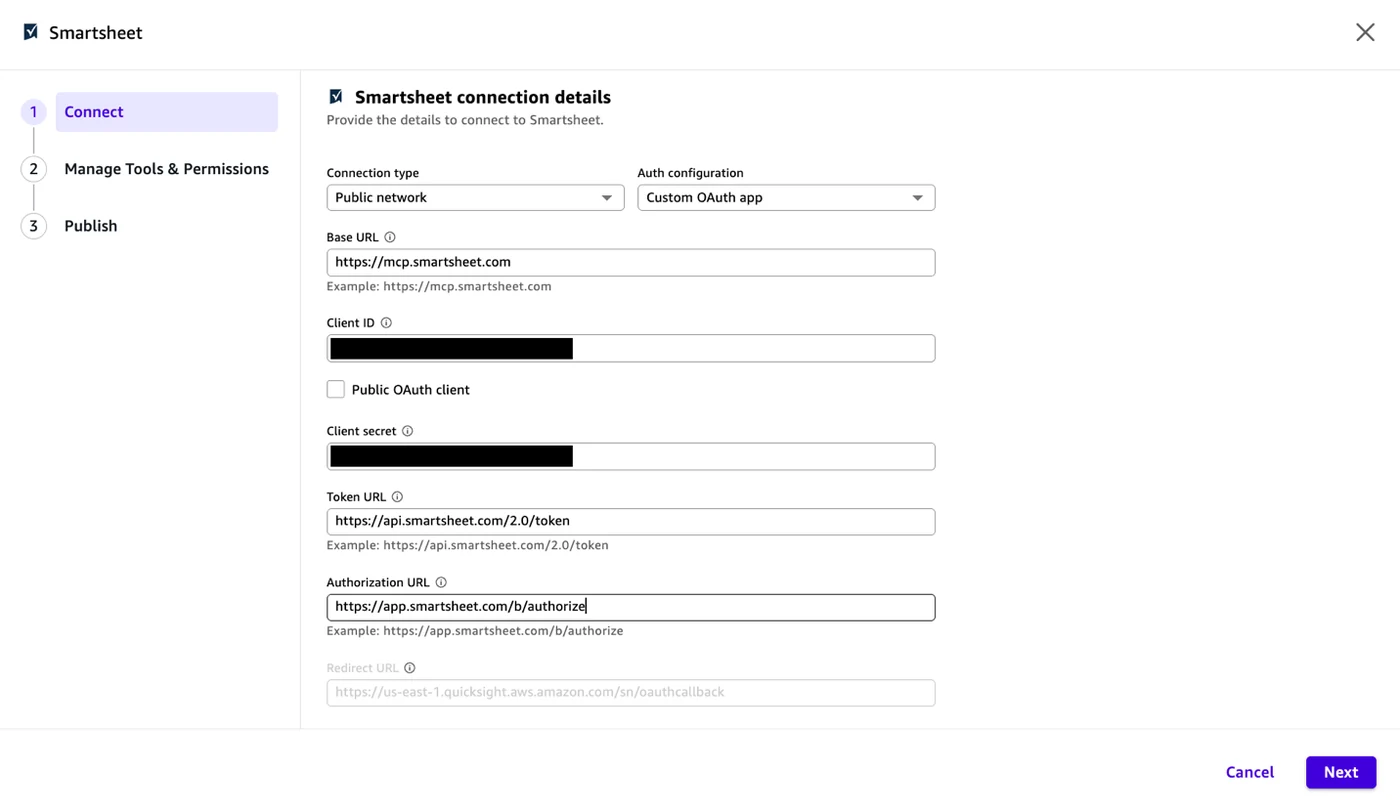
The server operates across three regional endpoints using Streamable HTTP transport and authenticates via OAuth 2.0 or Personal Access Tokens. Setup requires configuring connection attributes such as the base endpoint at <a href="https://mcp.smartsheet.com">https://mcp.smartsheet.com</a> and token authentication routing through <a href="https://api.smartsheet.com/2.0/token">https://api.smartsheet.com/2.0/token</a>.
Sources
- AWS Machine Learning BlogWork management context for AI agents with Smartsheet MCP on AWS
Continue chronologically
Related entity coverage
Related stories
Workflow context for AI agents with Smartsheet MCP on AWS
Discover how the Smartsheet Model Context Protocol Server lets AI agents read, update, and act on live project data via Amazon Quick and Kiro.
Deploying AI in HIPAA Environments with Amazon Quick
Learn how healthcare organizations deploy agentic AI within a HIPAA-eligible environment using Amazon Quick while managing strict regulatory compliance.
AWS Details Component Patterns for Amazon Quick Prompting
Discover component-specific prompt engineering patterns and pitfalls for Amazon Quick Research, Quick Flows, Quick Sight, and chat agents.
AWS Introduces Trust in Depth to Safely Scale AI Agents
Enterprise leaders want AI agents to take on more work but struggle with trust. AWS details a layered approach to safely scale autonomous agents.