AI Scan for Pull Requests Generally Available on GitHub
GitHub has officially launched AI Scan for pull requests into general availability, expanding application security capabilities by identifying vulnerabilities in languages and frameworks not currently covered by CodeQL.
 Radwan AbdulhadiEditor and technology writer
Expanding Code Scanning Capabilities
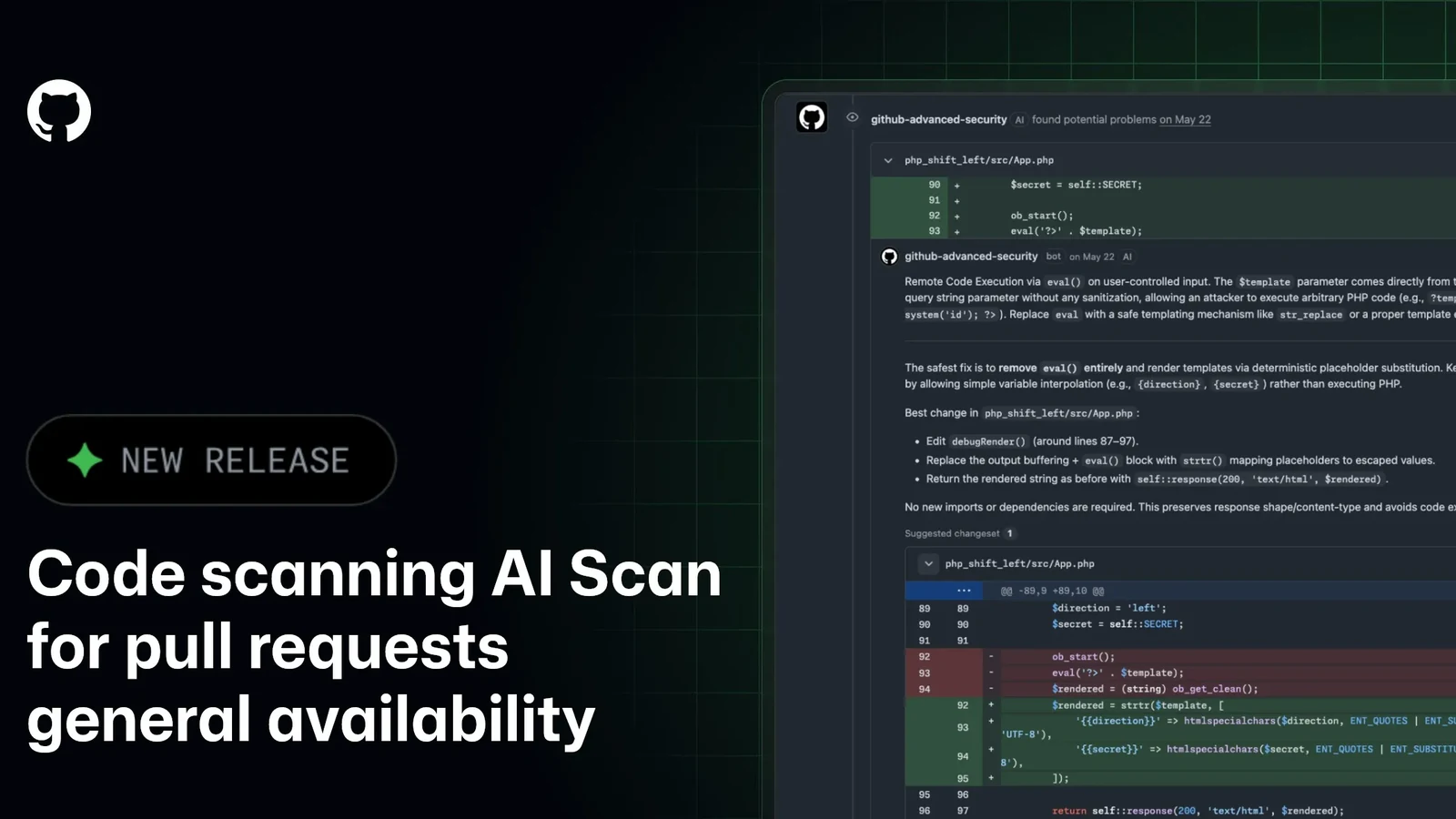
GitHub has announced the official general availability of AI Scan for pull requests, introducing a new layer of security analysis to development workflows. According to the GitHub Changelog, the tool is designed to complement CodeQL by finding vulnerabilities in pull request changes for languages and frameworks that CodeQL does not currently cover.
Among the newly supported technologies and environments are PHP, Shell/Bash, Terraform configuration (HCL), Dockerfiles, JSP for Java, and Blazor for C#, alongside other languages and frameworks. This expansion helps development teams secure broader parts of their modern application stacks directly within their typical pull request workflows.
How AI Scan Operates in Workflows
The scanning process runs automatically on pull requests whenever code scanning and the repository’s effective AI Scan setting are both enabled. Once a scan completes, findings appear directly alongside standard CodeQL results on the Conversation and Files changed tabs.
To help developers quickly identify the source of each security notice, findings feature an explicit “AI” indicator to distinguish them from traditional CodeQL alerts. Depending on the detection, these findings can include a detailed explanation of the security risk as well as a suggested autofix to streamline remediation.
GitHub notes that AI Scan findings are strictly advisory in nature. They do not automatically fail the code scanning check, and they cannot be used to block pull request merges through standard ruleset requirements. Furthermore, AI Scan does not execute on pull requests originating from forks or those created by Dependabot.
Access and Repository Requirements
The availability of the scanning tool varies depending on the repository's visibility and ownership structure. AI Scan is accessible for public repositories owned by either organizations or personal accounts. However, private and internal repositories owned by organizations require either GitHub Code Security or GitHub Advanced Security to utilize the feature.
Organizations evaluating the tool should note that a separate GitHub Copilot license is not required to run AI Scan. Developers seeking comprehensive documentation on how these detections operate can review the official technical guides for AI Scan for pull requests.
Billing and Credit Consumption
Operating AI Scan for pull requests consumes Code Security AI Credits across qualifying repositories. Enterprises and organizations can monitor their credit consumption through the dedicated “AI usage” section of enterprise billing and licensing, where it is tracked under the “Advanced Security” product category.
To maintain budget control, administrators have the option to set SKU-level budgets specifically for Code Security AI Credits. More details regarding how these costs are structured can be found in the official documentation covering usage-based billing.
Teams can also review broader billing guides related to GitHub Advanced Security AI features to better understand how resource consumption is tracked across their enterprise accounts.
Community Engagement and Discussions
With the general availability rollout complete, GitHub is encouraging developers and security administrators to share feedback, ask questions, and discuss best practices regarding the new scanning capabilities.
Users looking to connect with other practitioners and engineering teams can participate directly in the AI Scan Community discussion to exchange insights on integrating these advisory security checks into their daily development operations.
Sources
- GitHub ChangelogAI Scan for pull requests generally available
Continue chronologically

Related entity coverage
Related stories
GitHub Introduces Dependabot Reachability Analysis Preview
GitHub launches reachability analysis for Dependabot alerts in public preview, helping teams prioritize JavaScript and TypeScript vulnerabilities.
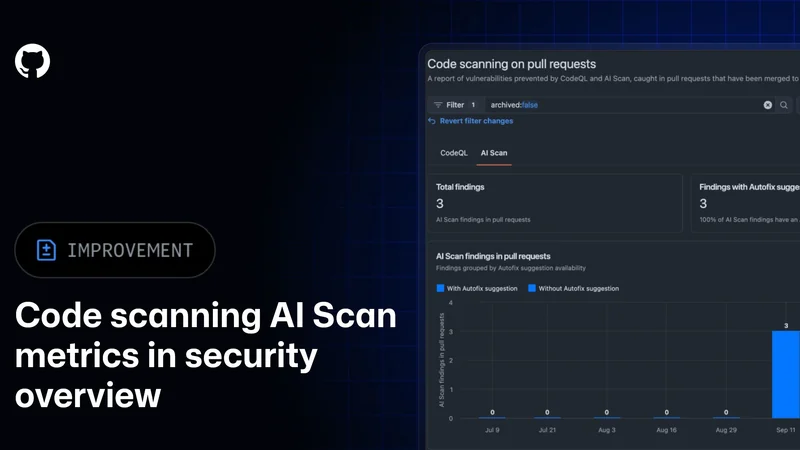
GitHub Adds AI Scan Metrics to Security Overview
GitHub is adding AI Scan metrics to its security overview, giving organization and enterprise administrators new data on findings and fixes.
GitHub expands AI Scan beyond CodeQL default setup
GitHub’s AI Scan for pull requests can now detect security vulnerabilities without CodeQL default setup, in public preview for eligible customers.
CodeQL 2.27.2 Improves C++, Go, Rust, and JavaScript Analysis
CodeQL 2.27.2 arrives with a new C++ regular-expression parser, updated Go control-flow graphs, and analysis improvements across multiple languages.