Samsung Rolls Out Android 17-Based One UI 9 Update
Samsung is actively rolling out its latest Android 17-based software update, introducing One UI 9 alongside a suite of new AI features, design refinements, and health tracking improvements.
 Radwan AbdulhadiEditor and technology writer
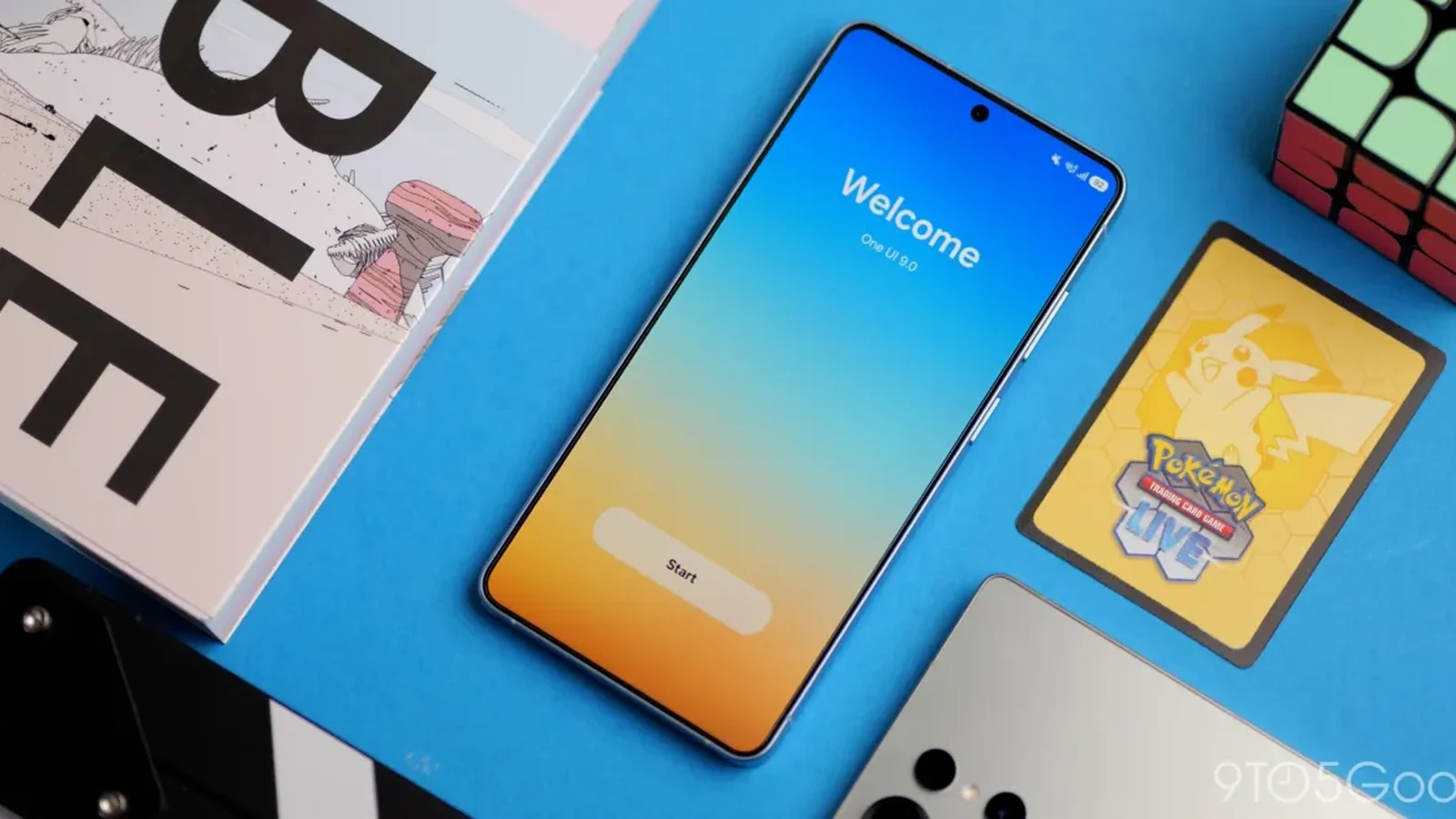
Samsung Begins One UI 9 Rollout
Samsung has officially begun rolling out its Android 17-based update, bringing One UI 9 to its collection of supported Galaxy smartphones and tablets. While a comprehensive official schedule has not been detailed by Samsung, the stable updates have begun appearing for users in various parts of the world, following earlier rollouts seen on devices like the <a href="https://9to5google.com/2026/09/29/samsung-android-17-update-rolling-out-galaxy-s26-s25/">Galaxy S26</a> series.
This latest major software release follows the evolution established by previous generational iterations, building directly upon the design language introduced in One UI 7 and iterated through last year’s software cycle. The operating system update focuses primarily on refinement, introducing subtle visual design tweaks, enhanced artificial intelligence capabilities, and deeper personalization options for the user interface.
Interface Customization and New Controls
One UI 9 delivers greater flexibility across the interface, highlighted by expanded Quick Panel customization. Users can now resize the brightness and volume sliders independently, adjust the size of the built-in media player, and separate the dedicated sound mode button from the primary volume slider. Furthermore, the lock screen has been updated with a cleaner, more modern default clock layout that dynamically adapts to complement your current wallpaper.
Efficiency has also been improved for multitasking environments. Moving an app window between different desktops is now streamlined via a menu located at the top of the window. Additionally, desktop previews are displayed at the top of the Recents screen, allowing users to switch between active views with a single tap.
AI-Powered Enhancements and Multitasking
Artificial intelligence integration plays a prominent role in the <a href="https://9to5google.com/guides/android-17/">Android 17</a> update. A new feature called Now nudge provides context-aware suggestions directly inside conversation notifications and through a floating action button situated at the bottom right corner of the screen. These suggestions handle practical tasks such as saving locations to Google Maps or entering reservation details and physical addresses.
Content creation tools also receive notable upgrades. My FanCam enables users to select a specific person within a recorded video, automatically tracking that subject while cropping out the surrounding footage. Meanwhile, communication features like Interpreter have been improved, allowing users to scroll through an entire conversation log in conversation mode while continuing to speak.
Redesigned Samsung Health Suite
The Samsung Health platform has been completely redesigned to make complex health metrics significantly easier to understand. The updated layout features clearer visual charts, enhanced tracking tools, and customizable metric cards categorized into distinct areas such as Activity, Sleep, Mindfulness, and Nutrition.
Users can log moods and meals directly from the home screen, utilizing the camera for faster data entry. The platform introduces advanced trend analytics, allowing users to view intervals in hourly, daily, or weekly formats, pinch to zoom into charts, and overlay multiple data sets to compare performance across separate time frames. Additional additions include a Fitness Index score calculated from five foundational fitness metrics, and a Hearing tracker that monitors sound levels from headphones and compatible Galaxy accessories.
Privacy, Security, and Bixby Updates
Security and user privacy see several practical upgrades in One UI 9. A blue location privacy indicator now appears at the top of the screen whenever an application accesses your location, giving users instant visibility by tapping the prompt in the quick panel. The system's Now brief will actively alert users to potential risks stemming from malware, unknown application sources, and unnecessary permission requests, blocking malicious applications from opening until an explicit removal decision is made.
For quick device security, users can now securely lock down their phone in an emergency by pressing and holding the Volume down and Side buttons simultaneously or selecting the power option inside the quick panel, temporarily disabling biometric unlock methods. In addition, the digital assistant Bixby receives a hands-free conversational upgrade, permitting voice interactions simply by raising the phone close to your mouth without needing a designated wake-up word.
Sources
- 9to5GoogleSamsung has updated these Galaxy devices to Android 17
Continue chronologically

Related entity coverage
Related stories
Google Fixes Android Auto Issues on One UI 9 Galaxy Phones
Google confirms a fix has been rolled out for Android Auto connection and performance problems on Samsung Galaxy devices running the new One UI 9 update.
Google Launches Shop Devices Tab for Pixel and Samsung
Google has introduced a new Shop devices tab, allowing buyers to purchase Samsung Galaxy smartphones alongside Pixel devices directly from the store.
How to Check If Your Android Phone Still Gets Security Updates
Learn how to check your Android phone's security update status, find manufacturer end-of-life dates, and secure an unsupported device.
Googlebook "Better Together" Features Miss Samsung at Launch
Google's new Googlebook laptops require Android 17 and currently lack support for Samsung phones, leaving users waiting for an update.