Samsung One UI 9 Update Brings New Features to Galaxy
Samsung's latest One UI 9 software interface brings a variety of new features and practical enhancements to compatible Galaxy smartphones following its rollout.
 Radwan AbdulhadiEditor and technology writer
One UI 9 Rollout and Software Overview
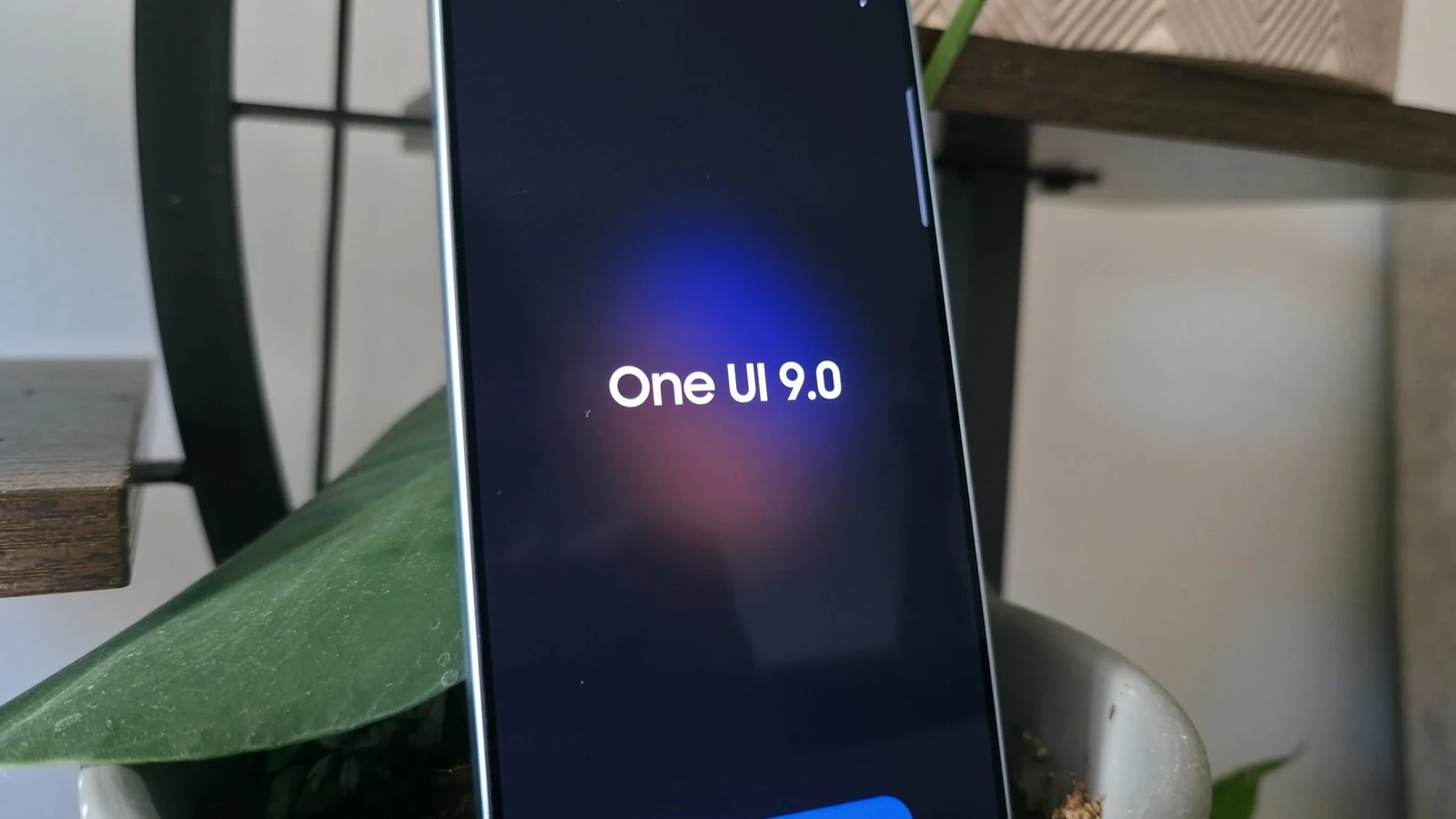
Samsung's One UI 9 update has officially started rolling out widely to recent flagship devices, bringing the first iteration of the company's interface built on Android 17. Following previous software iterations, this release introduces a variety of practical additions designed to improve daily usability.
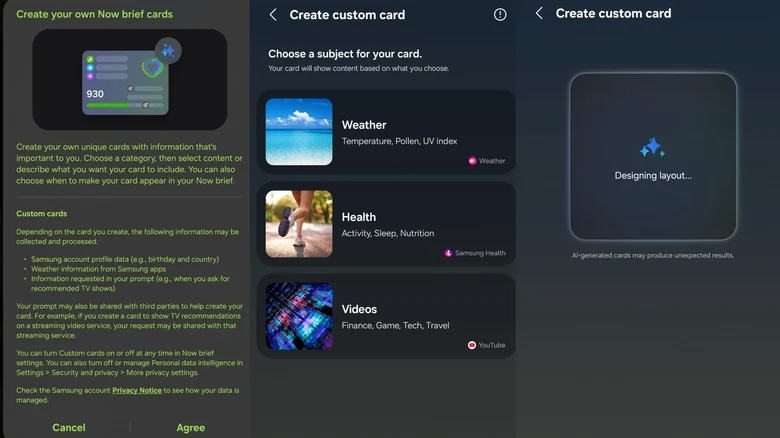
While many smartphone updates heavily focus on experimental generative artificial intelligence, One UI 9 targets more grounded capabilities that users can immediately integrate into their routines. Testing on devices like the Galaxy S26 Ultra and S25 Ultra highlights several standout tools.
My FanCam Tracks Subjects in Wide-Angle Videos
Among the marquee additions in the One UI 9 release is My FanCam, a tool designed to convert wide videos into a tight tracking shot focused on a single person. Users can record a wide-angle video without needing a specialized capture mode, and then open the footage inside the Samsung Gallery app.
By tapping the Galaxy AI button, which features a sparkle icon, users can isolate individuals such as a band member during a concert or a dancer performing in widescreen. The software crops and tracks the selected subject automatically, operating entirely on-device without requiring a cloud connection.
Refined Quick Panel and Customization Controls
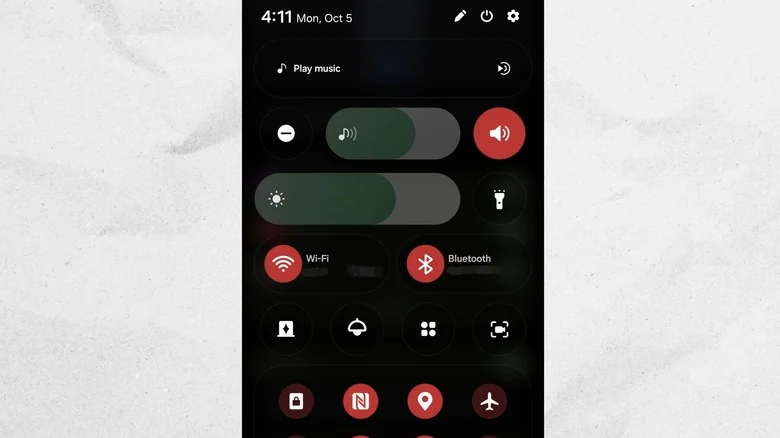
Following previous interface redesigns that split notifications and quick settings, One UI 9 expands user control over layout elements. The update introduces minimal volume and brightness sliders that can operate independently from shortcuts like the ringer mute toggle or dark mode button.
Border elements around tiles have been removed for a cleaner look. Additionally, the music player widget integrated into the Quick Panel now features a scrubber bar waveform that dynamically adapts to match current album artwork during playback.
Upgraded Document Scanning and Flattening
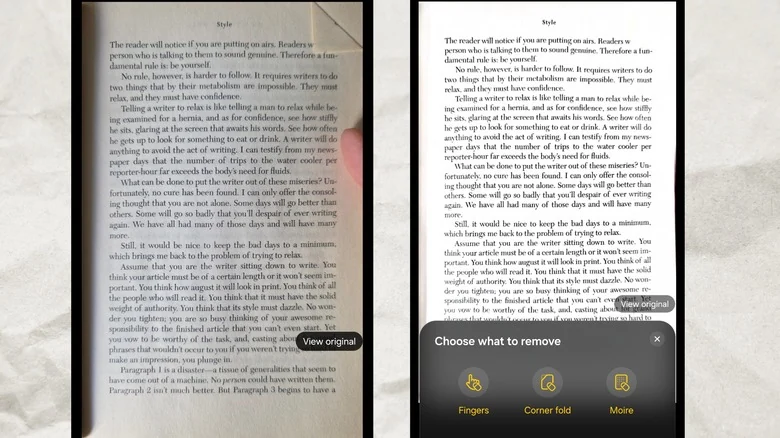
Samsung's native camera application document scanner has received a significant overhaul to handle complex scanning scenarios. Previous versions often struggled with bound books, curved pages, and folded corners, which typically resulted in warped digital renders.
The updated scanner automatically compensates for curvature to produce flat digital documents. It also incorporates a fingerprint eraser to automatically remove thumbs holding paper documents, alongside new tools to mitigate glare, reduce moire patterns, and launch via a dedicated home screen shortcut.
Sources
- Engadget5 Samsung Galaxy features you should be using after updating to One UI 9
Continue chronologically
Related entity coverage
Related stories
Google Fixes Android Auto Issues on One UI 9 Galaxy Phones
Google confirms a fix has been rolled out for Android Auto connection and performance problems on Samsung Galaxy devices running the new One UI 9 update.
Exploring Android's Built-In Screen Time Tool
Discover Android's built-in Digital Wellbeing app, a hidden screen-time tracker designed to help break scrolling habits and set boundaries.

What to Look For When Buying a Cheap Android Phone
Discover the essential non-negotiable features you need to look for when shopping for a budget Android phone priced at $300 or less.
Googlebook "Better Together" Features Miss Samsung at Launch
Google's new Googlebook laptops require Android 17 and currently lack support for Samsung phones, leaving users waiting for an update.