Liquid Glass Design Finds Its Purpose on the iPhone Duo
Apple's divisive Liquid Glass interface design faced widespread criticism for legibility issues and distracting reflections, but software refinements and hardware integration on the iPhone Duo have shifted the narrative.
 Radwan AbdulhadiEditor and technology writer
Refining a Divisive Interface
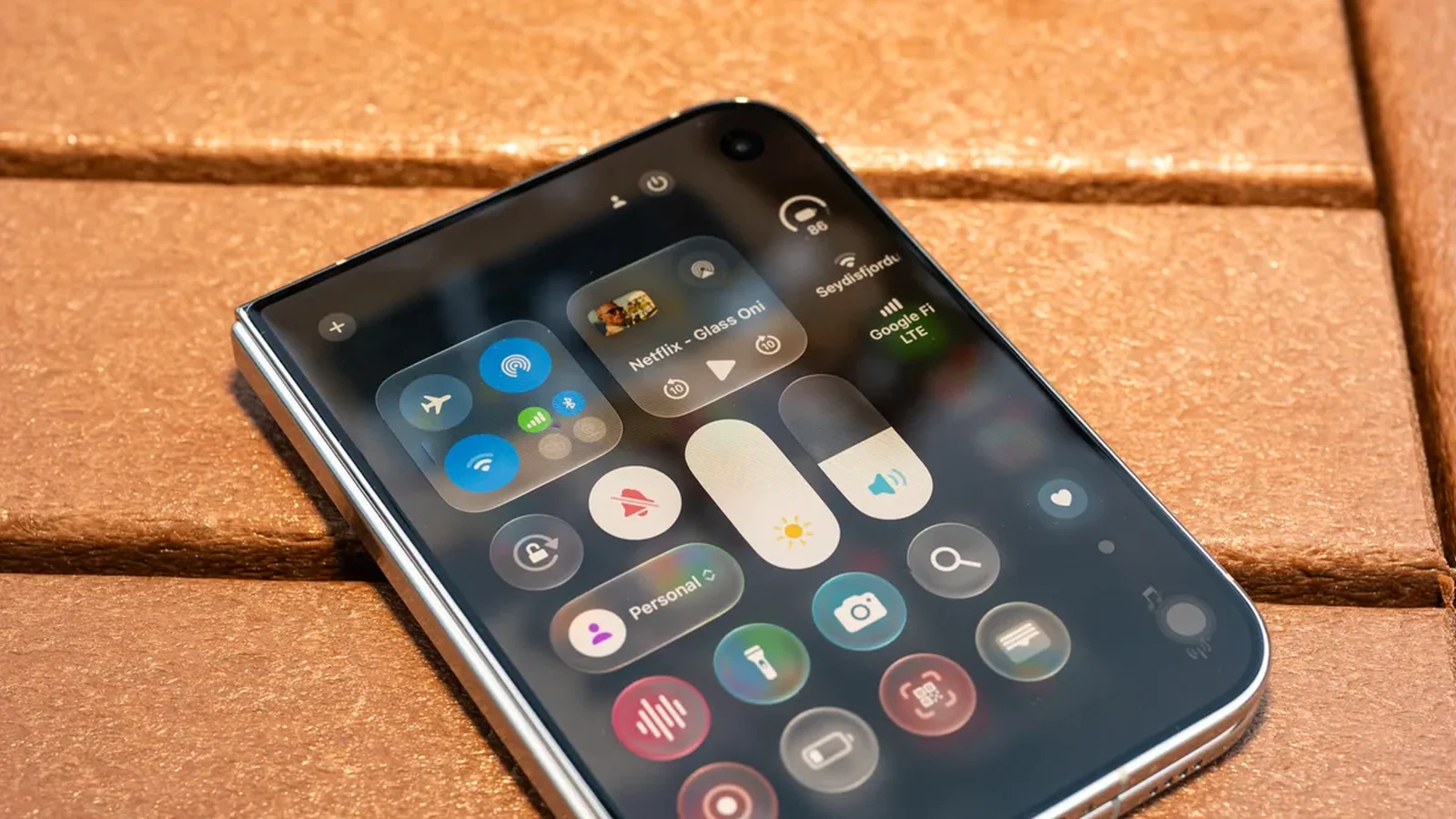
Apple's interface redesign known as Liquid Glass initially drew heavy criticism after expanding from the Vision Pro mixed-reality headset to millions of devices. Despite promises to bring content to the foreground, the translucent design language resulted in illegible text, distracting reflections, and flickering color shifts that hindered accessibility.
During updates to operating systems this summer, human interface designer Shubham Kedia acknowledged the need to iterate based on user feedback. The company focused on reincorporating design cornerstones centered around clarity and structure, making it easier to distinguish application components from underlying content.
New Controls and User Choice
With the launch of iOS 27, Apple introduced a dedicated slider in the Settings menu to address user complaints regarding the opacity and tint of the interface. Users can now adjust the transparency to preference, moving between more tinted aesthetics and high-clarity settings.
Indie developer Ben Rice McCarthy noted that pushing the slider to its most tinted setting immediately resolves many legibility issues. Furthermore, the operating system improvements brought enhanced adaptiveness, allowing buttons, controls, and toolbars to morph smoothly during transitions.
Integration With the iPhone Duo
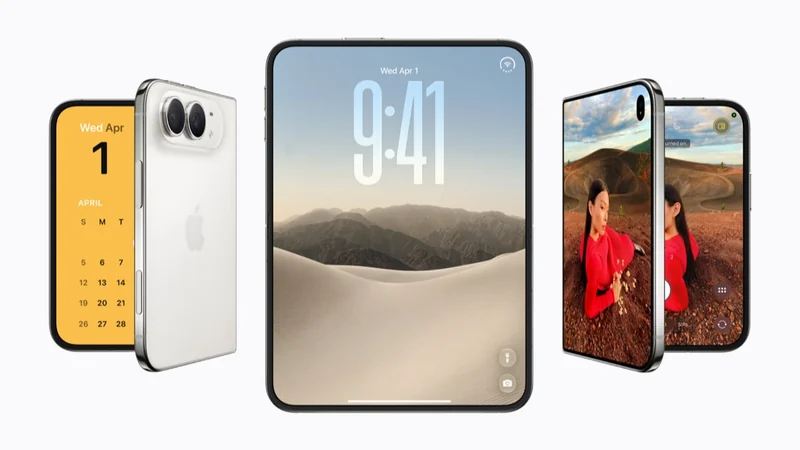
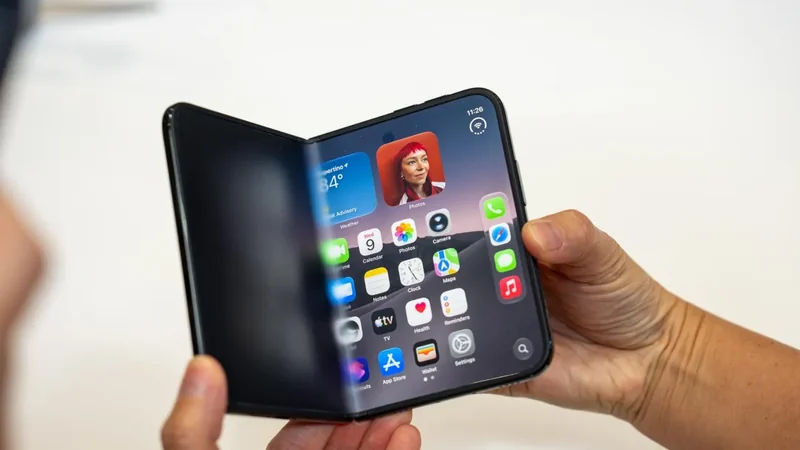
The operational coherence of the updated design language became particularly apparent with the debut of Apple's upcoming folding phone. The device features a wider, squat passport-shaped display that natively defaults to landscape orientation when opened.
According to Apple vice president of Industrial Design Molly Anderson, the hardware was built around a consistent aspect ratio shared across both displays to achieve visual continuity. The software utilizes this geometry to let content flow seamlessly from one screen to the other without jarring transitions.
Form Following Function
On the iPhone Duo, Liquid Glass helps free up space by positioning essential controls at the side of the screen when the phone is closed. When opened, these controls remain in consistent locations so users do not have to hunt for them, adapting dynamically as the device is reoriented.
While developers like Steve Troughton-Smith point out that supporting the new hardware and updating applications to fully utilize the interface will take time, the combination of hardware consistency and software refinement makes the design framework feel cohesive across Apple's ecosystem.
Sources
- WIREDLiquid Glass Finally Makes Sense on the iPhone Duo
Continue chronologically

Related entity coverage
Related stories
Apple Debuts the iPhone Duo: What to Know
Explore everything you need to know about the Apple iPhone Duo, Apple's first folding smartphone, including hardware, features, pricing, and trade-in deals.
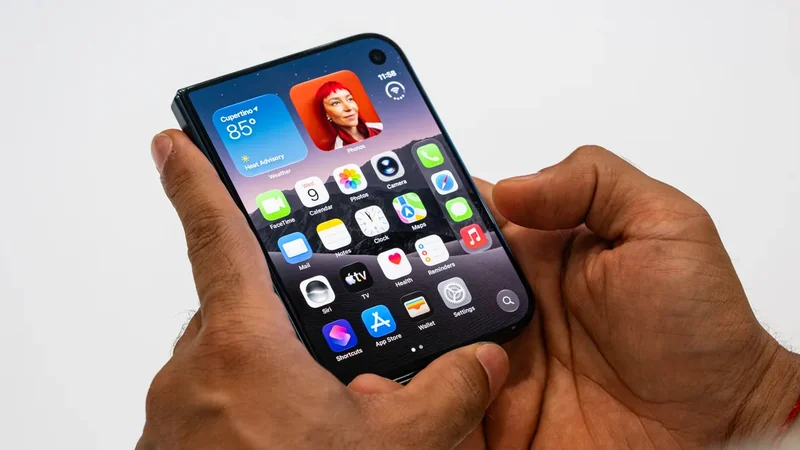
Apple Announces iPhone Duo Foldable With A20 Pro and iOS 27
Apple unveils the foldable iPhone Duo featuring its largest iPhone display ever, A20 Pro performance, iOS 27, and Siri AI powered by Apple Intelligence.
Apple Announces Its First Foldable Phone, The iPhone Duo
Apple has officially announced its first foldable device, the iPhone Duo, featuring dual screens, a Touch ID power button, and a starting price of $1,999.
How the iPhone Duo Enhances Group Selfies with AI
Discover how Apple's foldable iPhone Duo combines new hardware placement options with AI features like Smart Take to revolutionize group selfies.