Open-Source Tool Unlocks Nvidia GPU AI Limiter
An open-source UEFI utility allows users to bypass Nvidia's tensor rate cap on desktop and laptop graphics cards, boosting performance without requiring a VBIOS flash or patched driver.
 Radwan AbdulhadiEditor and technology writer
Bypassing the Tensor Rate Cap
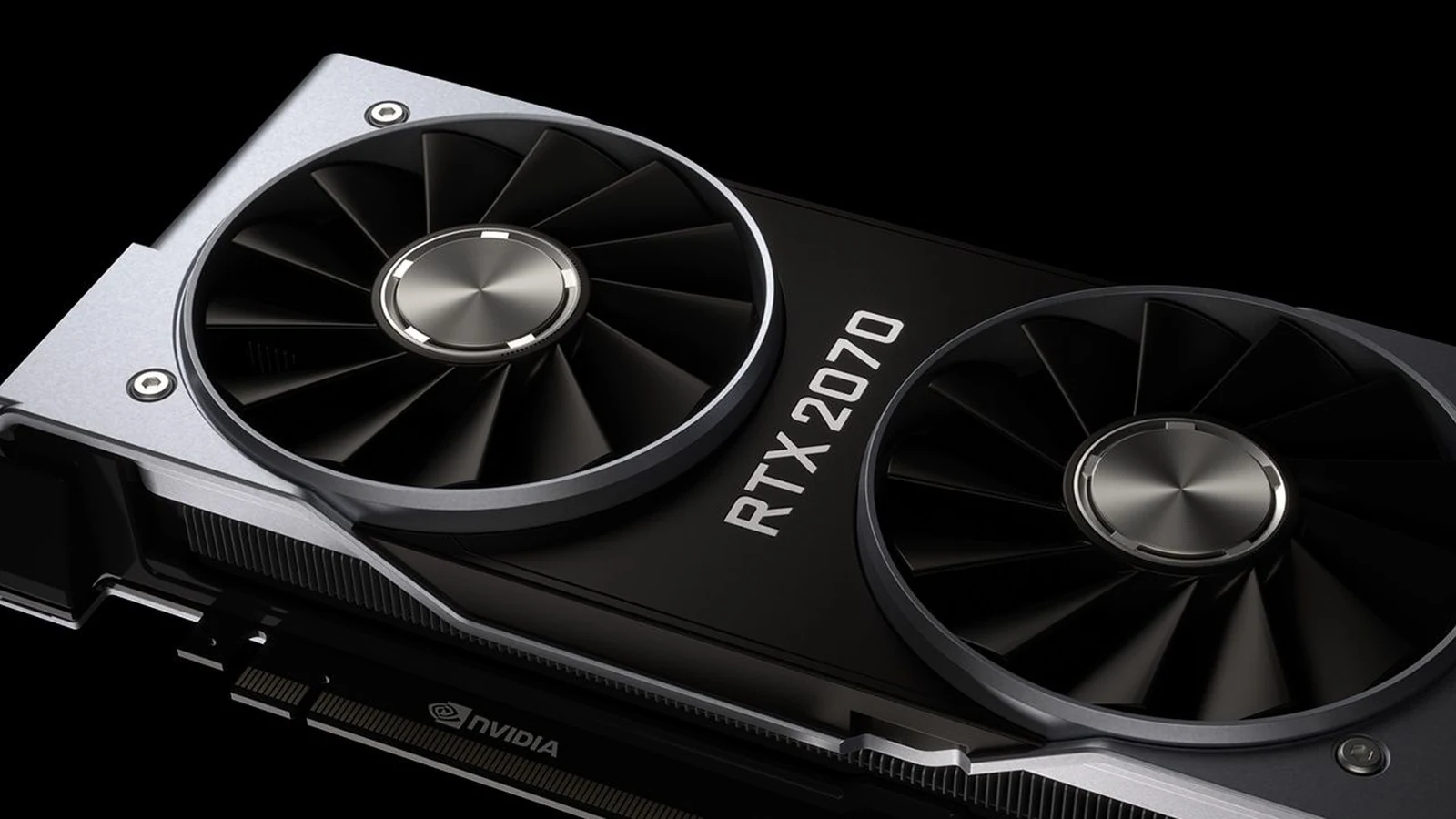
A new open-source project named the nv-uefi-unlocker has made it significantly easier to bypass Nvidia's tensor rate limits on Windows and Linux. Detailed by Tom's Hardware, the utility functions as a UEFI pre-driver NVIDIA GPU unlocker, removing the half-speed AI throttle hack on RTX 20, 30, and 40-series desktop and laptop graphics cards. By running before the Nvidia driver loads, the tool tricks Nvidia's signed Booter firmware into opening the write lock on speed-selector registers, allowing tensor units to run at full speed.
The development builds upon previous community efforts, including Zagitta's gpu-unlock project and the RTX 40 fork gpu-unlock-ada. Unlike earlier methods that relied heavily on manually installed Linux modules with experimental Windows support, this new tool streamlines the process significantly for everyday desktop and laptop users. Further details are available from Terms & Conditions in the original source material.
Operation via Bootable USB
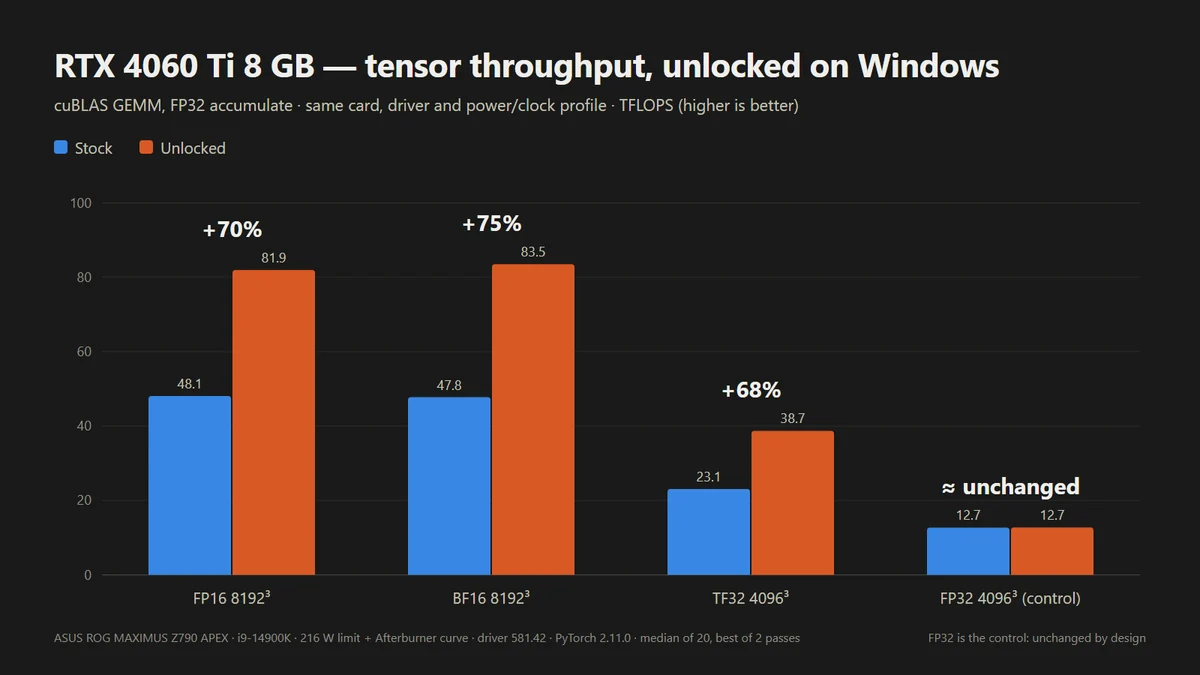
The unlocker is packaged as scripts and self-built binaries that do not include any proprietary Nvidia firmware files in the download. Instead, configuration scripts download Nvidia's public 610.43.03 driver packages, verify them, and rebuild the required firmware locally. Users copy the rebuilt files alongside a BOOTX64.EFI bootloader onto a FAT32-formatted USB stick.
To execute the unlock, users must access a one-time boot menu and use the spacebar within a 30-second window to confirm execution. Once the firmware routine completes, control is handed off to the operating system loader. Because the modification happens in the firmware stage prior to OS loading, it does not persist through power loss, meaning the procedure must be repeated on every subsequent system boot.
Performance Gains and Limitations
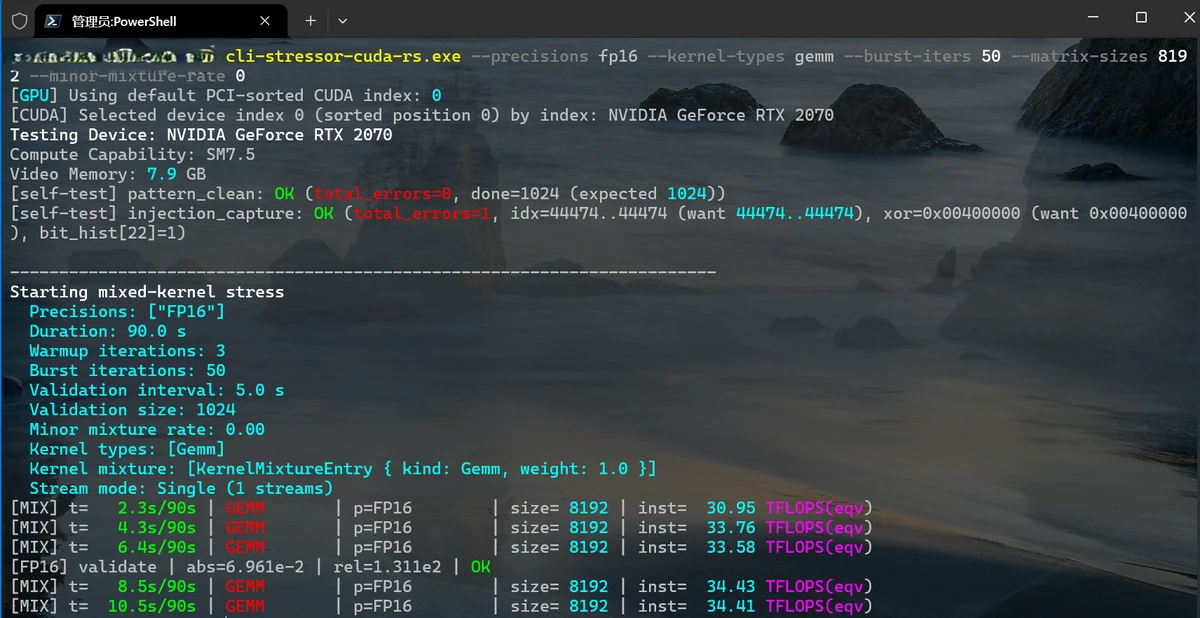
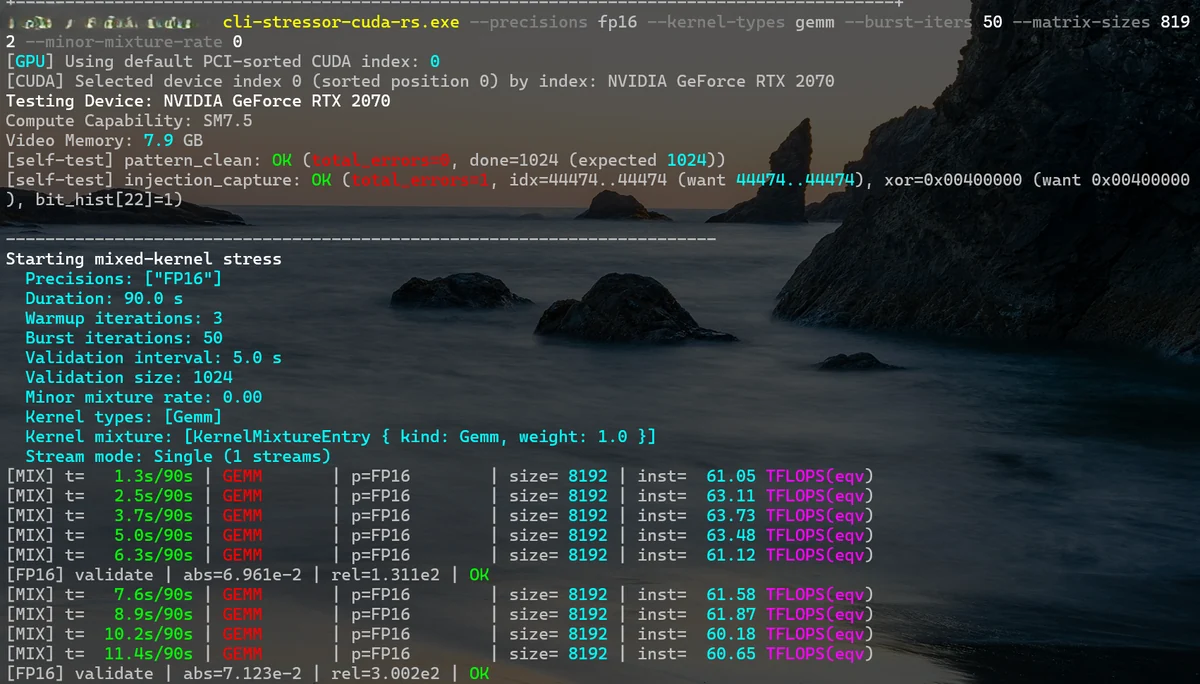
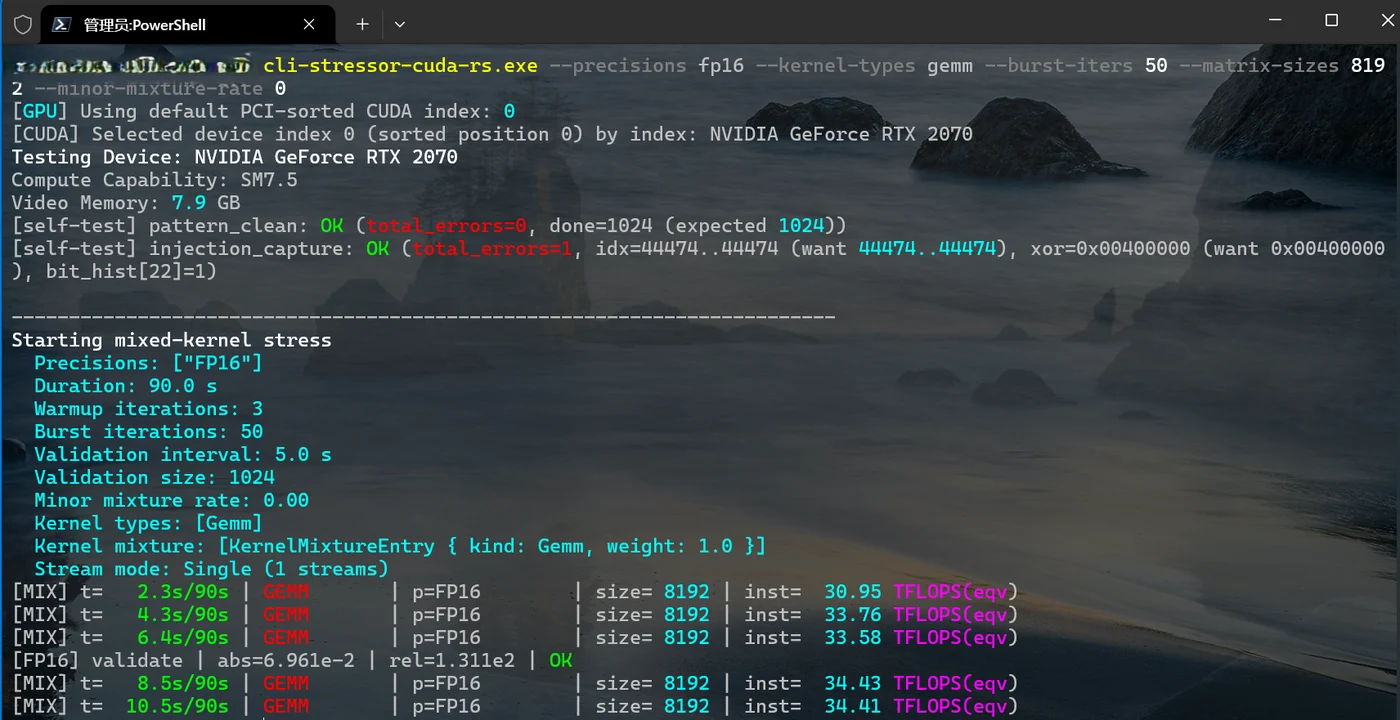
In testing conducted by the project developers, the tool successfully increased FP16 math performance. For instance, a developer's laptop RTX 4060 achieved up to 65% higher FP16 math output, while a desktop RTX 2070 saw matrix multiply performance jump from roughly 34 TFLOPS to around 62 TFLOPS. Despite these impressive figures, the developers emphasize that performance outcomes depend closely on individual card power and thermal envelopes.
System requirements and constraints remain strict. The host system must operate in UEFI mode, and Secure Boot must either be disabled or configured to trust a self-signed EFI. The developers note that the tool cannot bypass Secure Boot requirements mandated by certain game anti-cheat systems. Furthermore, users running RTX 20-series hardware must execute an additional bundled script to switch their Windows Nvidia driver into GSP firmware mode before restarting the machine.
Hardware Compatibility and Future Outlook
Hardware compatibility varies across different generations. The project documentation lists RTX 30-series and RTX 40-series cards as fully compatible on both laptops and desktops, while RTX 20-series support is largely functional though some models feature known issues. Conversely, certain cards such as the RTX 2080 and RTX 2080 Ti currently fail at boot or handoff and remain under review.
Newer hardware families are not yet supported. Owners of RTX 50-series GPUs will have to wait, as the development team reports that those cards incorporate significantly more security than anticipated. Additionally, pre-Turing cards, GA100 chips, and GTX 16 models remain either untested or theoretically compatible pending further community verification.
Sources
- Tom's HardwareOpen-source USB tool unlocks Nvidia's half-speed GPU AI limiter on Windows — lifts GPU's FP16 math performance up to 65%, UEFI unlocker covers RTX 20, 30, and 40-series desktops and laptops
Continue chronologically
Related entity coverage
Related stories
Nvidia vBIOS Modding Tool Lets You Skip Flashing
A new solo developer project lets users modify Nvidia RTX 30 to 50 series vBIOS settings without the risk of flashing the physical flash chip.
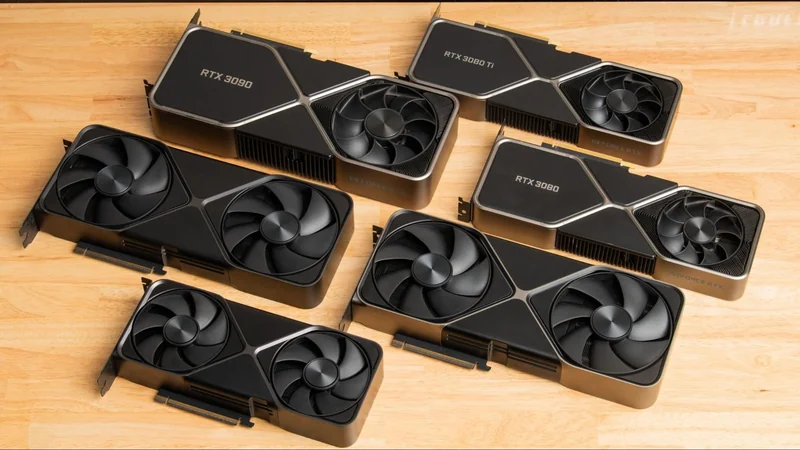
Nvidia RTX 5090 Faces Discontinuation and Surging Prices
Recent rumors suggest Nvidia's flagship RTX 5090 is facing discontinuation with no replacement until 2028, pushing standalone prices past $7,500.
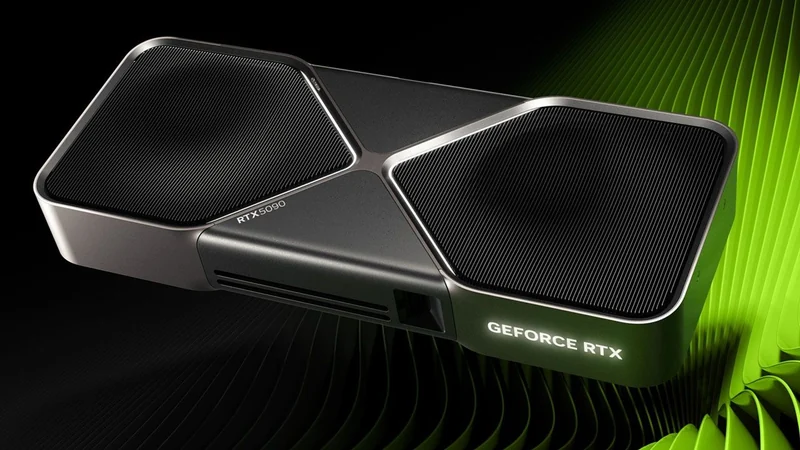
Nvidia RTX 20, 30, and 40-Series GPUs Hacked to Remove AI Throttle
Modders use a firmware exploit to remove half-speed AI performance limits on Nvidia RTX 20, 30, and 40-series graphics cards, boosting tensor rates.
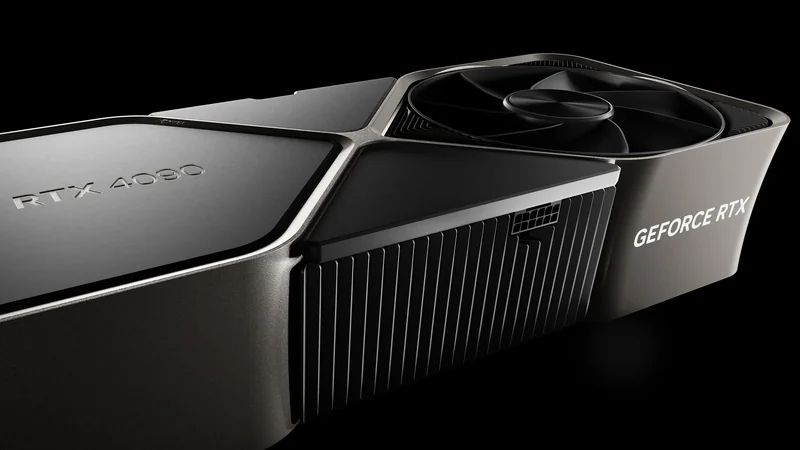
Nvidia Reportedly Halts GeForce RTX 5090 Production
Nvidia has reportedly discontinued GeForce RTX 5090 production, shifting GB202 silicon exclusively toward lucrative AI data center and professional GPUs.