
GitHub Makes Redesigned Dashboard the Default View
The updated interface combines active agent sessions, issues, and pull requests into a single productivity-focused location.
 Radwan AbdulhadiEditor and technology writer
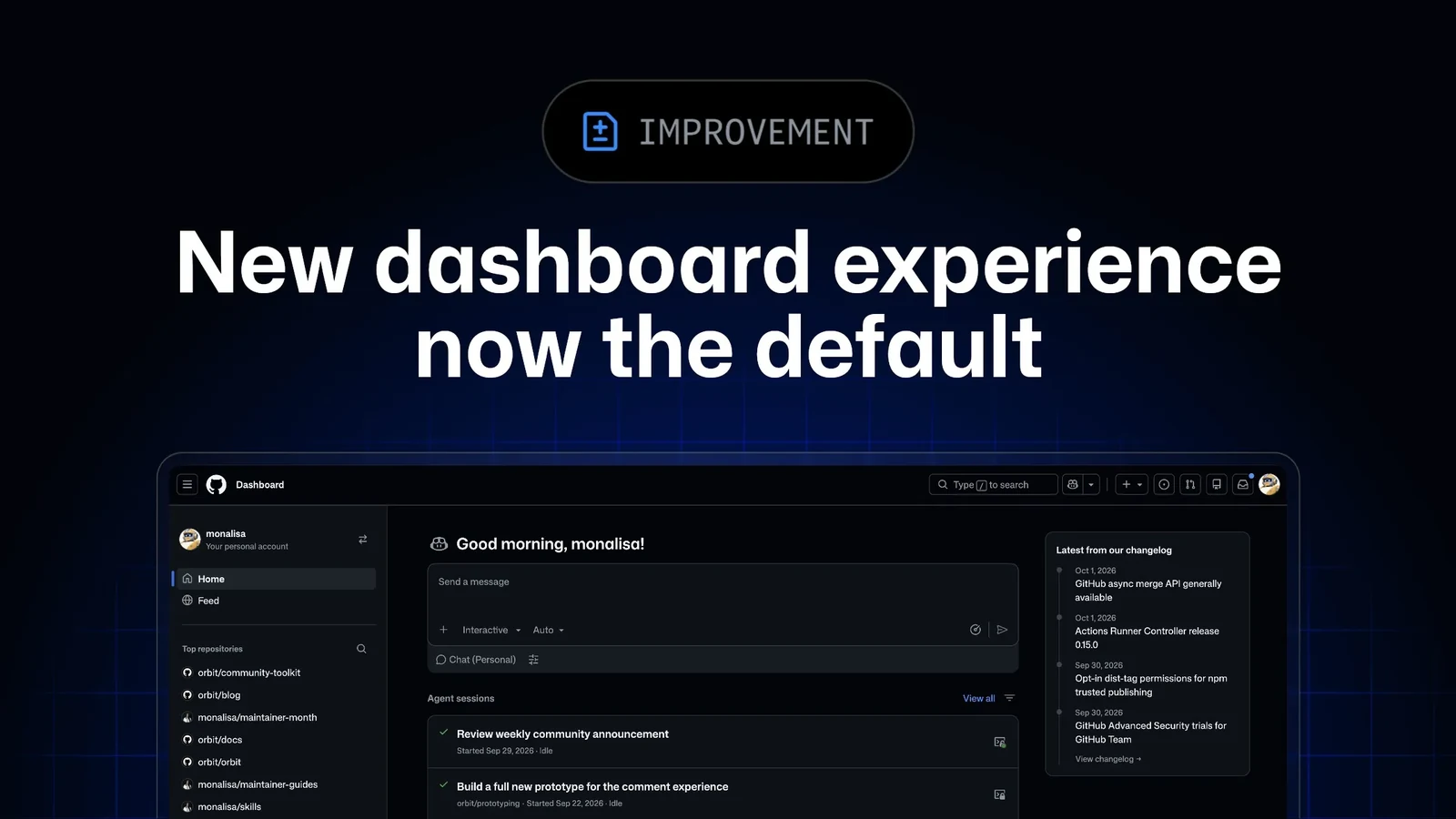
Transition from Feature Preview to Default View
According to the official [GitHub Changelog](https://github.blog/changelog/2026-10-01-new-dashboard-experience-now-the-default/), the redesigned dashboard experience that was previously accessible only as a feature preview is now the default view for everyone. This update is designed to help users focus on the tasks that matter most and streamline how they discover and act on subsequent work.
The platform transitions the workspace layout to emphasize core productivity metrics without clutter. By moving away from older layouts, the interface intends to reduce navigation friction and present critical development information immediately upon signing in.
Consolidated Active Sessions, Issues, and Pull Requests
The revamped dashboard places active agent sessions, issues, and pull requests into a single unified location. Users can implement specific filters to determine precisely what appears within each designated section, supporting up to 12 items per list for manageable oversight.
This consolidation allows developers to monitor ongoing automation and human-driven tasks simultaneously, ensuring that critical code reviews and debugging sessions are not overlooked during daily routines.
Separating Feeds from Productivity Focus
To prevent general notification noise from interfering with project management, the new layout introduces a dedicated Feed tab. This structure keeps general platform updates clearly distinct from the primary, productivity-focused dashboard.
By separating social and informational streams from execution-heavy lists, developers can maintain a strict focus on their immediate coding milestones and administrative obligations.
Direct Integration with Copilot Workflows
The dashboard integration goes beyond passive observation by allowing developers to initiate actions straight from the interface. Users can assign an issue directly to the Copilot coding agent or open a pull request inside Copilot Chat without navigating away from their main overview page.
Such shortcuts reflect an ongoing broader emphasis on artificial intelligence assistance across developer ecosystems, mirroring related updates seen in recent [copilot](https://github.blog/changelog/2026/?label=copilot) tooling releases.
Reverting and Community Feedback
While the updated layout is now active by default, GitHub has included an option for users who prefer the legacy setup. Anyone wishing to revert can switch back to the previous experience at any moment by selecting the dropdown menu located next to the 'Preview' label.
GitHub has also invited developers to share their thoughts, bug reports, and operational feedback regarding the updated interface. Users can participate in the ongoing conversation by visiting the [Community discussion](https://github.org/orgs/community/discussions/208952) page.
Sources
- GitHub ChangelogNew dashboard experience now the default