GitHub Intelligence Empowers AI Agents with Team Context
GitHub has introduced a new intelligence layer designed to give AI agents deep context regarding team preferences, repository conventions, and historical development data.
 Radwan AbdulhadiEditor and technology writer
Understanding Team Context and History
Software development agents require more than just raw codebase access to function effectively; they need a solid understanding of team-specific preferences, repository conventions, and custom instructions. Without these elements, agents frequently spend valuable session time rediscovering knowledge or missing established organizational rules. To address this challenge, GitHub has introduced GitHub intelligence, a context and learning layer powered by the graph of GitHub data. This framework allows agents to remember how development teams operate, keep guidance current, and uncover relevant code and history for upcoming tasks.
By building directly where development work already lives, repository memories can successfully capture critical edge cases and specify which tests cover them. GitHub intelligence enables agents to leverage this contextual data while maintaining user controls over access parameters. Developers can engage with these features across several interfaces, and individuals can review or delete saved preferences through dedicated settings pages. To learn more about managing these capabilities, users can access personal and repository setup instructions.
General Availability of GitHub Copilot Memory
GitHub Copilot Memory has reached general availability on paid Copilot plans, empowering the AI assistant to remember personal preferences and repository conventions across multiple sessions and client applications. Memories can be created seamlessly across tools including the Copilot app, Copilot CLI, VS Code, cloud agent, code review interfaces, Slack, Microsoft Teams, and GitHub Mobile. Developers can issue commands such as instructing Copilot to format pull request descriptions in a specific way, and the system will consistently apply that preference across supported experiences.
Furthermore, repository memories can capture specific testing commands and behavioral expectations, reducing the need for repetitive guidance during each new session. Autonomous generation and curation of memories mean that Copilot sessions learn dynamically from every interaction. According to data from public preview Copilot CLI sessions, 93% of reviewed sessions involving agent memory demonstrated improved adherence to developer preferences, while 42% exhibited more efficient workflows thanks to the included context.
Copilot Dreaming and Automated Curation
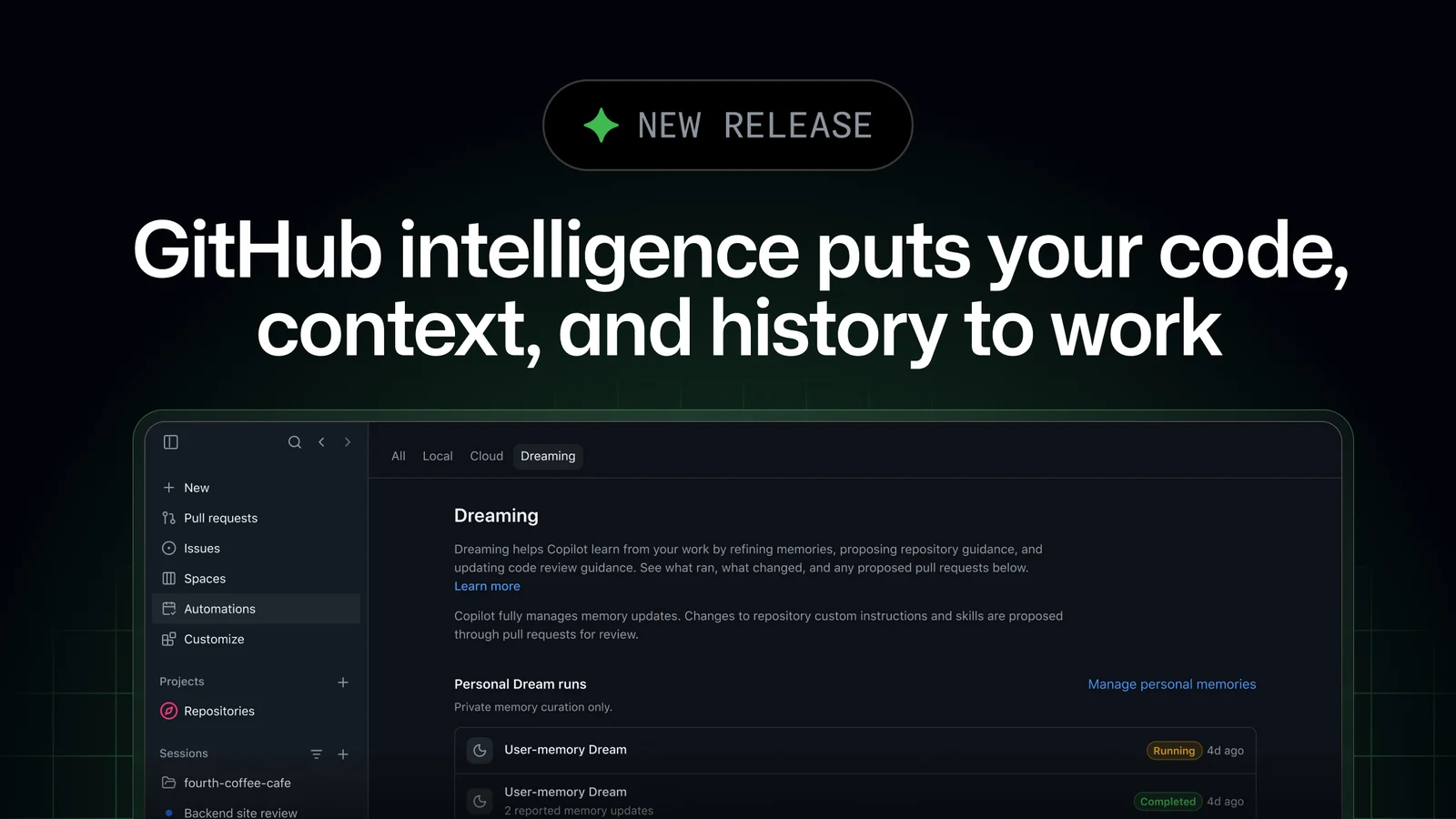
Alongside general availability, GitHub has launched Copilot dreaming in public preview. This feature reflects on past work to continuously improve future agentic sessions. Through personal memory curation, Copilot updates personal preferences based on ongoing agent conversations. Meanwhile, repository customization manages repository-scoped memories while proactively proposing updates and improvements to existing skills and custom instruction files. Code review customization similarly translates recurring accepted code-review feedback into actionable guidance for automated code reviews.
Dreaming cycles have the capability to add, update, and remove both personal and repository memories. When changes are made to checked-in skills and instructions, they are officially proposed via pull requests for team review. Individual subscribers can enable personal curation in their account settings, whereas organizations and administrators can enable dreaming through Copilot policies. Enterprise administrators retain the option to delegate this choice to organization administrators.
Because dream runs consume AI credits, teams are encouraged to consult official documentation regarding prerequisites, setup, and costs. Detailed information can be found in the dreaming documentation for prerequisites, setup, and costs to ensure proper resource allocation and planning across enterprise environments.
Advanced Cross-Repository Code Search
Modern software projects span multiple repositories, prompting the need for broader code discovery tools. GitHub code search assists Copilot in locating relevant code blocks, configuration files, schemas, and documentation across related projects and dependencies without requiring users to maintain local clones. Copilot can execute exact text and symbol searches, match complex patterns via regular expressions, and narrow results down by specific repositories, file paths, or programming languages.
In addition to lexical matching, Semantic search allows Copilot to discover code based on its functional behavior—such as identifying logic that retries failed payments—even when developers do not know the exact file, function name, or target repository. This capability enables complex multi-repository workflows like migration planning, bug investigation across shared libraries, and adherence to organizational coding standards.
Streamlining Developer Workflows
By bringing intelligence directly into the development cycle, GitHub aims to prevent teams from having to repeatedly teach identical lessons to separate AI agents. The integrated features help agents carry operational knowledge forward and retrieve precise contextual data, allowing developers to dedicate more session time to core engineering tasks. Community members interested in discussing these updates further can join the conversation within the GitHub Community discussion board.
For users looking to connect various AI models and manage their orchestration layer alongside these new intelligence features, additional routing options are available. Developers can read more about how to Route and orchestrate models with GitHub Copilot Fusion to optimize their overall artificial intelligence infrastructure on the platform.
Sources
- GitHub ChangelogGitHub intelligence puts your code, context, and history to work
Continue chronologically

Related entity coverage
Related stories
GitHub Unveils Copilot App Updates and New Projects Feature
GitHub has announced major updates to the GitHub Copilot app, introducing Copilot Projects in public preview, computer use capabilities, and more.
GitHub Adds BYOK Support to Copilot Usage API
GitHub updates its Copilot usage metrics API to separate bring-your-own-key usage and enterprise custom models from Copilot-hosted data.
GitHub Updates Usage Metrics API with Custom Skills and MCP Servers
GitHub updates the Copilot usage metrics API to display specific names for custom skills, agents, MCP servers, slash commands, and plugins.
Global Default Policy for GitHub Copilot Features Rolls Out
GitHub begins gradually rolling out enforcement of its global default policy for Copilot Business and Copilot Enterprise plans through October 26.