GitHub Copilot Updates in VS Code Bring New Agent Features
The latest updates for GitHub Copilot in Visual Studio Code focus on expanded user choice, advanced cloud agent sessions, and comprehensive customization capabilities.
 Radwan AbdulhadiEditor and technology writer
Expanded Cloud Agent Capabilities and Session Continuity
GitHub has rolled out a major set of updates for GitHub Copilot in Visual Studio Code, aiming to provide developers with greater flexibility regarding model selection, agent execution environments, and workflow integration. A primary focus of the release is session continuity, which allows developers to keep work moving without staying restricted to a single desk or tool. Further details are available from GitHub Changelog in the original source material.
Users can now start a cloud agent session from a mobile device during standup meetings, steer the ongoing session from their primary desktop environment in VS Code, and check on progress later via github.com. This continuity ensures that the agent continues working in the cloud even when local project folders or application windows are closed.
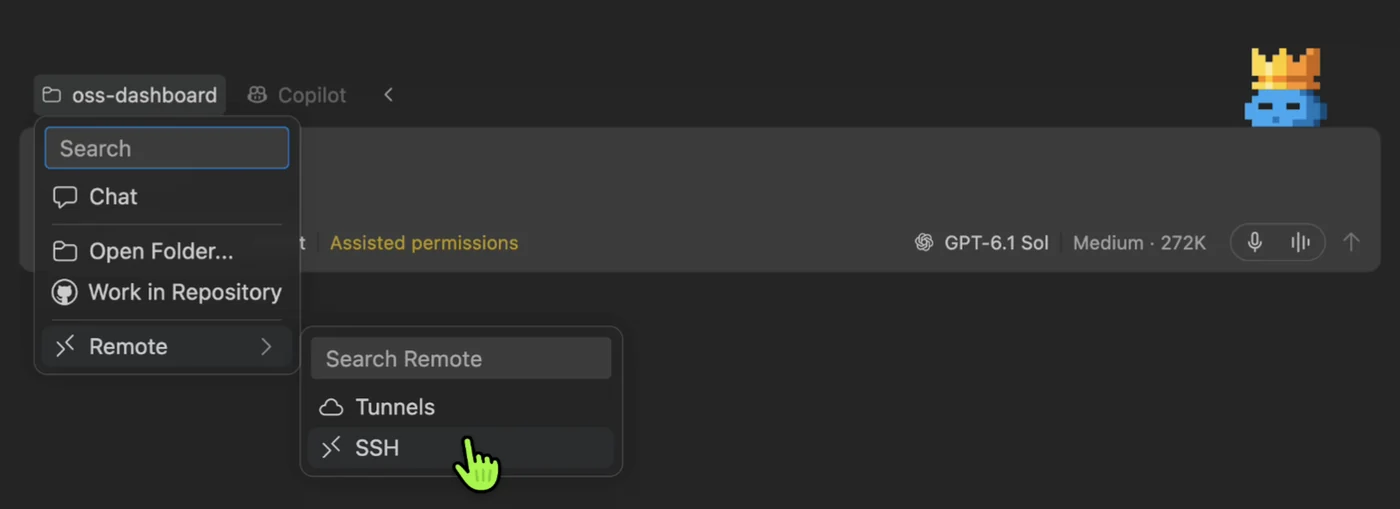
Furthermore, developers can extend the power of VS Code's Remote SSH and dev tunnels directly into the Agents window, allowing them to run agents on a separate remote machine while utilizing their primary hardware for other coding tasks. To understand the underlying infrastructure supporting these capabilities, developers can read the Agent Host deep dive.
Mobile Control and Parallel Execution in Preview
Developers can now control active agents on their local development machines directly from GitHub Mobile. By initiating the designated command within a project terminal, users can check task progress, issue new directions, or launch tasks remotely while keeping the host machine operational.
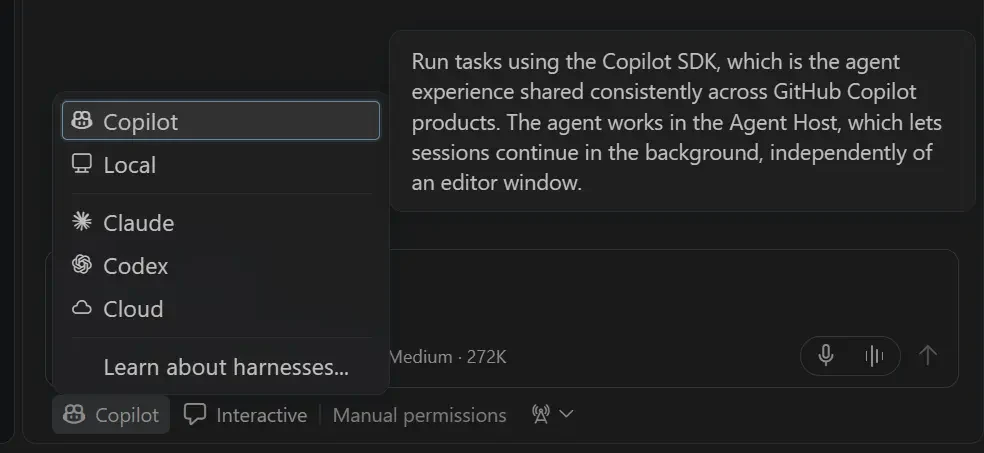
Additionally, a preview feature allows developers to run different models and harnesses in parallel within the Agents window. Users can review results side by side, employ a Judge model to recommend an optimal solution, or use a synthesis option to combine ideas from multiple execution attempts.
Computer Use and Advanced Environment Controls
The latest release also introduces computer use capabilities, enabling Copilot to read and interact directly with desktop applications, including editing text and clicking controls. Administrators and users can adjust configurations via the standard settings interface.
To activate this feature on macOS or Windows, users can locate the relevant configuration parameter within application preferences, restart the editor, and run a specific computer command inside an active session. Organizations retain the ability to disable computer use through enterprise policy configurations.
Unified Customizations and Marketplace Management
Managing agent extensions and plugins has been centralized within a dedicated sidebar view inside the editor. The new marketplace consolidates various skills, Model Context Protocol servers, and plugins from multiple available sources into a single browsing experience.
Administrators can utilize specific enterprise policies to require or block designated plugins, configure permitted marketplaces, and restrict installations to pre-approved sources. Repository-level configurations also allow development teams to establish default plugins and marketplaces for contributors.
Service Connectors and Integration Support
To enhance workflow context, new service connectors allow developers to bring external data from platforms like Slack, Notion, and Microsoft Learn directly into agent sessions without manually maintaining an MCP server. These connections can be established once and reused across multiple supported Copilot clients.
These updates are currently rolling out across supported Copilot subscription tiers, bringing enhanced synchronization, architectural flexibility, and extensible agent management to developer workflows.
Sources
- GitHub ChangelogGitHub Copilot in VS Code, Universe releases
Continue chronologically

Related entity coverage
Related stories
GitHub Copilot in VS Code September 2026 Releases
Explore the GitHub Copilot updates for VS Code spanning v1.136 through v1.140, focusing on streamlined agent-driven development and workspace automation.
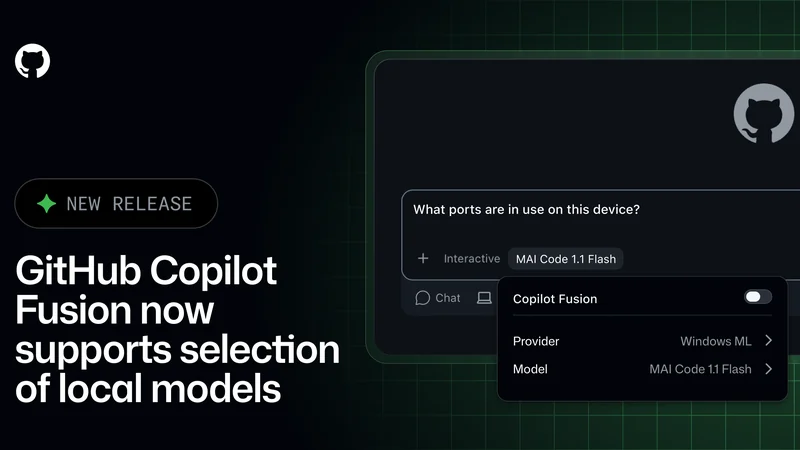
GitHub Copilot Fusion Adds Support for Local Models
GitHub Copilot Fusion now supports intelligent routing for local models in an experimental preview across the Copilot CLI, app, and VS Code.
GitHub Tightens Enterprise Copilot Settings Enforcement
GitHub is giving enterprise administrators stricter control over Copilot policies with fresh settings checks and minimum client versions.

GitHub Copilot Assisted Permissions Generally Available
GitHub Copilot assisted permissions are now generally available in Visual Studio Code, the GitHub Copilot app, and the GitHub Copilot CLI.