AWS Details Model Deployment and Evaluation in SageMaker JumpStart
A recent guide from the AWS Machine Learning Blog demonstrates how to deploy, evaluate, and test pretrained models using Amazon SageMaker JumpStart.
 Radwan AbdulhadiEditor and technology writer
Introduction to Amazon SageMaker JumpStart Evaluation
Selecting the appropriate model for an application requires a practical evaluation method using representative inputs. Through [Amazon SageMaker JumpStart](https://aws.amazon.com/sagemaker/ai/jumpstart/), developers can access a broad catalog of already pretrained models to test workloads effectively.
According to the [AWS Machine Learning Blog](https://aws.amazon.com/blogs/machine-learning/deploy-and-evaluate-models-with-amazon-sagemaker-jumpstart/), users can deploy available models, run lightweight and repeatable performance tests utilizing the SageMaker Python SDK, and safely delete the endpoint when testing concludes. While this workflow provides a structured evaluation path for supported models and available capacity, deployment times may vary depending on the model, instance type, quota, and AWS Region.
New 2026 Discovery and Deployment Features
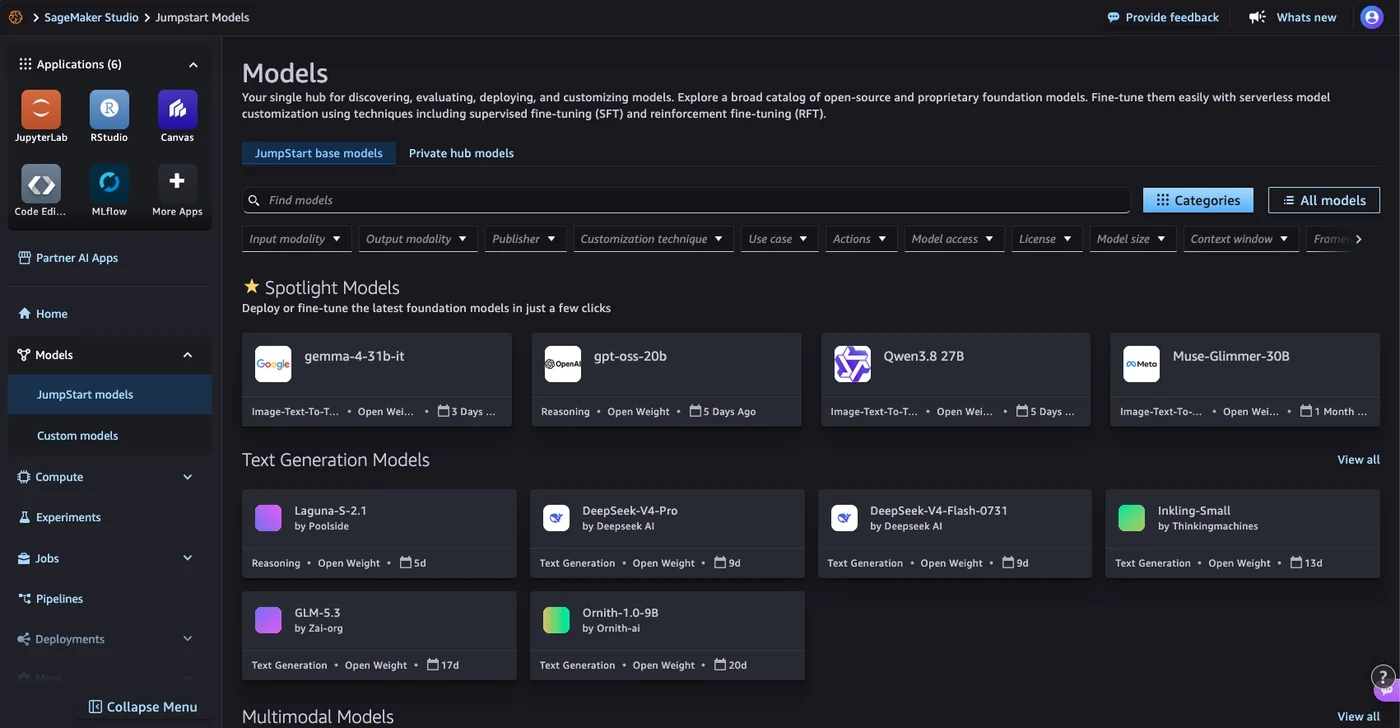
In 2026, SageMaker JumpStart introduced several improvements designed to simplify model discovery and deployment processes. Within the Model Hub section of the Amazon SageMaker AI console, users can browse the catalog, view sample notebooks, and open them directly inside SageMaker Studio.
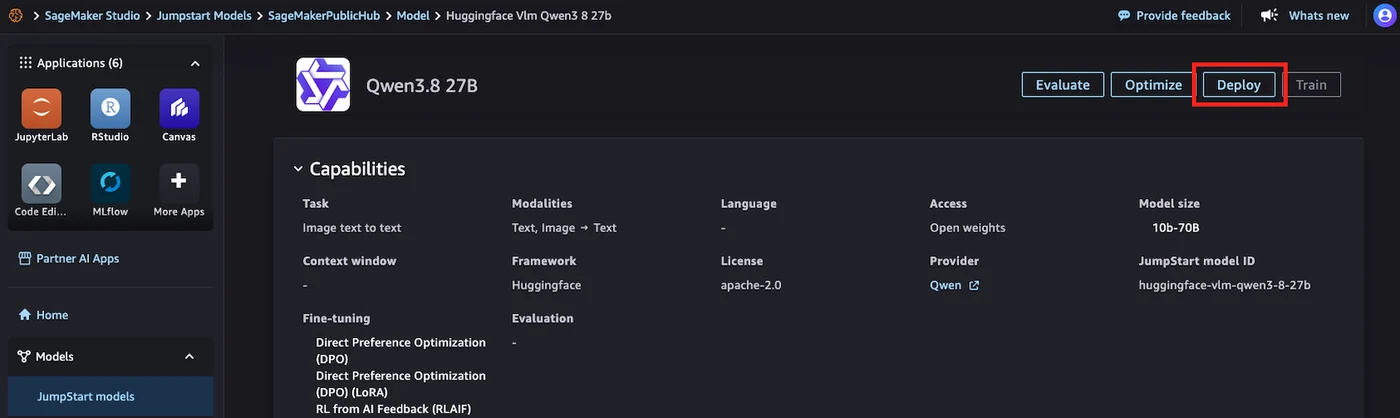
Additionally, pre-configured endpoint deployment options now deliver named configurations optimized for specific priorities such as low cost, low latency, or general-purpose workloads across various generative AI models, which includes Neuron-optimized configurations. Developers can also transition from Hugging Face model discovery to SageMaker AI deployment instantly through a new deep link integration, detailed further in the [From Hugging Face to SageMaker Studio in One Click (blog post)](https://aws.amazon.com/blogs/machine-learning/from-hugging-face-to-amazon-sagemaker-studio-in-one-click-2/}.
Reusable Python Script Workflow
The evaluation approach relies on a reusable Python script structured around a multi-step process. First, it discovers and deploys a model straight from SageMaker JumpStart. Second, it executes model-specific sample prompts while measuring latency, approximate output length, and single-request generation rates.
This general pattern applies to many compatible models within the catalog. However, payload formats, required instance types, end-user license agreement (EULA) specifications, and response schemas may necessitate model-specific adjustments by the user.
Prerequisites and System Requirements
Before initiating the testing workflow, administrators must ensure specific prerequisites are met. Essential requirements include an active AWS account equipped with appropriate SageMaker AI permissions, along with Python 3+ and the [SageMaker Python SDK Documentation](https://sagemaker.readthedocs.io/en/stable/overview.html) toolkit version 3 installed via pip install "sagemaker>=3,<4".
Furthermore, users need to secure sufficient GPU instance quotas for the specific model they intend to test. If existing limits are insufficient, operators can [request a quota increase](https://docs.aws.amazon.com/sagemaker/latest/dg/studio-updated-launch.html#studio-updated-launch-quotas) through standard AWS documentation procedures.
Performance Testing and Optimization
Executing sample prompts allows engineers to measure performance metrics accurately. By maintaining consistent test prompts and assessing latency, throughput, and output quality across multiple choices, teams can effectively compare options and determine the optimal fit for their target workload.
For further guidance on refining infrastructure configurations, additional insights are available via the [Benchmark and Optimize SageMaker JumpStart Deployment (blog post)](https://aws.amazon.com/blogs/machine-learning/benchmark-and-optimize-endpoint-deployment-in-amazon-sagemaker-jumpstart/), helping teams achieve a balanced trade-off between quality, speed, and cost.
Sources
- AWS Machine Learning BlogDeploy and evaluate models with Amazon SageMaker JumpStart
Continue chronologically

Related entity coverage
Related stories
Migrating Multi-Model AI Agents to Amazon Bedrock AgentCore
AWS introduces a streamlined path to migrate multi-model AI agents from self-managed ECS to Amazon Bedrock AgentCore, reducing operational complexity.

Developers Access SageMaker Studio Through New AWS Experience
New Amazon SageMaker AI customers can now access a fully configured environment in just a few steps using social sign-in options and free tier credits.
TorchNeuron Brings Native PyTorch Support to AWS Trainium
TorchNeuron arrives as a public beta, introducing a native PyTorch backend for AWS Trainium with eager execution and torch.compile support.

Fine-Tuning GPT-OSS-20B for Multilingual Reasoning
Learn how developers fine-tuned GPT-OSS-20B for multilingual reasoning on Amazon SageMaker HyperPod using SFT and GRPO techniques.