Amazon Quick Unifies Structured and Unstructured Data
Organizations can now bridge structured databases and unstructured document repositories into a unified conversational experience using Amazon Quick.
 Radwan AbdulhadiEditor and technology writer

Bridging Structured and Unstructured Data
Organizations traditionally collect data across multiple disparate formats, forcing analysts to switch between separate tools when examining structured metrics and unstructured files. Structured data typically resides within databases and spreadsheets, whereas unstructured data is scattered across documents, reports, and file systems. To address these workflow challenges, Amazon Quick provides a unified solution that bridges both data domains into a single experience, allowing teams to query diverse information through a conversational interface.
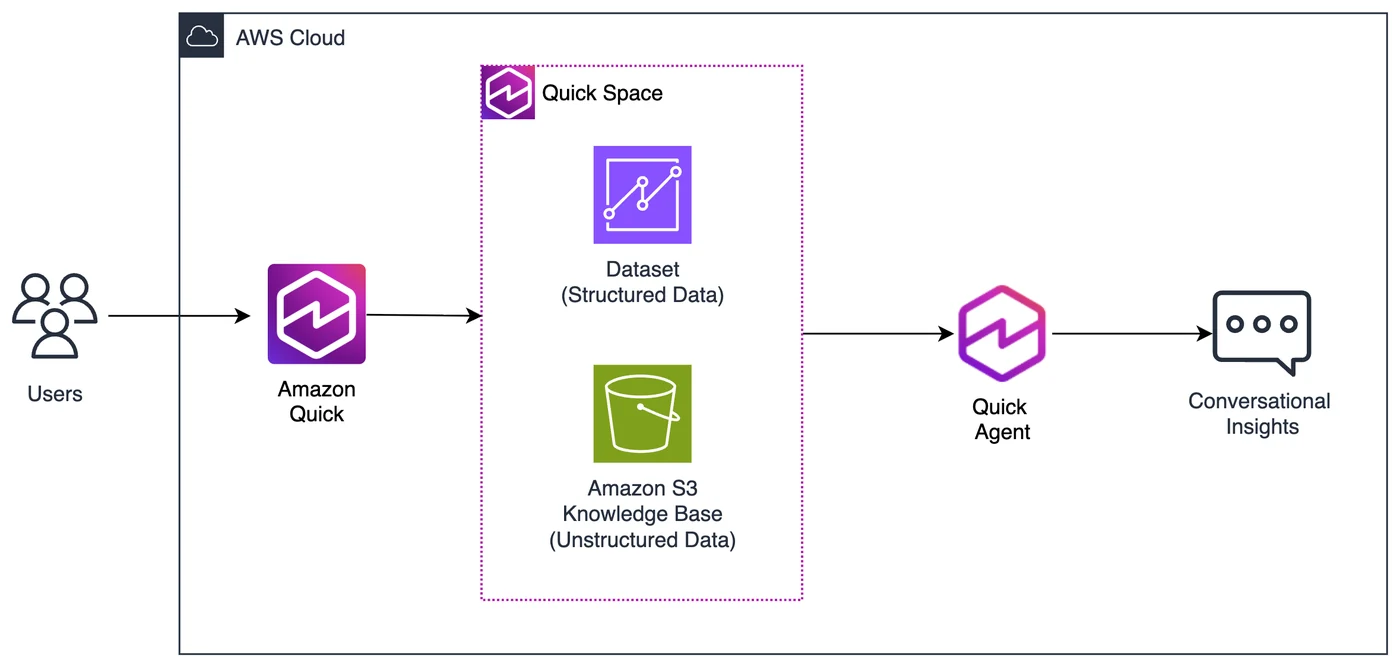
The platform architecture is built upon distinct functional layers that handle data ingestion, workspace convergence, and conversational processing. At the data layer, administrators connect unstructured content via Amazon Simple Storage Service and structure metrics through enriched datasets. This dual approach ensures that reports and raw performance indicators converge seamlessly within the workspace layer.
Connecting Knowledge Bases and S3 Storage
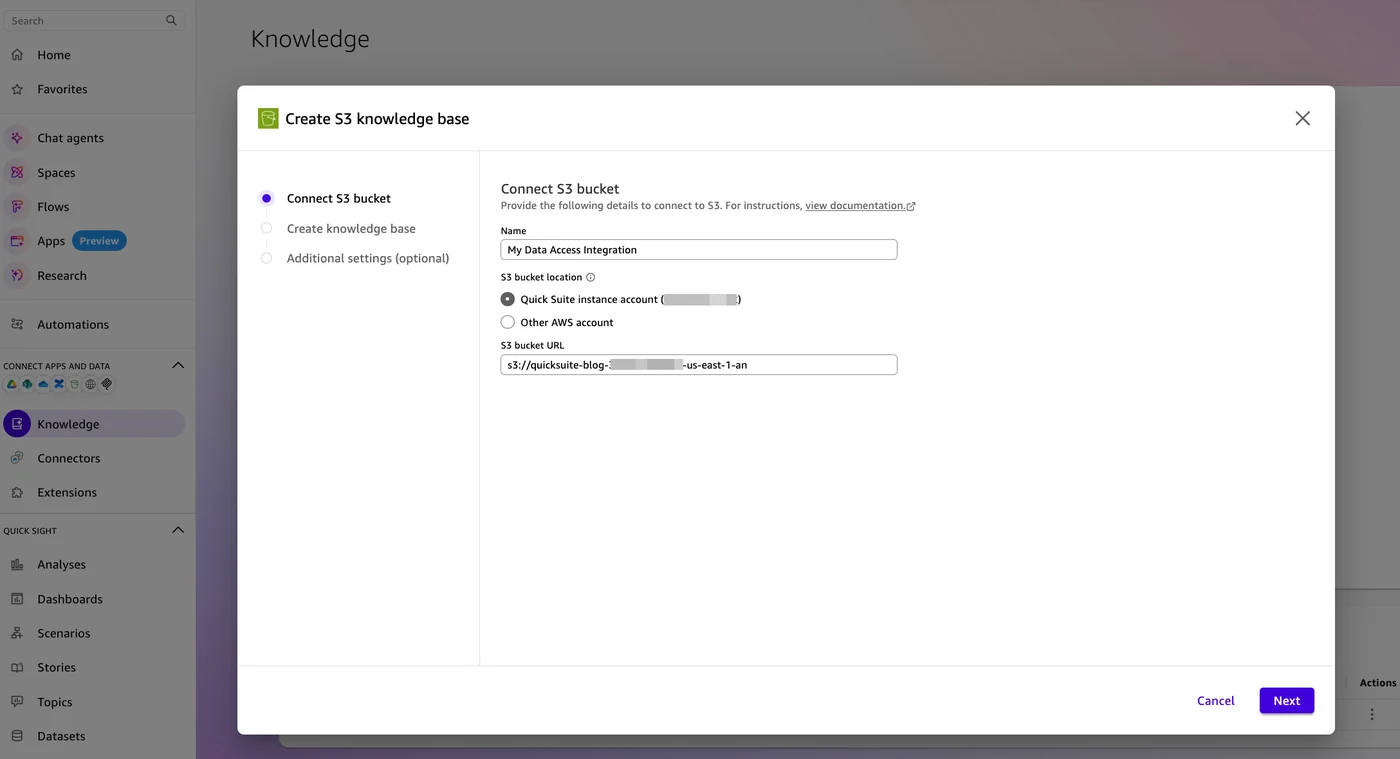
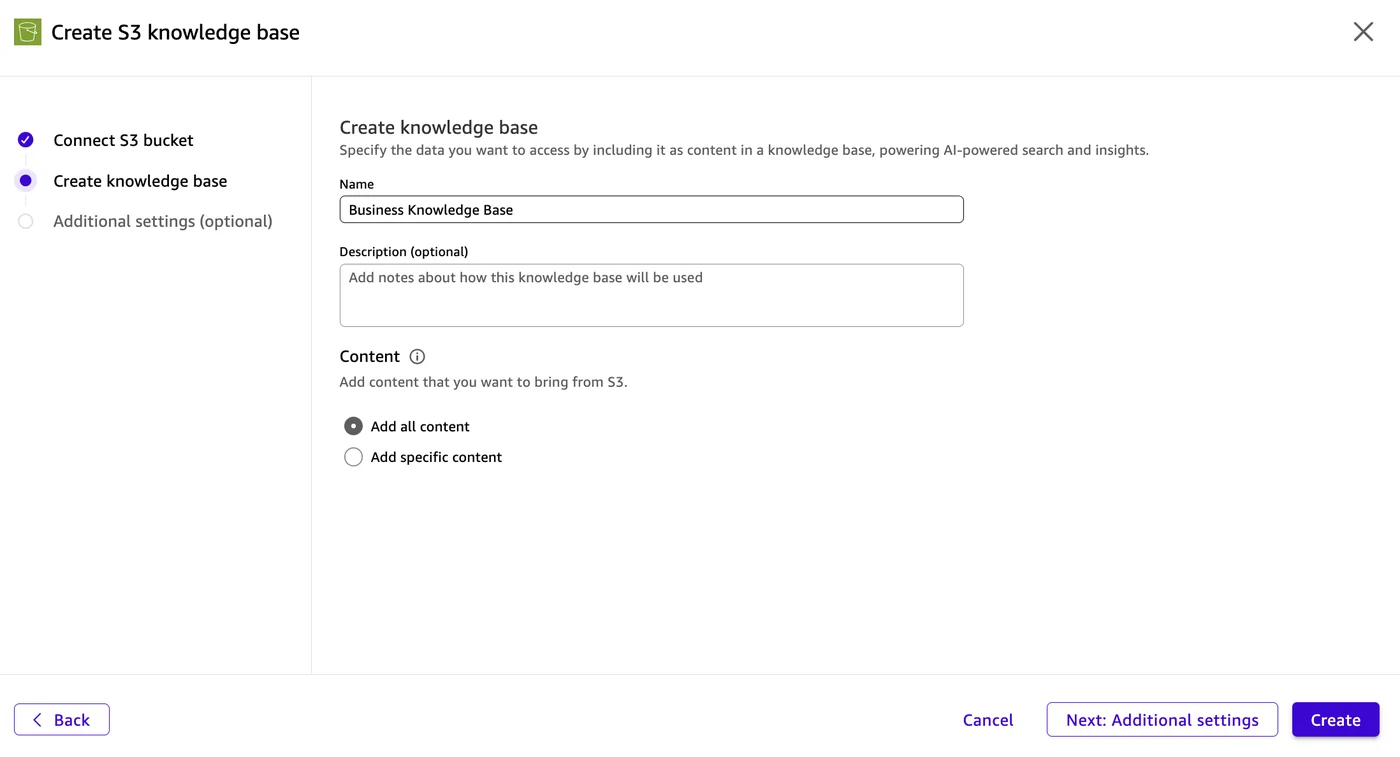
Setting up unstructured data integration begins by establishing an S3 connection within the platform console. Administrators can designate specific buckets and configure background indexing to prepare documents for AI-powered search. According to the AWS Machine Learning Blog, users can establish S3-backed knowledge bases to process documentation, business reviews, and market analysis reports effectively.
To ensure secure and proper execution, specific account permissions are mandatory before linking cloud storage buckets. Teams must configure Amazon Quick access to your S3 bucket through the administrative console to grant read-only permissions by default, ensuring that background indexing processes can safely read incoming files without modifying the original storage repository.
Transforming and Enriching Structured Datasets
While unstructured files are processed via knowledge bases, structured data relies on explicit file uploads and dataset preparation. Users can ingest transactional logs and operational metrics directly into the platform's in-memory calculation engine, SPICE. Proper dataset configuration is essential for accurate natural language processing.
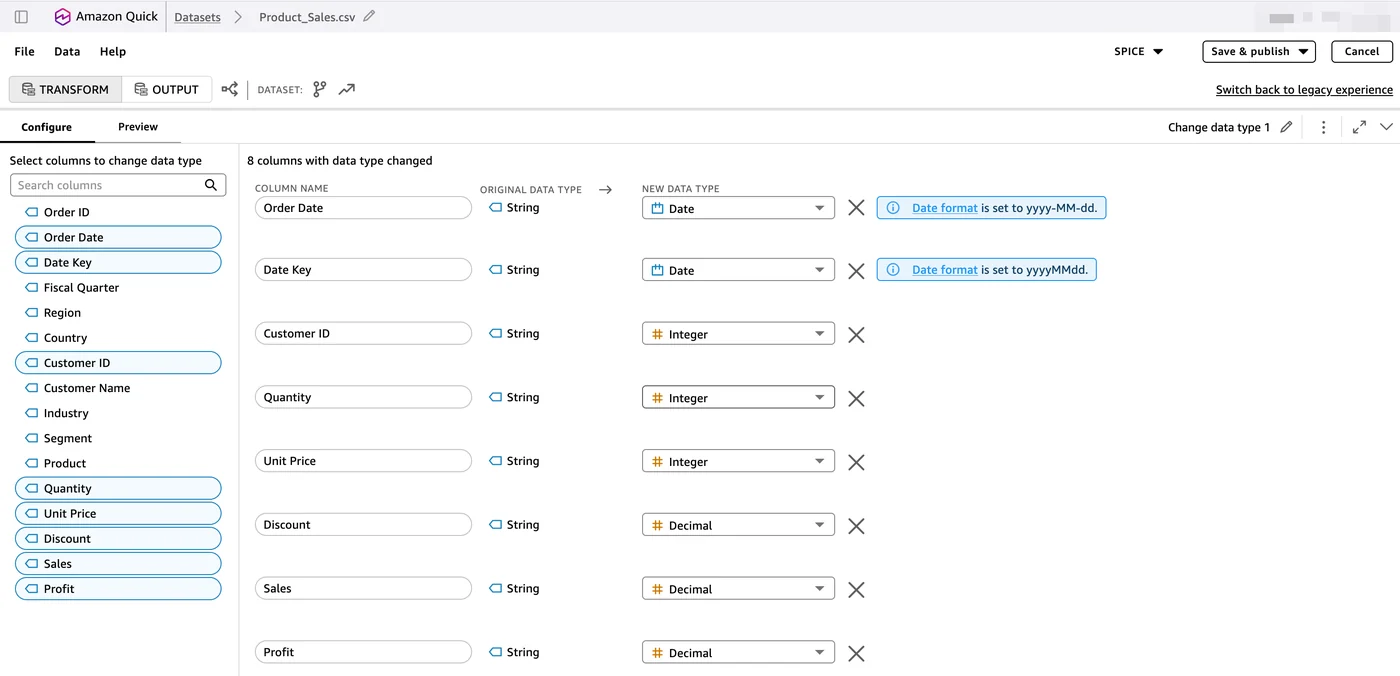
Once files are loaded, administrators must review column definitions and apply precise data types. Transforming string values into appropriate date, decimal, or integer formats ensures that downstream AI components can correctly interpret the underlying metrics. Furthermore, adding semantic descriptions helps the agent understand business context, enabling more precise translations from conversational prompts into functional SQL queries.
Building Spaces and Custom Chat Agents
The workspace layer of the architecture is defined by Spaces, which aggregate the connected data sources, uploaded files, and dashboards into a centralized environment. Within a Space, both structured metrics and unstructured knowledge sources converge, providing the necessary context for conversational agents to query across disparate silos.
Custom chat agents link directly to these Spaces to function as the primary interface for end users. When a query is submitted, the agent evaluates the request to determine whether to query the knowledge base, the dataset, or both simultaneously. It then aggregates the findings into a comprehensive response complete with citations, allowing teams to review both qualitative reports and quantitative figures in a single interaction.
Security, Governance, and Subscription Requirements
Maintaining enterprise-grade security is a core component of the multi-layered architecture. Amazon Quick applies built-in AI guardrails across chat interactions, enforcing content safety screening to protect sensitive business environments and ensure responsible artificial intelligence usage.
To implement this unified architecture, organizations must adhere to specific platform prerequisites. Creating advanced datasets and leveraging full workspace capabilities requires an Enterprise subscription. Administrators should carefully evaluate Amazon Quick pricing tiers and verify that all necessary integration permissions are configured prior to deployment.
Sources
- AWS Machine Learning BlogBring structured and unstructured data together with Amazon Quick
Continue chronologically


Related entity coverage
Related stories
Deploying AI in HIPAA Environments with Amazon Quick
Learn how healthcare organizations deploy agentic AI within a HIPAA-eligible environment using Amazon Quick while managing strict regulatory compliance.

Automating Cross-Account Amazon Quick Promotion
Learn how to automate cross-account promotion for Amazon Quick resources using an idempotent, auditable MCP server on Amazon Bedrock AgentCore.
AWS details prompt engineering basics for Amazon Quick
AWS outlines foundational prompt engineering principles and frameworks like CRISPE to optimize AI responses in Amazon Quick for enterprise users.

Securing Quick Access from Corporate Networks With AWS PrivateLink
Learn how to connect on-premises data sources to Amazon Quick privately using AWS PrivateLink, keeping enterprise analytics traffic off the public internet.