
Firefox Mobile Updates Focus on Productivity and Organization
Mozilla has introduced a suite of new features for its mobile browsers designed to minimize digital distractions and streamline workflows for users on the move. By targeting common mobile browsing pain points, the company aims to turn smartphones into more efficient digital workspaces.
 Radwan AbdulhadiEditor and technology writer

Reducing Distractions on iOS
For professionals using mobile devices as a primary workspace, navigating websites can often be hindered by aggressive advertisements and pop-ups. To address this, Mozilla has introduced a native [Ad Blocker for Firefox on iOS] that operates without the need for additional extensions. By integrating directly into the browser, this tool helps users maintain concentration by filtering out [intrusive ad formats, third-party ad networks, and ad-related trackers].
The feature is designed to be user-controlled, allowing individuals to enable or disable it through the browser settings. While the blocker utilizes the EasyList filter and Apple’s WebKit Content Blocker technology, Mozilla notes that it will not remove all sponsored content, particularly those presented directly by host sites or within search results. This initiative follows the realization that the [strong line-up of ad-blocking and privacy extensions] available on desktop and Android were not previously available in the same manner for iOS users.
AI-Powered Summarization
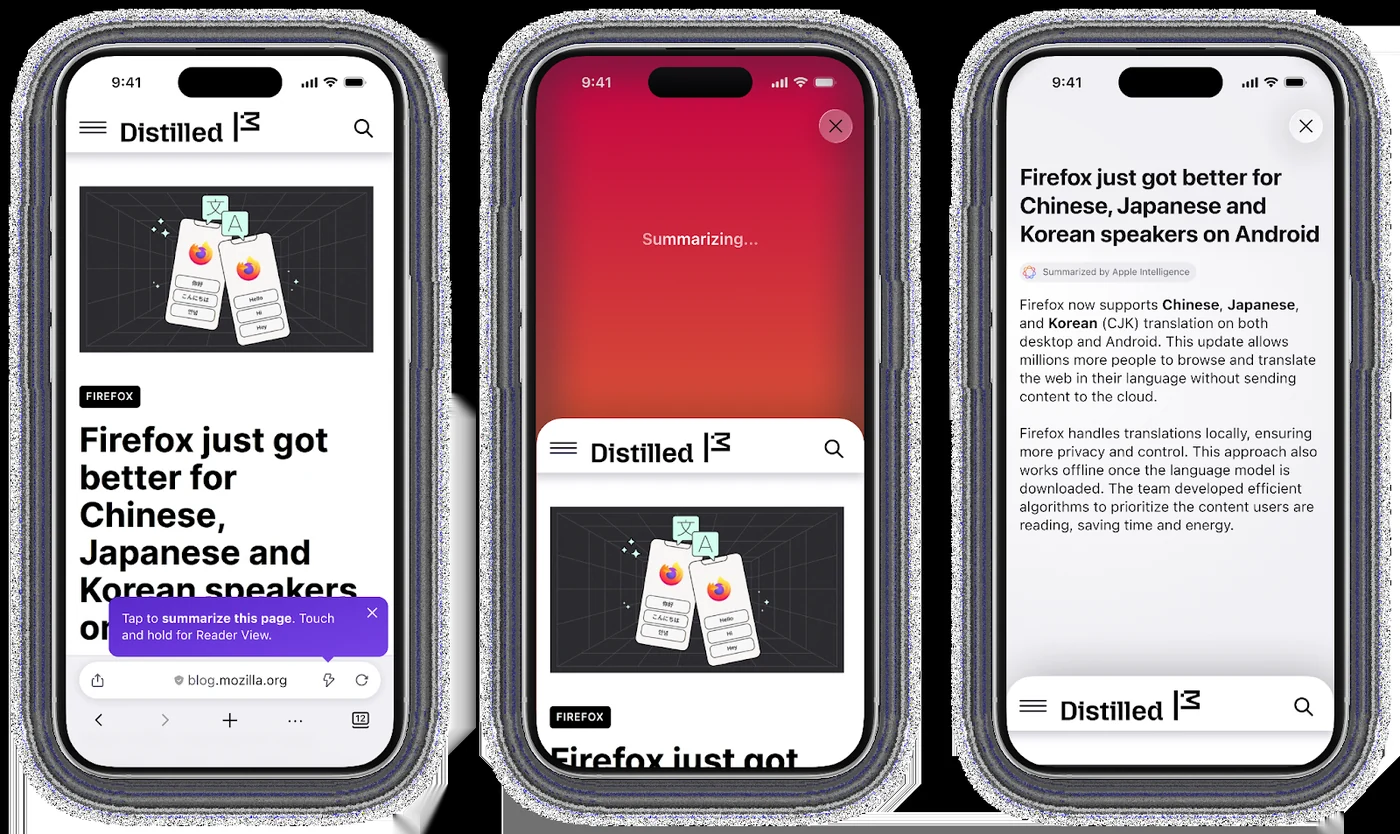
Efficiency is often measured by how quickly one can process information. To assist users in extracting the core points of long articles, Mozilla has implemented the 'Shake to Summarize' feature. By simply shaking the smartphone while on a web page shorter than 5,000 words, the browser generates an instant summary of the content. This tool can also be triggered via the browser's three-dot menu, providing a streamlined alternative to reading through dense text.
The AI feature was honored as one of the [TIME’s Best Inventions of 2025] and supports a wide range of languages, including English, German, French, Spanish, Portuguese, Italian, and Japanese. Mozilla emphasizes that this technology is designed with privacy at the forefront, utilizing device-specific processing to ensure data security. Further details on the development of these capabilities can be found [here].
Organizing Mobile Workflows
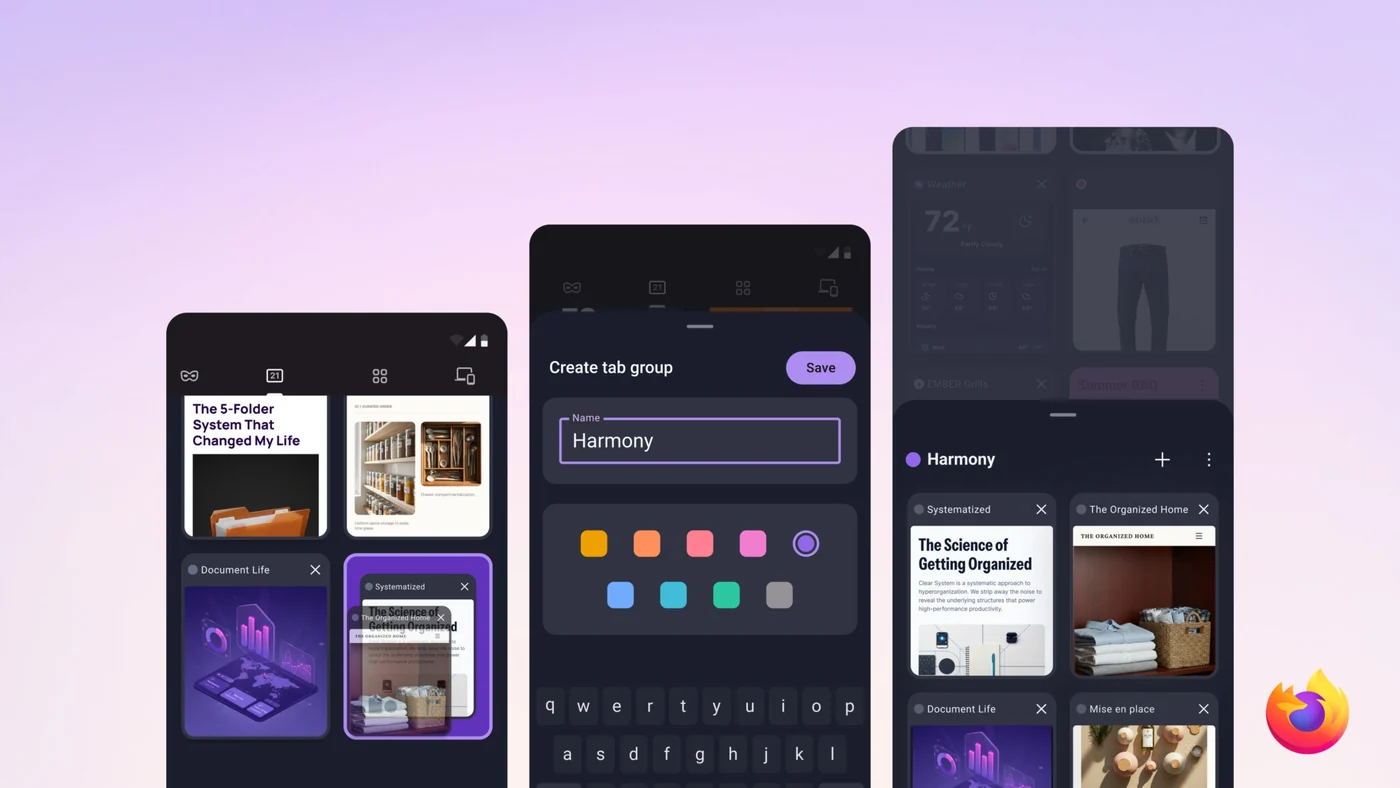
Cluttered browsing sessions can be a significant productivity drain when mixing work and personal life. On the mobile platform, Mozilla has responded by adding the ability to [group related tabs in Firefox for Android]. This organizational tool allows users to sort their open pages into color-coded and labeled cards within the tab tray, preventing work-related projects from getting buried under casual research or personal browsing.
Managing these groups is intuitive, requiring only a simple drag-and-drop gesture or the selection of multiple tabs for batch organization. While this feature is currently being rolled out to Android, users interested in testing the latest tools can download the current version of [Firefox for Android]. Mozilla has indicated that support for this feature on iOS is currently in development.
Cross-Platform Synchronization
To ensure continuity across different hardware, Mozilla continues to promote its Firefox Sync service. This system allows users to carry over their active tabs, saved passwords, and bookmarks between mobile phones, tablets, and desktop computers. Security remains a priority, with the browser employing end-to-end encryption, ensuring that data is encrypted before it is uploaded to company servers. By connecting to a Mozilla account, users can maintain a consistent browsing state regardless of which device they choose to use.
Sources
- Mozilla BlogStay focused wherever you work with Firefox mobile browsers