Best Practices for Amazon SageMaker HyperPod Administration
A comprehensive guide details how platform teams can administer Amazon SageMaker HyperPod through Amazon SageMaker Unified Studio while preserving vital cluster governance and infrastructure boundaries.
 Radwan AbdulhadiEditor and technology writer
Introduction to SageMaker HyperPod Governance
Machine learning teams increasingly rely on accelerated compute pools for training and fine-tuning advanced models through platforms like <a href="https://aws.amazon.com/sagemaker/hyperpod/">Amazon SageMaker HyperPod</a>. While sharing a single cluster among multiple teams simplifies technical deployment, establishing robust governance remains a significant operational challenge. Platform teams must determine team access limits, capacity allocations, competition resolutions, and accountability when resource usage drifts away from established policies.
With the introduction of <a href="https://aws.amazon.com/sagemaker/unified-studio/">Amazon SageMaker Unified Studio</a>, administrators can connect a cluster directly to a project workspace. This integration allows team members to launch workloads conveniently, but it also increases the necessity of clear visibility controls and administrative boundaries.
Four Layers of Administrative Control
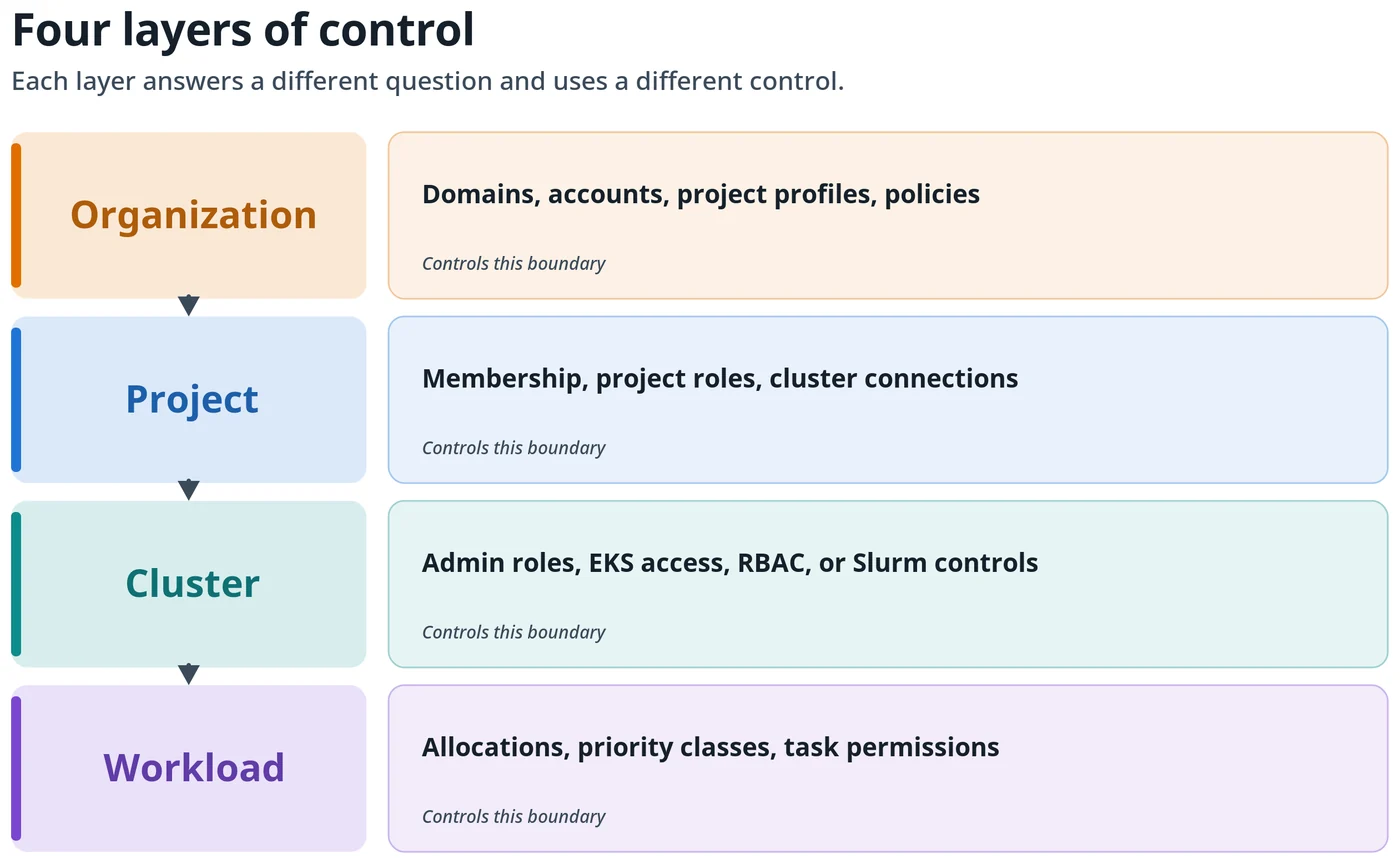
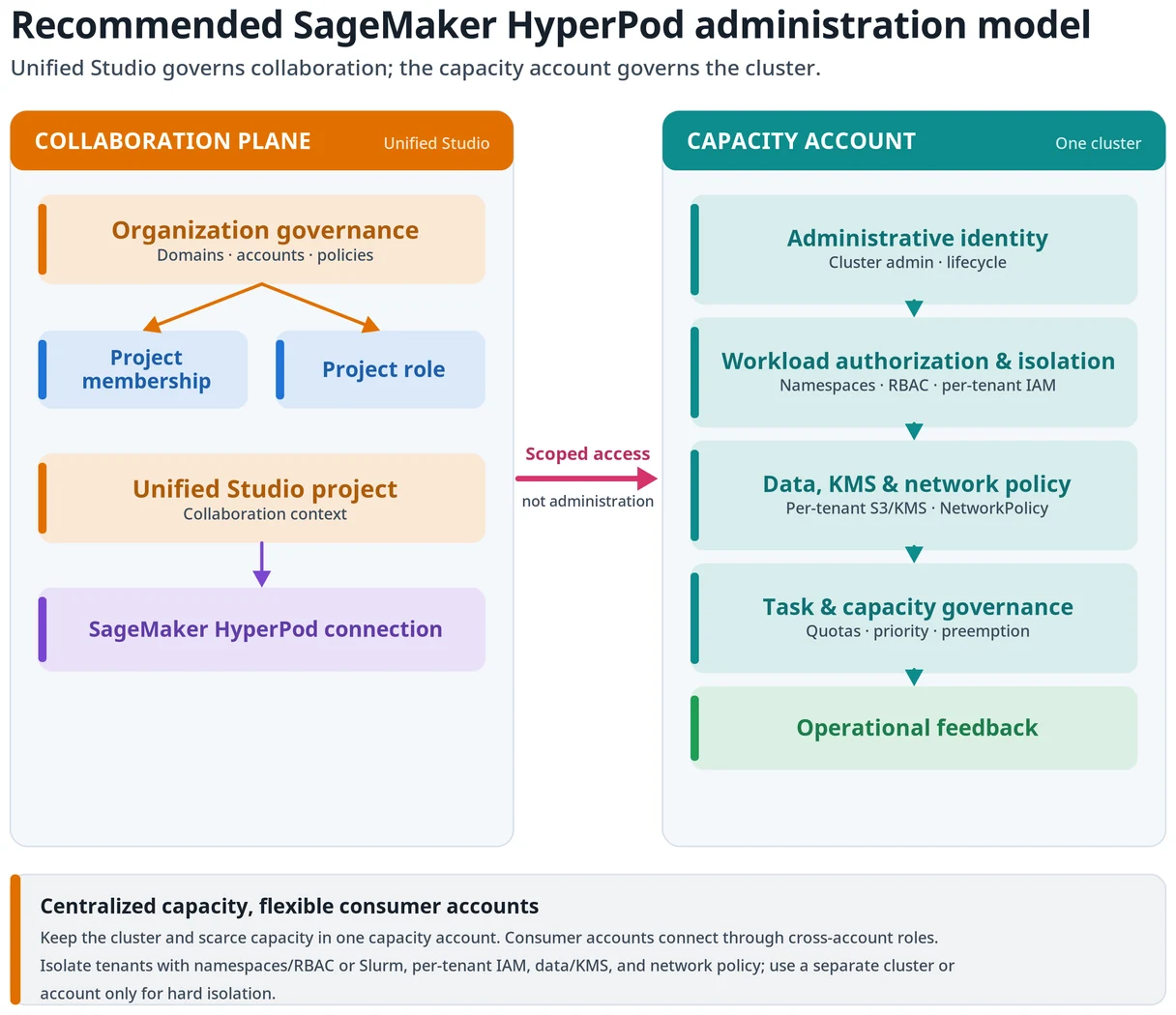
A well-governed environment separates organizational administration, project access, and cluster operations into distinct layers. These controls span the organization, project, cluster, and workload levels. Each layer serves a specific administrative purpose and relies on targeted governance mechanisms.
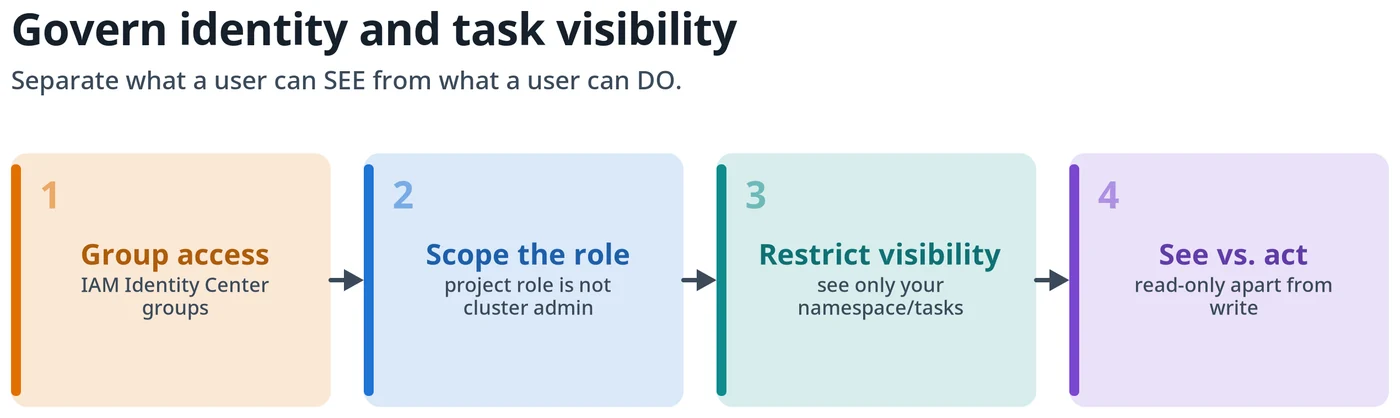
Connecting an infrastructure cluster via SageMaker Unified Studio does not replace underlying controls such as AWS Identity and Access Management, Slurm, or Amazon Elastic Kubernetes Service. Administrators must ensure that project roles, connection access roles, network policies, and task-view restrictions are properly aligned before making the cluster available.
Centralizing Capacity and Infrastructure Boundaries
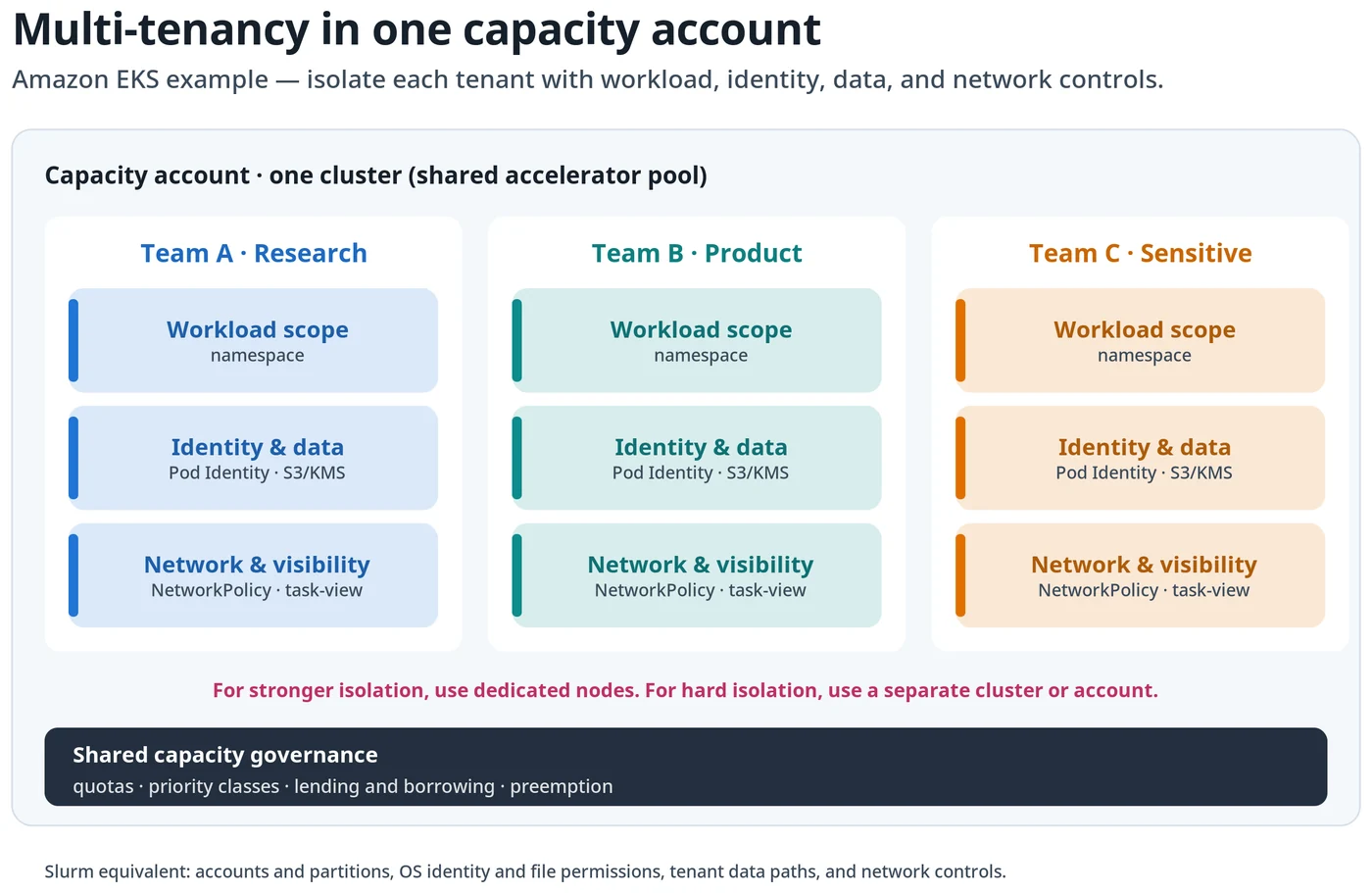
Projects within the development environment function primarily as collaboration boundaries rather than hard runtime security boundaries. Consequently, platform teams should keep the core scheduler, scarce accelerator capacity, and cluster infrastructure centralized within a designated capacity account.
While On-Demand Capacity Reservations can span multiple accounts, maintaining central ownership simplifies task governance. For strict isolation requirements driven by legal, regulatory, or security policies, administrators should rely on dedicated nodes, separate clusters, or separate accounts rather than altering core project profiles.
Tenant Isolation and Scheduler Controls
When managing Amazon EKS clusters, administrators can implement namespace isolation per tenant, leveraging role-based access control, tenant-specific service accounts, default-deny network policies, and targeted permissions. For Slurm environments, administrators utilize hierarchical accounts, quality of service definitions, fair-share policies, and dedicated partitions.
Task-scheduling controls determine when an authorized workload receives compute time, but they do not automatically grant data or namespace access. To secure underlying data services, teams should enforce AWS Key Management Service (AWS KMS) key policies, container registry permissions, and Amazon Simple Storage Service bucket restrictions.
Unified Experience for Machine Learning Teams
Using <a href="https://aws.amazon.com/sagemaker/ai/">Amazon SageMaker AI</a> interfaces and APIs alongside the unified development environment enables organizations to present approved compute capabilities directly inside the project context. Machine learning practitioners can inspect connected clusters, review status metrics, and launch JupyterLab workflows smoothly.
This operational separation allows infrastructure teams to maintain centralized control over underlying cloud resources while providing development teams with an approved, streamlined path to shared compute resources.
Sources
- AWS Machine Learning BlogBest practices for Amazon SageMaker HyperPod administration and governance
Continue chronologically

Related entity coverage
Related stories
Train Multimodal RL Models with SkyRL and HyperPod
Learn how to use SkyRL on Amazon SageMaker HyperPod to post-train vision-language models with Group Relative Policy Optimization.
Cross-Region AI Training with SageMaker HyperPod and Qumulo
Discover how Amazon SageMaker HyperPod and Cloud Native Qumulo enable efficient cross-Region AI model training without full data replication.
Generate Images and Video with vLLM-Omni on SageMaker AI
Deploy FLUX.2-klein and Wan2.1-VACE models using AWS vLLM-Omni Deep Learning Containers on Amazon SageMaker AI for text-to-image and video generation.
Migrating Multi-Model AI Agents to Amazon Bedrock AgentCore
AWS introduces a streamlined path to migrate multi-model AI agents from self-managed ECS to Amazon Bedrock AgentCore, reducing operational complexity.