
How to Properly Check Your PC for Malware Infections
If your computer is performing poorly or acting strangely, it is time to perform a security sweep. Here are the most effective methods to detect and remove malicious software.
 Radwan AbdulhadiEditor and technology writer
Recognizing Modern Malware Threats
Detecting a malware infection on a modern computer is rarely as simple as watching for flashing pop-up windows. While traditional signs of a compromise still exist, many modern computer attacks are more sinister, designed specifically to operate in the background. These threats prioritize stealth to capture sensitive personal information and maintain long-term access to a system without triggering immediate user awareness.
Users should remain vigilant for symptoms that a system has been compromised. Common red flags include a significant drop in system performance, applications that freeze or crash frequently, and the appearance of unrecognized processes running in the background. Regardless of whether a specific issue is detected, running periodic scans is a standard practice for maintaining peace of mind and digital health.
The Foundation of Windows Security
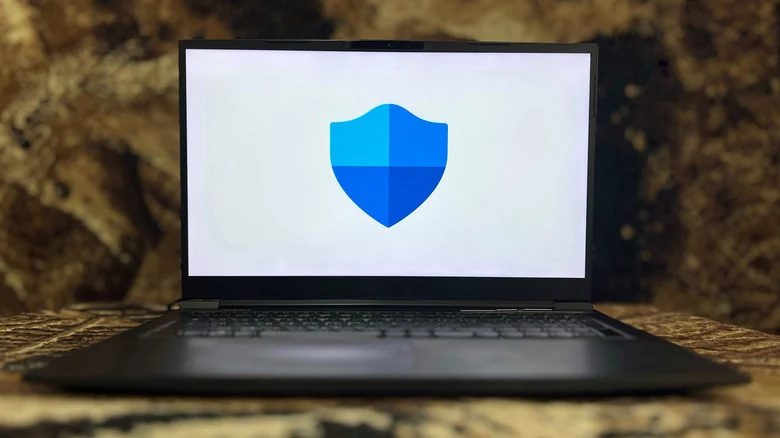
The primary line of defense for Windows 11 users is the built-in Microsoft Defender suite. Accessible via the Start menu, this utility provides real-time protection and status indicators. If the system is secure, users will see green checkmarks; yellow or red indicators highlight specific security concerns that require attention.
The 'Virus & threat protection' dashboard is the essential hub for security tasks. Microsoft Defender performs automated background scans, but users can initiate more thorough investigations manually. While quick scans target common infection points, a 'Full scan' is recommended for a comprehensive search. For particularly persistent threats that attempt to mask themselves, the Microsoft Defender Antivirus (offline scan) is an effective tool. This feature reboots the computer into the Windows Recovery Environment, allowing the software to scan the system without the OS interference, often catching hidden malware that evades standard detection.
Expanding Your Security Toolkit
While Windows security tools provide a robust baseline, security experts often recommend utilizing a second-opinion scanner. A tool like Malwarebytes is frequently cited as a highly effective secondary scanner. Because this software functions as an on-demand solution rather than a real-time antivirus, it does not conflict with existing security suites while providing an extra layer of detection.
In addition to core threat detection, users dealing with browser hijackers or persistent junk software may benefit from AdwCleaner. This specialized utility focuses specifically on identifying and removing adware, ensuring that unwanted programs do not degrade the user experience. For those seeking advanced intervention, running system scans while the machine is in 'Safe Mode' can further improve detection rates by eliminating network-based interference or active process obfuscation.

Proactive Protection and Network Safety
Hardening the network environment is just as vital as scanning local files. Within the Windows Security suite, the 'Firewall & network protection' setting should be enabled for all connection types. This prevents unauthorized incoming traffic from gaining access to the machine. For users who frequently work on public or shared networks, understanding how a VPN works can be a critical step in adding another layer of data protection and privacy to their internet connection.
Ultimately, the best defense is prevention. Relying solely on antivirus software is insufficient if users engage in risky behavior, such as interacting with suspicious email attachments or visiting unreliable websites. Even the most sophisticated security suite cannot prevent account breaches resulting from weak passwords or human error in the face of sophisticated phishing schemes. By maintaining awareness of digital threats and utilizing the built-in and secondary tools provided, users can keep their systems secure.

Sources
- EngadgetThe best way to check your PC for malware