Why Your Spotify App Might Be Using So Much Storage
If your phone is running low on storage, Spotify might be the primary culprit behind the space shortage.
 Radwan AbdulhadiEditor and technology writer
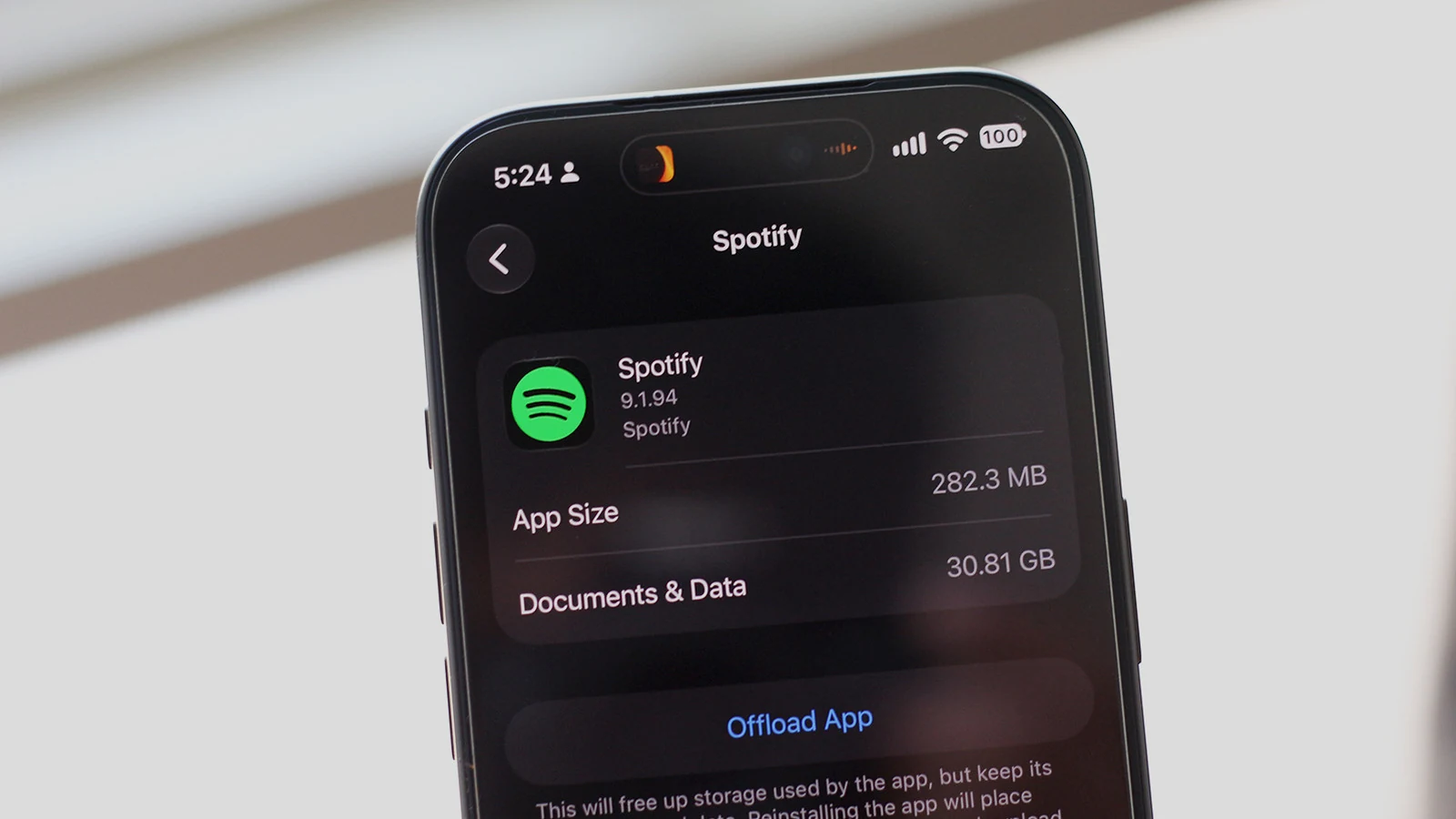
Checking Your Phone Storage
If you have recently encountered a low-storage warning on your mobile device, it is worth checking to find out exactly what's taking up so much space. On iOS devices, users can navigate to Settings, General, and then iPhone Storage. For Android users, menu labels can vary depending on the manufacturer.
Samsung users can look under Settings, Device care, and Storage. Other Android devices typically list this information under Settings, Storage, or Settings, About Phone, and Storage. When the system sorts applications by the storage they occupy, spotting Spotify near the top indicates that downloaded music or cached data is likely eating away at the available capacity.
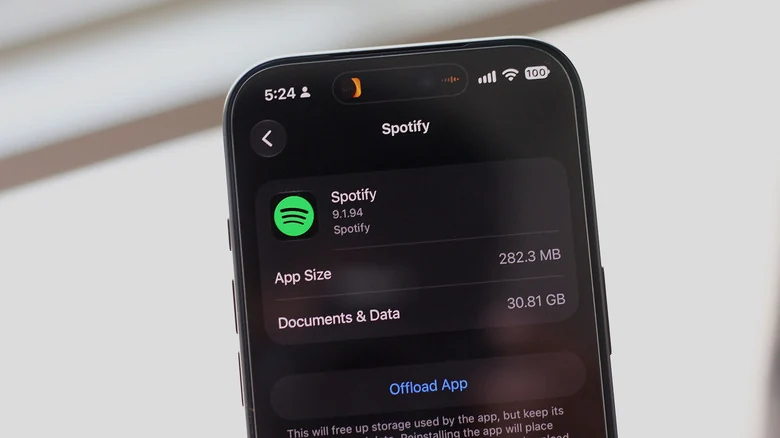
Managing Downloads in Spotify
While Android allows users to clear an application's cache directly through system settings, the Spotify app offers a dedicated mechanism to handle offline content. Users can check what music they have downloaded by opening the app, navigating to the Your Library tab, and tapping on Downloaded at the top of the screen.
From this menu, individuals can select individual playlists or albums and tap the green download button to remove them from the device. This approach allows users to delete songs they no longer want available offline while keeping frequently listened-to tracks intact.
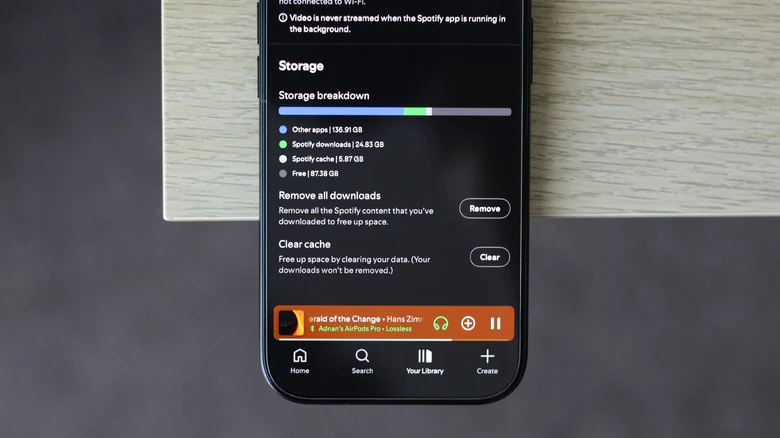
For those wishing to reclaim maximum storage by deleting all downloads at once, Spotify provides an option within the mobile app. Users can tap their profile picture in the top-left corner, navigate to Settings and privacy, select Data-saving and offline, scroll to the bottom, and tap Remove next to the remove all downloads option. Cache clearing is also available in this menu.
Desktop and Alternative Apps
Users running the Spotify application on Windows or macOS computers can similarly clear downloads by clicking their profile picture, navigating to Settings, scrolling to the Storage section, and clicking the remove all downloads button. Individuals using Spotify via a web browser do not need to worry about offline files taking up device space, as the browser version does not support offline playback.
Similar storage management practices apply to other streaming services like Apple Music and Netflix, which also permit users to remove downloads through their respective application settings.
Adjusting Audio Quality to Save Space
Users who require an offline library but need to conserve storage space can adjust the playback quality of downloaded tracks. On iOS and Android devices, listeners can open Spotify, go to Settings and privacy, select Media quality, and scroll down to the Download quality section.
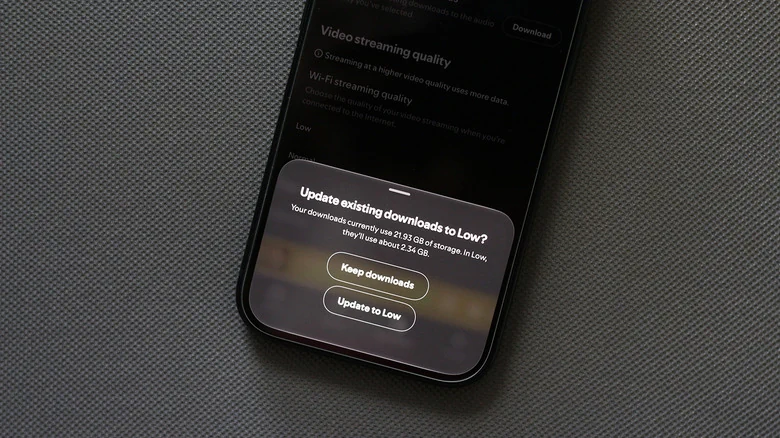
Selecting the Low option and tapping the download button next to the update existing downloads option applies the change. According to Spotify, tracks streamed or downloaded at the low quality setting correspond to roughly 24 kbps, which remains suitable for casual listening.
The Impact of Lossless Audio
The chosen quality preset plays a major role in overall application size. Having the lossless audio quality preset selected for downloads causes an offline music library to occupy significantly more storage space, because uncompressed or higher-resolution tracks are much larger than compressed alternatives.
While lossless formats can enhance listening experiences when paired with wired headphones and dedicated digital-to-analog converters, the difference may go unnoticed when using standard wireless earbuds. Testing demonstrates that downloading a music library in lossless quality can cause Spotify to occupy nearly 22GB of device space, whereas switching the entire library to the low preset reduces that footprint to just over 2GB, yielding substantial storage savings without sacrificing offline playback.
Sources
- EngadgetWhy your Spotify might be using so much storage
Continue chronologically


Related stories
Display Song Lyrics on Apple CarPlay Using Dynamic Lyrics
Learn how the little-known Dynamic Lyrics app brings time-synced song lyrics directly to your Apple CarPlay infotainment display screen.

Spotify Ramps Up Enforcement on Family and Duo Plans
Spotify is tightening enforcement on Family and Duo subscription plans by requiring users to verify their shared address using an in-person QR code scan.

YouTube Music Introduces AI Labels for Streaming Content
YouTube Music rolls out new player page labels to identify fully or partially AI-generated tracks as AI music floods streaming platforms.

Google Confirms Android Auto Updates and Fixes for Media Apps
Google has recapped several recent Android Auto updates and fixes for media apps, confirming that the divisive squiggly line design is here to stay.