
GitHub Releases Refreshed Repository Pull Requests Page
GitHub has officially rolled out a refreshed interface for repository pull requests to all users, aiming to streamline how developers manage and navigate their workflows.
 Radwan AbdulhadiEditor and technology writer
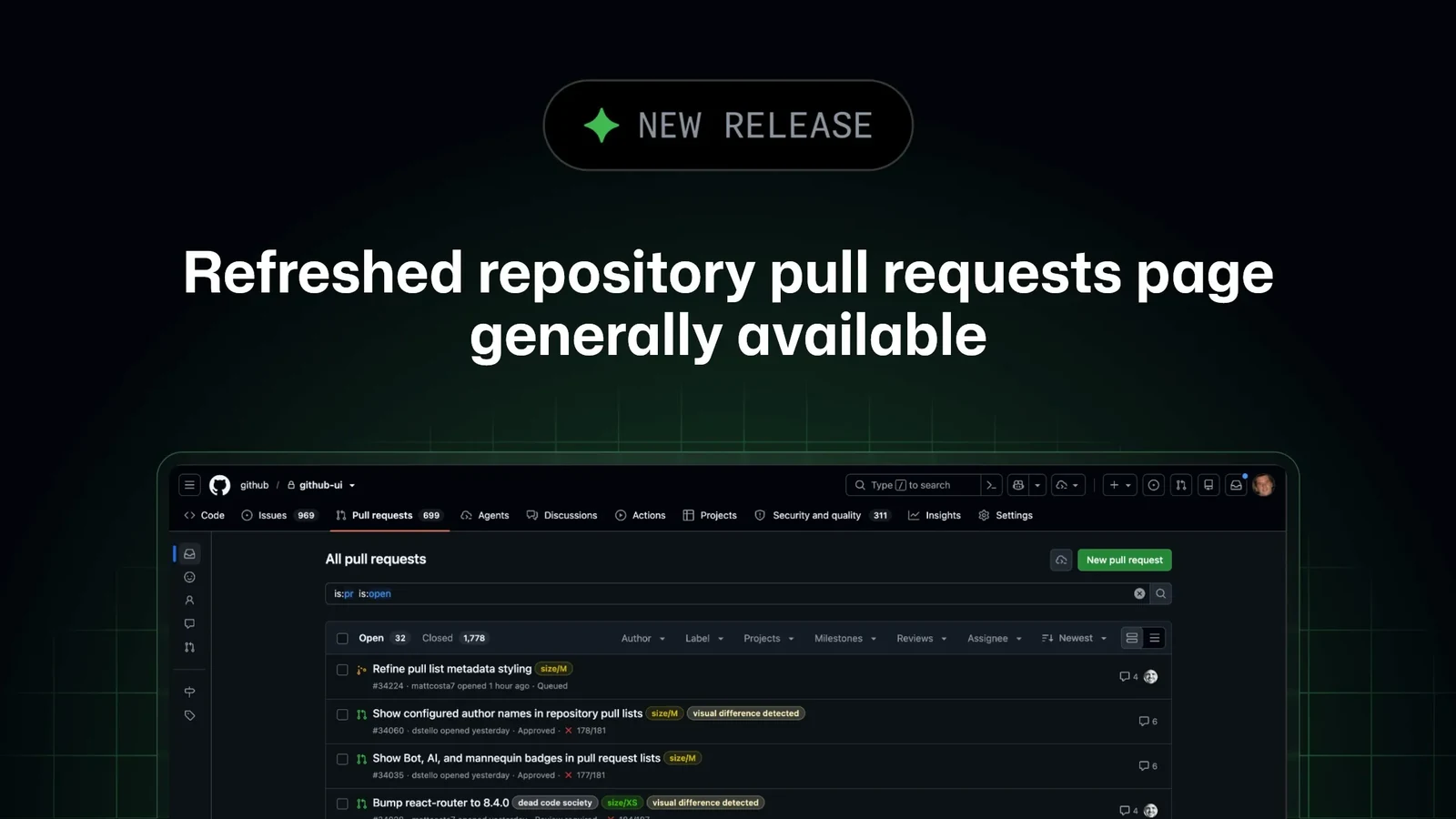
An Improved Workflow for Developers
GitHub has announced that the new repository pull requests page is now generally available to all GitHub users. This update follows the recent public preview period, during which the platform incorporated user feedback to refine the interface and functionality of its primary [collaboration tools](https://github.blog/changelog/2026/?label=collaboration-tools).
The revamped design is intended to make it significantly easier for contributors and maintainers to find, navigate, and act on pull requests within a repository. By simplifying the interface, GitHub seeks to reduce the time developers spend managing code contributions, allowing them to focus more on the work itself.
Advanced Search and Filtering Capabilities
At the core of the refreshed experience are robust new search and filtering capabilities. Users now have access to content assist, which helps them quickly identify and apply the appropriate filters. Furthermore, the search functionality has been upgraded to support advanced syntax, including AND and OR keywords, as well as complex nested searches.
For those looking to manage their personal workflows, the new collapsible sidebar provides immediate access to commonly used filters, such as 'Authored by me' and 'Involves me.' This allows users to stay organized while managing various [about pull requests](https://docs.github.com/pull-requests/get-started/about-pull-requests) tasks across different projects.
Increased Control and Data Density
The update introduces a new compact presentation mode designed for developers who need to monitor a high volume of activity. This mode allows users to fit more pull requests on the page at once. To ensure that visibility is not lost during this condensation, GitHub has added richer context, including clear indicators for unread updates, stack status, and precise counts of status checks.
Beyond visual density, the platform has empowered users with new bulk action capabilities. Developers can now select one or more pull requests to perform operations like closing, labeling, or changing milestones simultaneously. This is a significant quality-of-life improvement for project maintainers who frequently deal with large batches of incoming contributions.
Evolution from the Preview Phase
The general release marks a transition from the [refreshed repository pull requests page in public preview](https://github.blog/changelog/2026-09-10-refreshed-repository-pull-requests-page-in-public-preview) announced earlier in the month. During the preview stage, the development team focused on iterating based on community suggestions. These improvements include the ability to see milestones, linked issues, and author badges directly within the list view.
Enterprise users also benefit from improved identification, as the page now displays full profile names when those settings are enabled for their specific organization. These incremental changes reflect GitHub's ongoing efforts to ensure that its interface scales effectively with the growing complexity of modern software development workflows.
Sources
- GitHub ChangelogRefreshed repository pull requests page generally available