GitHub Copilot Gains Server-to-Server Authentication
GitHub Copilot has introduced support for server-to-server authentication for GitHub Apps installed on organizations, launching in public preview to empower automated workflows and agents.
 Radwan AbdulhadiEditor and technology writer

Introduction to Server-to-Server Authentication
GitHub has announced that GitHub Copilot now supports server-to-server authentication for GitHub Apps installed on organizations, which is currently available in public preview. According to the official announcement detailed in the GitHub Changelog, this capability allows services and agents built with the GitHub Copilot SDK to make requests on behalf of an organization without relying on a signed-in user’s credentials. This architectural update introduces a workload-owned identity model designed to help automated services and agents operate reliably at a much larger scale, completely decoupling their execution and authentication from individual user accounts.
For enterprise environments and development teams building autonomous tooling, user-tied authentication has historically presented operational hurdles, particularly when scaling background tasks or continuous automated pipelines. By removing the dependency on individual user sessions, services can now execute tasks independently while remaining securely bound to the overarching organizational framework. Developers looking to implement this functionality can review the technical implementation details outlined in the official documentation for server-to-server authentication for the GitHub Copilot SDK.
The public preview arrival builds on a sequence of recent platform developments aimed at expanding developer flexibility, such as the rollout of features covered under the broader copilot updates. As development teams increasingly rely on autonomous software engineering tools, establishing secure, programmatic authentication paths represents a critical milestone in making AI integration robust and scalable across complex corporate infrastructures.
Implementation and Developer Workflow
Implementing server-to-server authentication within a development pipeline involves a straightforward configuration process tailored for GitHub Apps. Developers begin by granting a designated GitHub App the read-only Copilot Requests organization permission. Once this permission is established, the application must be installed on the target organization. Following installation, developers can pass a short-lived installation access token directly to the Copilot SDK to authenticate API requests seamlessly.
This streamlined mechanism ensures that applications do not need to store long-lived user secrets or handle complex OAuth delegation flows for routine backend operations. Because the token is short-lived, the security posture of the integration is significantly strengthened, minimizing potential vectors for credential leakage. Furthermore, developers can pair this integration capability with other enterprise features, ensuring that automated systems function smoothly alongside human developers.
The integration model is designed to fit naturally into existing GitHub App deployment workflows. By leveraging standard GitHub App installation paradigms, engineering teams can adopt the new authentication framework without having to overhaul their existing authorization management systems or security policies.
Billing, Governance, and Cost Controls
With automated services and agents operating independently of individual users, clear financial and governance guardrails are essential. Under the new server-to-server authentication framework, all Copilot usage generated by an app is directly attributed and billed to the organization that owns the app installation. This design ensures that administrative oversight remains centralized.
Crucially, the organization’s existing model policies, budgets, and spending controls apply directly to these automated workloads. This prevents runaway resource consumption and ensures that background agents adhere to the same financial constraints as human users within the organization. Administrators do not need to configure separate billing buckets; instead, the system integrates the app-driven traffic into the established enterprise governance structure.
This transparent financial attribution makes it easier for finance and engineering leaders to track the return on investment of AI agents and automated development tooling, keeping spending aligned with corporate budgets and governance mandates.
Administrative Oversight and Security Management
Security teams and organization owners retain complete visibility and control over which applications are permitted to interact with organizational Copilot resources. Organization owners can review which specific apps have active access and monitor their activity patterns through dedicated auditing tools.
To facilitate granular tracking, app-attributed usage can be identified directly in AI usage CSV reports by utilizing the app_client_id field. This transparency allows administrators to audit precisely how much resource consumption stems from automated bots versus human engineering efforts. If an application exhibits anomalous behavior or is no longer required, organization owners can immediately halt its access by simply suspending or uninstalling the app.
Organizations looking to configure these controls or learn more about administrative best practices can consult the official guide on managing GitHub App access to your organization’s Copilot, ensuring a secure and well-monitored deployment environment during the public preview phase.
Sources
- GitHub ChangelogGitHub Copilot supports server-to-server authentication
Continue chronologically

Related entity coverage
Related stories
Dynamic Workflows Arrive in Copilot CLI and App
Dynamic workflows are now available in the GitHub Copilot app, Copilot CLI, and Copilot SDK, enabling code-defined multi-agent orchestration.

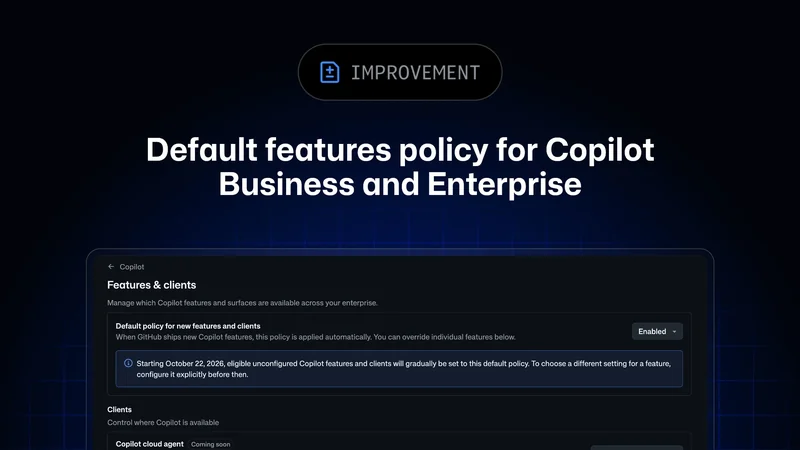
Global Default Policy for GitHub Copilot Features Rolls Out
GitHub begins gradually rolling out enforcement of its global default policy for Copilot Business and Copilot Enterprise plans through October 26.
GitHub Copilot App Introduces Local Sandboxing in Preview
GitHub has announced local sandboxing for the GitHub Copilot app in public preview, helping to reduce the potential impact of unintended commands.
GitHub Adds Feature Engagement to Copilot Dashboard
GitHub’s Copilot impact dashboard now shows regular feature use, while enterprise and organization reports add 28-day engagement data.