Apple Mac Studio With M5 Ultra Review: Local AI Powerhouse
The latest Mac Studio features the powerful M5 Ultra chip, offering extreme unified memory bandwidth and robust performance for running frontier-level AI language models locally.
 Radwan AbdulhadiEditor and technology writer
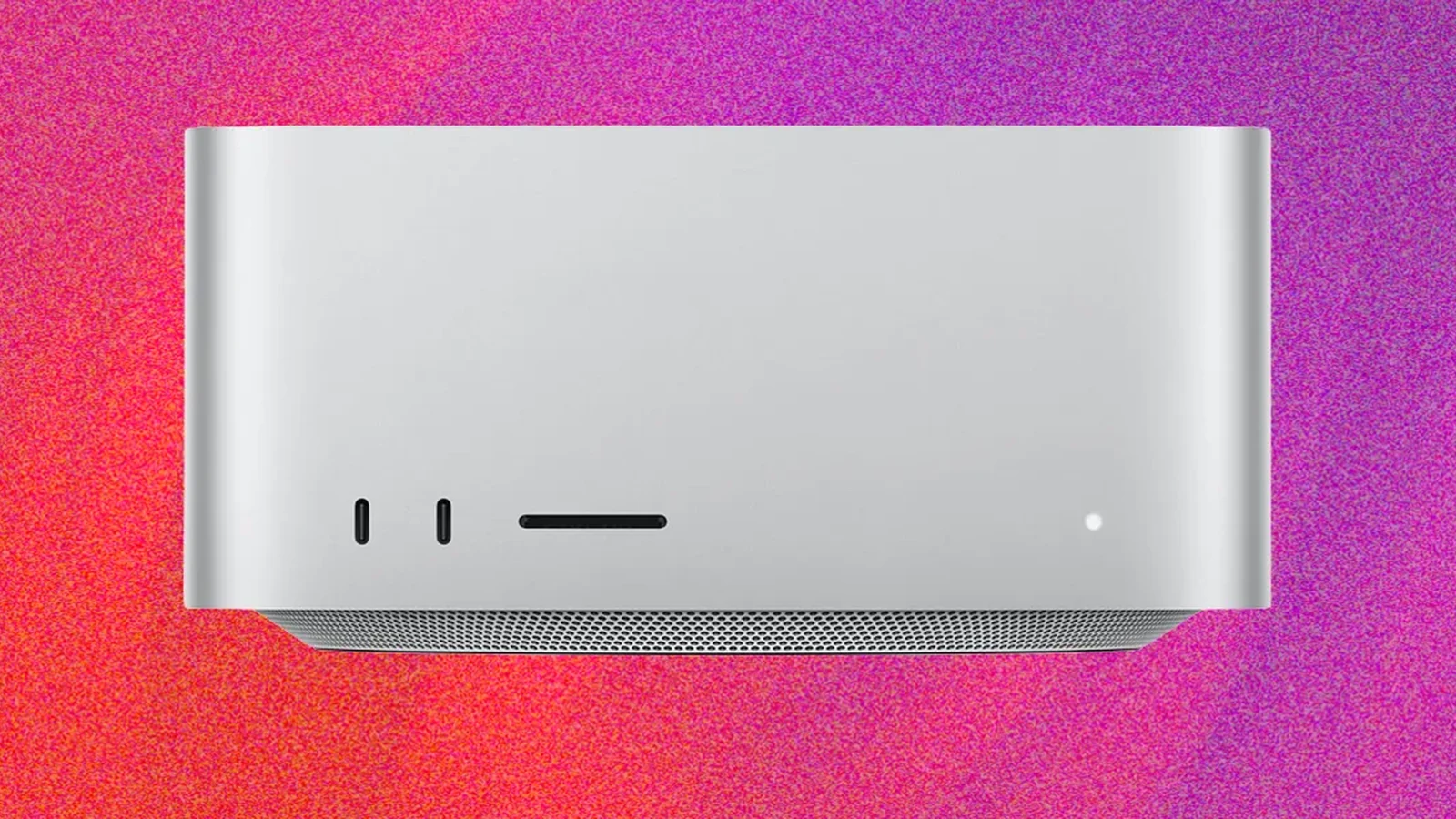
Design and Hardware Layout
Apple continues to cater to high-performance computing crowds with the Mac Studio, maintaining a compact form factor that stands about as tall as a coffee mug on a 7-inch-square footprint. Notably, the Mac Studio remains the only Mac to keep USB-A ports around, offering two of them alongside four Thunderbolt 5 ports, an Ethernet port, an HDMI port, and a headphone jack. Unlike the Mac Mini, the Studio configuration swaps the front-facing headphone jack for a full SD card slot, providing a convenient addition for photographers and videographers.
The computer is available in two distinct versions. The M5 Max model starts at $2,499 and includes 36 GB of memory alongside 512 GB of storage, delivering performance comparable to the MacBook Pro with M5 Max for a substantially lower price point. Meanwhile, higher-end configurations target specialized professional workflows.
M5 Ultra Performance and Architecture
The premium configuration features the M5 Ultra processor and maxes out unified memory to 256 GB. The M5 Ultra stands as Apple's first quad-die chip and the most singularly powerful processor the company has built to date, effectively stitching together two M5 Max chips via a high-speed interconnect to form a total of 36 CPU cores.
Across different configurations, the Mac Studio draws its primary power from a high number of GPU cores and unified memory. Memory options range from 36 GB up to 256 GB, with a 512 GB model planned for release in October, paired with up to 80 GPU cores. Every single GPU core within the M5 chip family integrates a Neural Accelerator to further optimize performance during heavy AI workloads.
Benchmark testing reveals significant performance gains. In Cinebench 2026, the M5 Ultra Mac Studio outperformed an M5 Max system by 51 percent due to its doubled CPU core count. Furthermore, the 3DMark Steel Nomad benchmark indicated a 41 percent higher score for the M5 Ultra compared to the M5 Max configuration.
Gaming and Graphics Capabilities
While professional media production and engineering tasks remain the primary focus, the M5 Ultra also demonstrates notable improvements in gaming performance. The system can run Cyberpunk 2077 at 160 frames per second on the M5 Ultra, marking a 61 percent speed increase over the M5 Max configuration. Users can comfortably play the game at 2560 x 1400 resolution on the Ultra preset, and the hardware can even run the title natively in 4K at 53 frames per second under the same preset conditions.
Although the platform does not replace an RTX 5090-powered desktop gaming PC, it represents a major step forward for gaming capability within the macOS ecosystem.
On-Device AI and Machine Learning
The defining characteristic of the M5 Ultra Mac Studio is its capability to handle intensive on-device AI operations. The M5 Ultra introduces a memory bandwidth of 1.2 terabytes per second, a substantial upgrade that facilitates efficient local model execution without cloud connectivity.
When running local tasks using tools designed for on-device AI tools, the system successfully managed smaller 9-billion-parameter language models as well as much larger, 122-billion-parameter versions of Qwen 3.5. These larger models operated locally and completed agentic workflows offline in under two minutes. Meanwhile, image and video generation tests using platforms like Draw Things on the 80-core GPU demonstrated the expanding potential of local hardware for creative generation, though cloud-based and discrete GPU alternatives still maintain certain speed advantages for extended video rendering tasks.
Sources
- WIREDApple Mac Studio (M5 Ultra) Review: Unlimited Power
Continue chronologically


Related entity coverage
Related stories
Apple Mac Studio M5 Ultra Offers Massive AI Performance
The new M5 Ultra-powered Mac Studio delivers elite AI and graphics performance, though its premium pricing targets exclusively power users.
New Mac mini and Mac Studio Launch With M6 and M5 Chips
Apple has officially released the new Mac mini and Mac Studio, featuring powerful M6 and M5 silicon, advanced AI capabilities, and enhanced performance.

Apple CarPlay vs. CarPlay Ultra: Understanding the Key Differences
Discover the technical differences between standard Apple CarPlay and the advanced, highly customizable CarPlay Ultra experience for modern vehicles.
Apple Store Architect Skeptical of AI-Driven Shopping Future
Ron Johnson, the pioneer behind Apple's retail success, argues that physical stores remain vital despite the industry's multi-billion dollar bet on AI.