ChatGPT Desktop App Integrates With AWS GovCloud
Organizations can now configure the ChatGPT desktop app to route model inference directly through Amazon Bedrock in AWS GovCloud (US-West) using controlled local deployment methods.
 Radwan AbdulhadiEditor and technology writer
Overview of AWS GovCloud Integration
The ChatGPT desktop app is now officially available on <a href="https://aws.amazon.com/bedrock/">Amazon Bedrock</a> within <a href="https://aws.amazon.com/govcloud-us/">AWS GovCloud (US)</a>. This integration provides organizations with access to advanced frontier models via two primary components: Work, which handles complex multi-step tasks, and Codex, a specialized coding agent designed for software development, testing, and reviewing.
This deployment option is built for organizations whose security architecture requires model inference to run strictly through designated identities, endpoints, and Regional controls. By routing requests through Amazon Bedrock Mantle in the us-gov-west-1 Region, agencies can govern access effectively using <a href="https://aws.amazon.com/iam/">AWS Identity and Access Management (IAM)</a> and standard AWS GovCloud network boundaries.
Security, Compliance, and Data Governance
For customers managing strict data residency and governance obligations, processing stays strictly within the selected Amazon Bedrock AWS Region. The architecture supports zero data retention, ensuring that prompts and responses are processed without being written to durable storage by AWS or shared with model providers. Furthermore, the pricing model is structured around pay-per-token consumption without mandatory seat licenses or developer commitments.
Controlled local deployments use API-mode sign-in, managed device policies, named AWS profiles, and network restrictions to limit access solely to approved endpoints. Security teams can thoroughly test these environments before deploying them for broader operational use, adhering to internal system security plans.
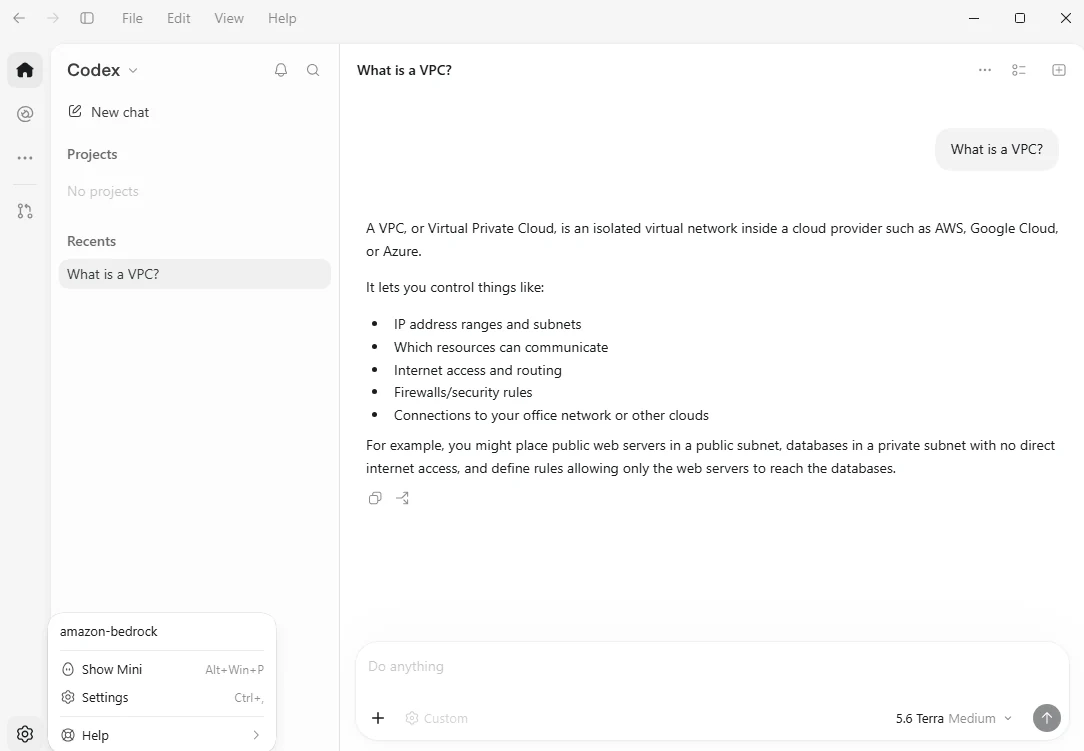
Authentication Pathways and Credentials
Configuring the ChatGPT desktop app requires establishing secure authentication through either an <a href="https://docs.aws.amazon.com/bedrock/latest/userguide/api-keys-generate.html">Amazon Bedrock API key</a> or the <a href="https://docs.aws.amazon.com/sdkref/latest/guide/standardized-credentials.html">AWS SDK credential chain</a>. The application first checks for environment variables such as the bearer token before falling back to standard profile files located in user directories.
Additionally, AWS SSO through <a href="https://docs.aws.amazon.com/sdkref/latest/guide/feature-sso-credentials.html">AWS IAM Identity Center credential provider documentation</a> is fully supported within the credential chain pathway. Administrators must protect credential files and token caches from unexpected modification while enabling authentication tools to properly refresh sessions.
Configuration and Deployment Steps
Deploying the desktop application requires setting up two primary configuration files before launching the software for the first time: requirements.toml and config.toml. The administrator-controlled requirements file establishes unmodifiable security rules, while the configuration file specifies operational parameters like model selection and provider details.
Administrators should review <a href="https://learn.chatgpt.com/docs/amazon-bedrock">OpenAI’s Bedrock authentication documentation</a> alongside <a href="https://learn.chatgpt.com/docs/enterprise/govcloud-configuration">Bedrock AWS GovCloud (US) configuration</a> guides to ensure compliance. Developers can also consult <a href="https://learn.chatgpt.com/docs/changelog">your version</a> details to verify software compatibility before installation.
Sources
- AWS Machine Learning BlogConfigure the ChatGPT desktop app with Amazon Bedrock in AWS GovCloud (US)
Continue chronologically
Related entity coverage
Related stories
OpenAI and Oracle Expand Partnership to Bring Apps to ChatGPT
OpenAI and Oracle expand their commercial partnership to integrate business applications and AI agents into ChatGPT and power new Oracle offerings.

OpenAI to Watermark ChatGPT Text in the European Union
OpenAI is rolling out invisible watermarks for ChatGPT and Codex text outputs in the European Union to comply with the new AI Act.
OpenAI Introduces Text Watermarking in ChatGPT and Codex
OpenAI is rolling out invisible machine-readable watermarks for ChatGPT and Codex in the EU to comply with transparency rules.

OpenAI Doubles Pro Limits and Brings Work Features to Chat
OpenAI is doubling Pro usage limits, rolling out ChatGPT Work capabilities into regular Chat, and combining usage allowances across ChatGPT and Codex.