Scaling QA Studio with Applications and Access Control
The latest installment of the QA Studio series addresses the complexities of scaling automated testing across organizations by introducing structured applications, comprehensive health metrics, and robust team-based user management.
 Radwan AbdulhadiEditor and technology writer
Scaling Test Automation Across Organizations
As quality assurance automation adoption grows inside an organization, a new operational challenge emerges that has little to do with writing individual tests. When multiple teams begin using test automation, hundreds of test cases belonging to different products accumulate, leaving no quick way to assess overall application test coverage health. In the initial rollout of this architecture, as detailed in the first post , teams learned to define tests in natural language and execute them using AI-powered visual navigation via <a href="https://aws.amazon.com/ai/agentic-ai/nova-act/">Amazon Nova Act</a>.
Following subsequent updates—such as those introduced in the second post for batch regression testing in continuous integration and continuous delivery pipelines—Part 3 of the QA Studio series introduces structural capabilities to help organizations scale test automation securely and efficiently.
Organizing Tests with Applications
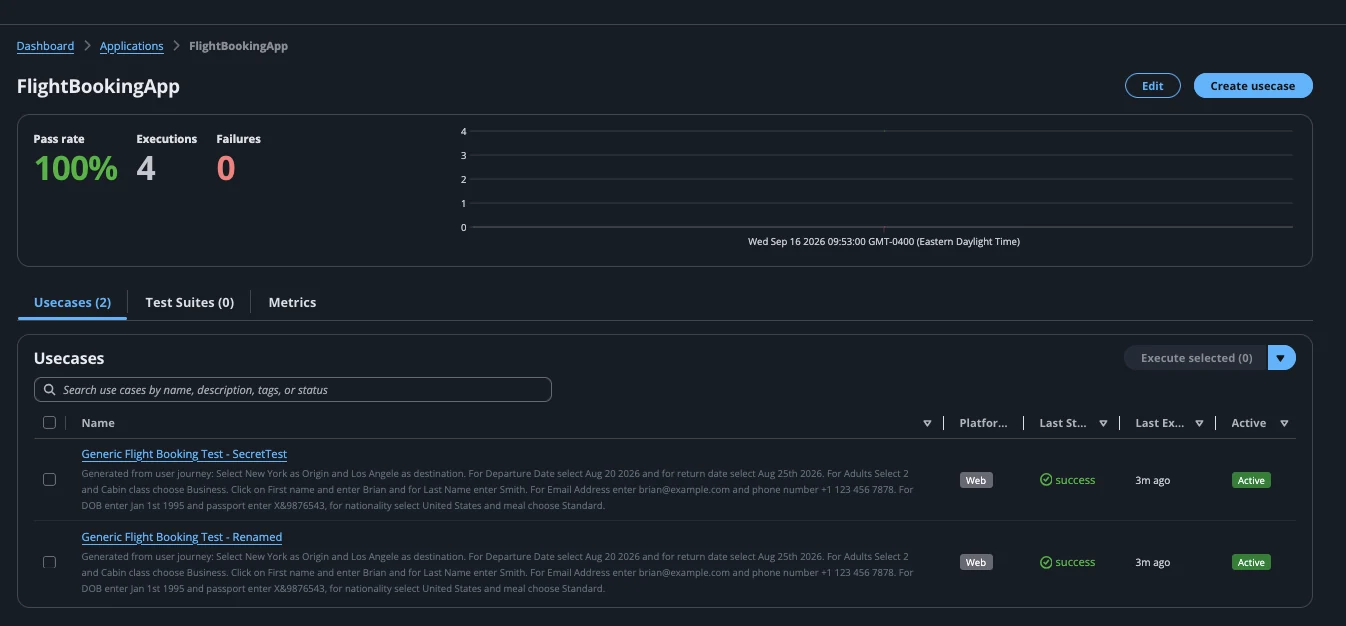
To solve the organizational bottleneck of managing sprawling test suites, QA Studio introduces applications to represent systems under test, such as websites, web applications, and service front ends. An application acts as a container that provides a home and an assigned owner for a specific collection of tests. Individual use cases and regression test suites belong directly to an application, allowing teams to inherit ownership seamlessly.
Instead of navigating a single flat list containing every test across a deployment, individual squads work exclusively within the applications they own. Creating an application requires only a name, a base URL, and an optional set of environments like development, staging, and production. From the application page, teams can create new use cases in context, incorporate existing ones, and group them into structured test suites while monitoring overall health metrics.
Understanding Application Health and Metrics
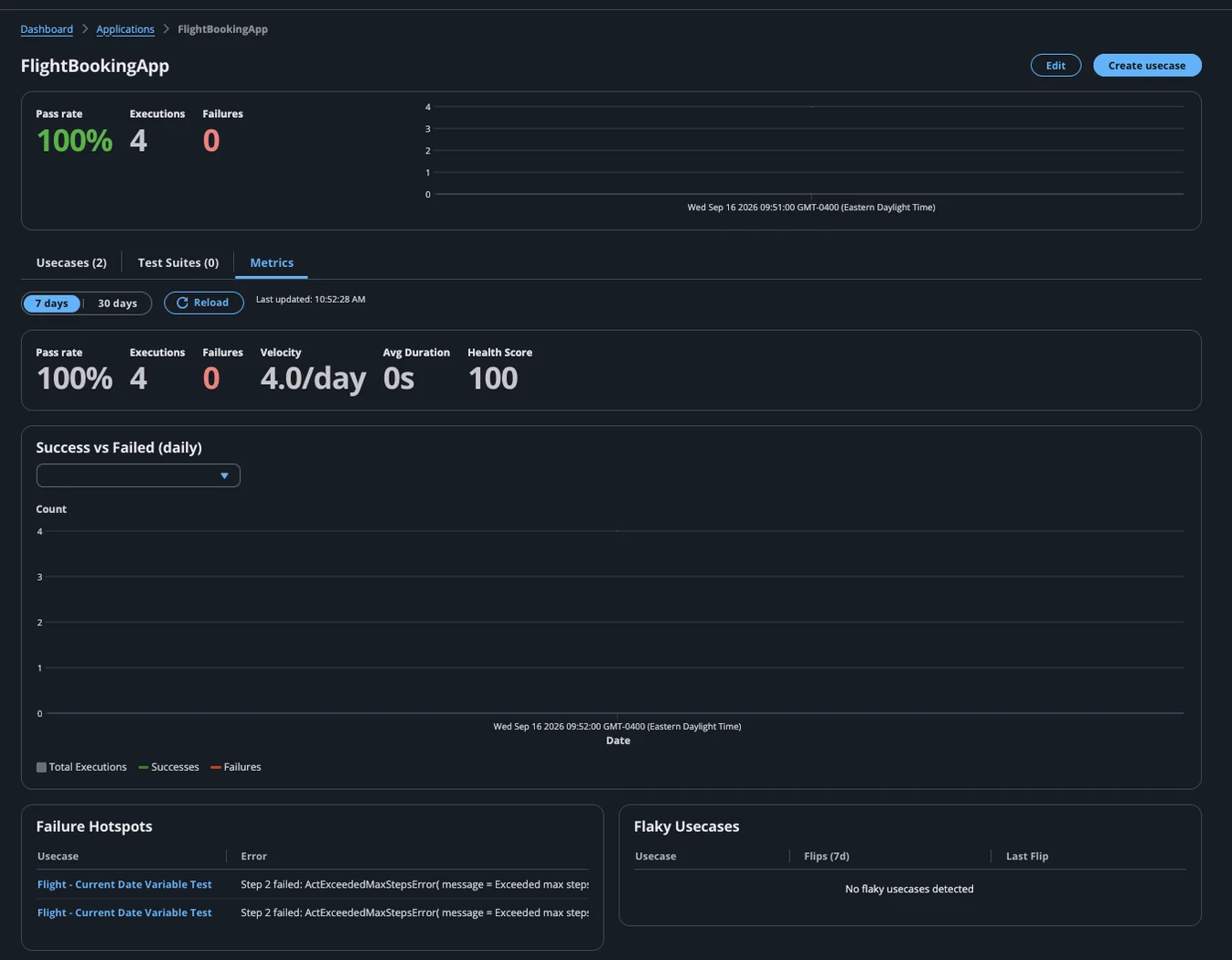
Understanding test results over time helps teams determine whether an application's development lifecycle remains healthy, going beyond checking whether a single build is ready for release. QA Studio records execution outcomes, which can be integrated with tools like <a href="https://aws.amazon.com/cloudwatch/">Amazon CloudWatch</a> custom metrics, dimensioned by specific applications and environments to present a comprehensive health view.
The top of the application page displays three key figures: the pass rate over a selected window, the total number of executions, and the current failure count. Additionally, QA Studio computes a health score ranging from zero to one hundred, starting from the pass rate and subtracting penalties for flaky tests to prevent falsely perfect performance pictures. Dedicated views also allow teams to rank flaky use cases and review recent failures for quick triage.
Team-Based User Management and Roles
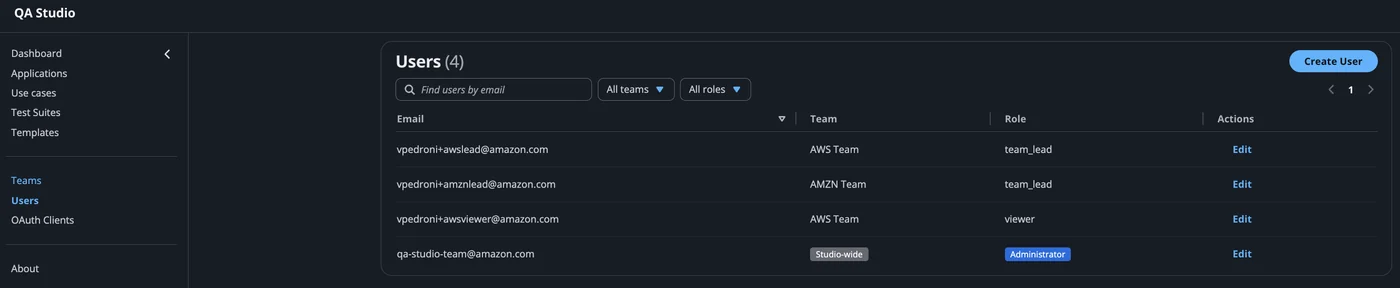
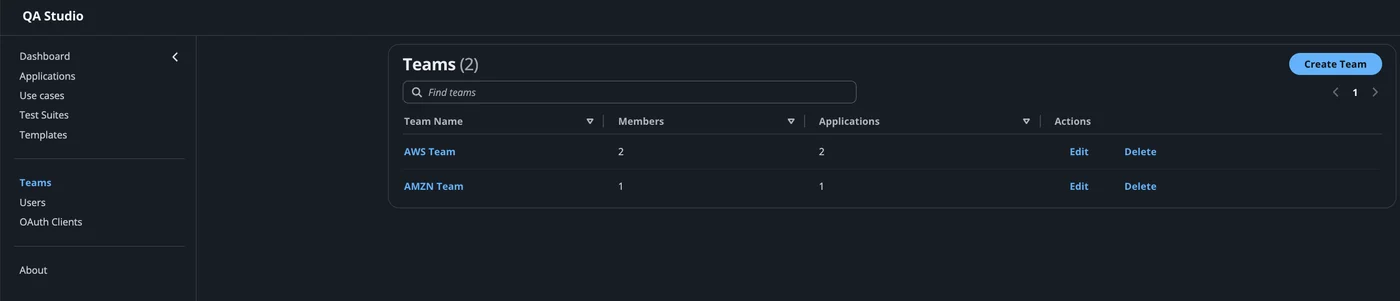
While metrics report on application health, team-based user management establishes ownership boundaries. QA Studio organizes access around distinct teams where an application belongs to exactly one team, restricting visibility for unauthorized users. Every team member holds one of five cumulative roles: Admin, Team Lead, Editor, Executor, and Viewer.
The Admin role provides studio-wide access to every team, application, and user account. Team Leads manage their own members and create applications, while Editors create and modify use cases and test suites. Executors run tests without changing them, and Viewers maintain read-only access to team applications and results, simplifying permission management at the application level.
Sources
- AWS Machine Learning BlogAccelerating software delivery with agentic QA automation using Amazon Nova Act – Part 3
Continue chronologically


Related entity coverage
Related stories
Epsilon Builds Managed UI Testing With Amazon Nova Act
Epsilon's Agentic Platform team introduces a managed, multi-tenant UI testing service powered by Amazon Nova Act and AWS infrastructure.
Manage Private Pricing Offers for Amazon Bedrock with Managed Entitlements
Learn how to manage private pricing offers for Amazon Bedrock across multiple accounts using managed entitlements and automated scripts.

Hugging Face Skills Automate SageMaker Model Deployments
Hugging Face and AWS release open-source agent skills, letting coding agents automate production-ready model deployments on Amazon SageMaker AI.
Meta API updated by GitHub with new blob storage endpoints
GitHub updates its meta API with new blob storage endpoints for GitHub Actions on github.com to improve capacity, reliability, and network configurations.